36
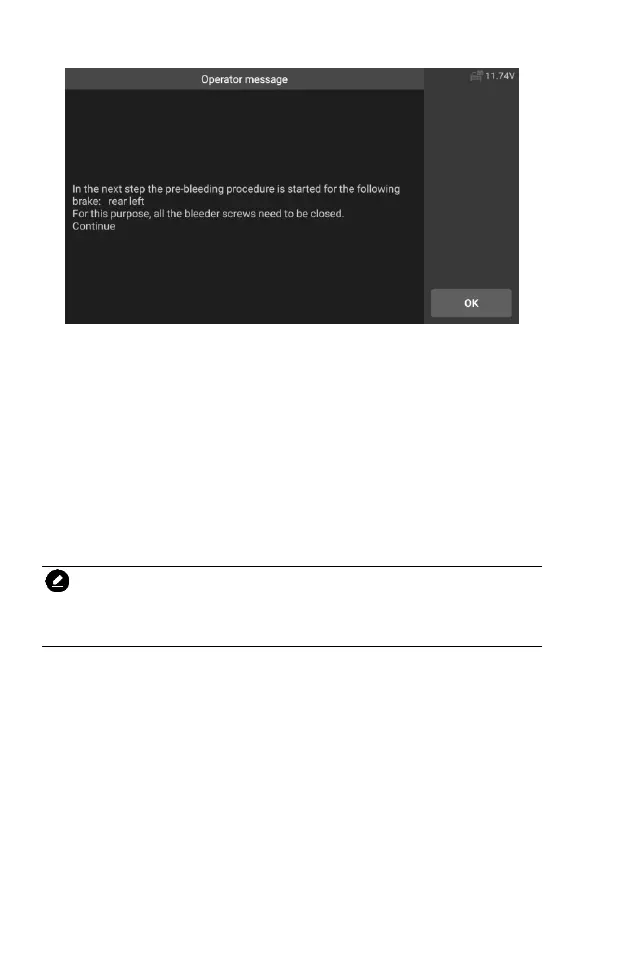
Figure 5-7 Sample ABS Bleeding Function Screen 6
5.2 Oil Reset(OIL) Service
This function allows you to perform reset for the Engine Oil Life system,
which calculates an optimal oil life change interval depending on the vehicle
driving conditions and climate. The Oil Life Reminder must be reset every time
the oil is changed, so the system can calculate when the next oil change is
required. Different vehicles may have different methods to do the oil
maintenance, generally, oil change is required whenever oil lamp is on and the
recommended maintenance period is reached. The Oil Reset function can reset
the maintenance period and distance and turn off the lamp when you really
change the oil.
NOTE
All required work must be carried out before the service indicators are reset.
Failure to do so may result in incorrect service values and cause DTCs to be
stored by the relevant control module.
All software screens shown in this manual are examples, actual test screens
may vary for each vehicle being tested. Observe the menu titles and on-screen
instructions to make correct option selections.
Using Benz as an example.
Set the distance driven since last oil change:
1. Tap the Service application button from the CR Genius Job Menu.
2. Tap Oil icon and wait for the vehicle manufacturer screen. Then tap
Benz icon from the screen. Waiting for vehicle communication.
3. Then you can tap Auto Identify to acquire vehicle VIN information
and tap OK to confirm. Or you can tap the Vehicle Select to choose
the correct vehicle according to the on-screen instructions. For










 To Next Page