14
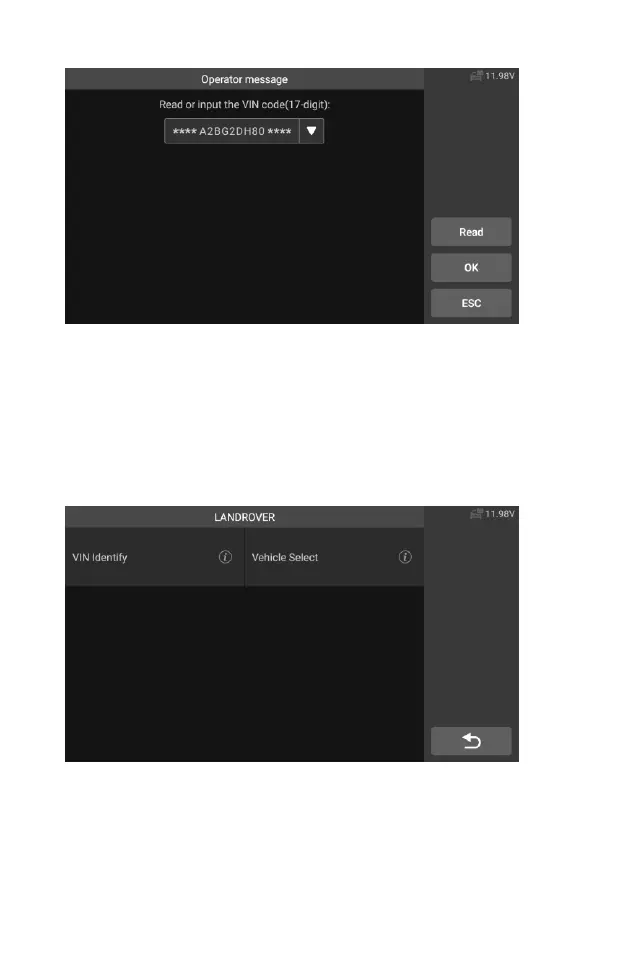
Figure 4-7 Sample VIN input Screen 2
4. Tap OK. The vehicle will be identified and the Vehicle Diagnostics
screen will display.
5. Tap Cancel to exit Manual Input.
4.2.2 Vehicle select
In some cases, when the user selects the vehicle brand without performing
an automatic vehicle identification number scan, the system can provide vehicle
selection to enter the vehicle diagnosis system.
Figure 4-8 Sample Vehicle Select Screen 1
To perform Vehicle Select
1. Tap the Diagnostics application button from the CR Genius Job
Menu. The Vehicle Menu displays.
2. Tap the vehicle brand of the test vehicle.










 To Next Page