1
BASIC MANUAL
1
2
3
4
5
7
8
9
6
1
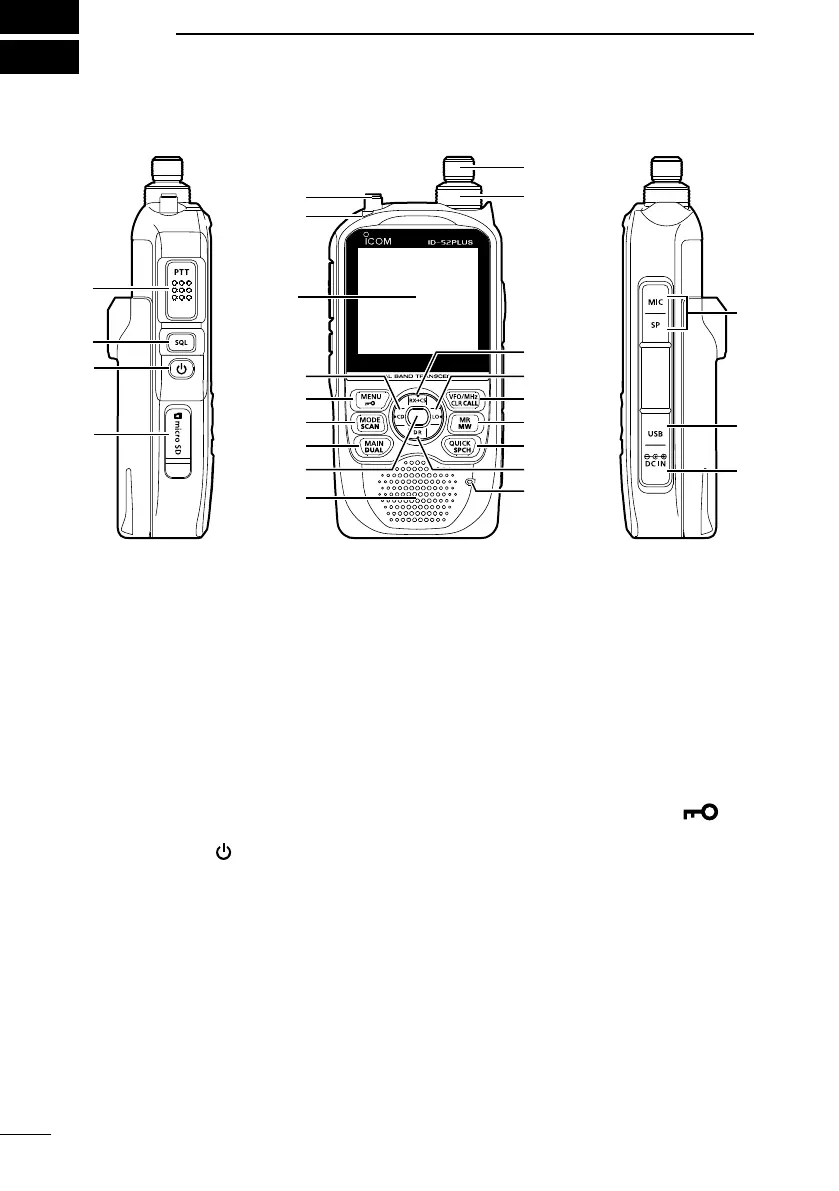
PANEL DESCRIPTION
■ Front, top, and side panels
1PTT SWITCH [PTT]
Hold down to transmit, release to
receive.
L For the ID-52E PLUS only
Push briey and release, and then
hold down to transmit a 1750 Hz
tone burst.
2SQUELCH KEY [SQL] (p. 12)
z While holding down, rotate [DIAL] to
adjust the squelch level.
z Hold down to temporarily open the
squelch and monitor the operating
frequency.
3POWER KEY [
]
z Hold down for 1 second to turn the
transceiver ON or OFF. (p. 7)
z When “Screen Capture [PWR] Key”
is set to “ON,” push to capture the
transceiver display onto a microSD
card.
( [MENU] > SET > Function >
Screen Capture [PWR] Key)
4microSD CARD SLOT [microSD]
Insert a microSD card (User supplied).
(p. 7)
5ANTENNA CONNECTOR
Connect the supplied antenna.
6TX/RX INDICATOR
• Lights red while transmitting.
• Lights green while receiving a signal,
or when the squelch is open.
7RX CALL SIGN DISPLAY • D-PAD
(LEFT) KEY [CD]/D-pad()
z In the DV mode, hold down for 1
second to open the received call
history. (p. 53)
z In the MENU screen, push to select
an upper-tier menu. (p. 21)
8MENU • LOCK KEY [MENU]/[
]
z Push to open the MENU screen.
(p. 21)
z Hold down for 1 second to turn the
Lock function ON or OFF. (p. 20)
9MODE • SCAN KEY [MODE]/[SCAN]
z Push to select the operating mode.
(p. 15)
z Hold down for 1 second to open the
Scan Type Select window. (p. 17)
MAIN • DUAL KEY [MAIN]/[DUAL]
z Push to set the A or B band as the
MAIN band. (p. 11)
z Hold down for 1 second to turn the
Dualwatch function ON or OFF.
(p. 11)
Function
Display
(p. 3)
Speaker
Internal
Microphone



 To Next Page