3
BASIC OPERATION
19
BASIC MANUAL
D About the transmit power levels
• When an external DC power cable (13.5 V DC) is
connected, or a BP-271/BP-272/BP-307 is used:
Approximately 5 W (High)/2.5 W (Mid)/
1.0 W (Low2)/0.5 W (Low1)/0.1 W (S-Low)
• When the BP-273 is used:
Approximately 0.1 W (S-Low) (xed)
NOTE: When using the BP-273, you can select
“S-Low,” “Low1,” “Low2,” “Mid,” or “High.”
However, “SLO” is displayed while transmitting,
and the output power is limited to approximately
0.1 watts.
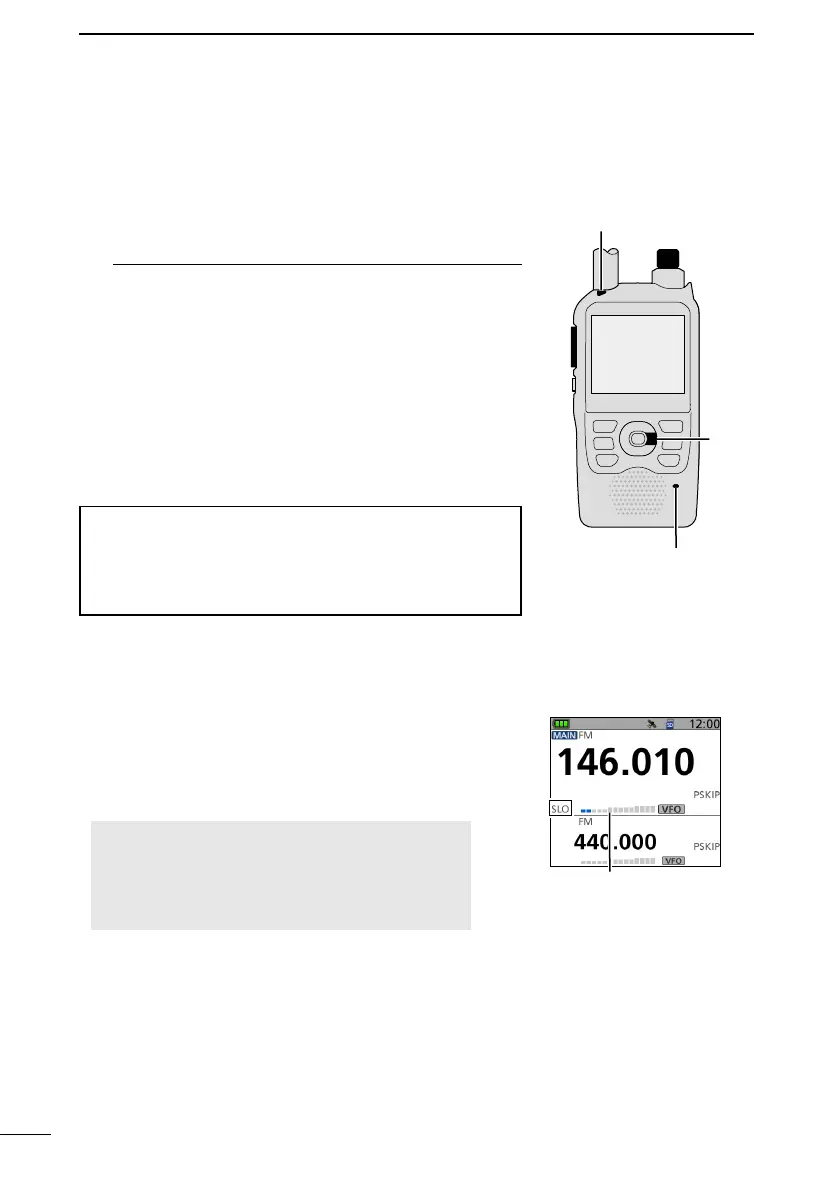
Output
power
S/RF meter
■ Transmitting
D Making a simplex call
1. Select the operating mode. (p. 15)
2. Rotate [DIAL] to set the operating frequency. (p. 16)
3. Hold down [
LO] for 1 second to select an output
power.
• The Select Output Power window is displayed.
L Information
• You can select S-Low, Low1, Low2, Mid, or High.
• You can also select an output power by rotating [DIAL]
while holding down [LO].
• When you select a high power, the power icon
disappears.
• Select a level to suit your operating requirements.
4. Hold down [PTT] to transmit, and speak into the
microphone at your normal voice level.
• The TX/RX indicator lights red.
• The S/RF meter displays the output power level.
5. Release [PTT] to receive.
TIP: To maximize the readability of your signal
1. After pushing [PTT], pause briefly before you start
speaking.
2. Hold the microphone 5 to 10 cm (2 to 4 inches) from
your mouth, then speak at your normal voice level.
TX/RX indicator
Microphone
[PTT]
[DIAL]
[LO]



 To Next Page