3
BASIC OPERATION
15
BASIC MANUAL
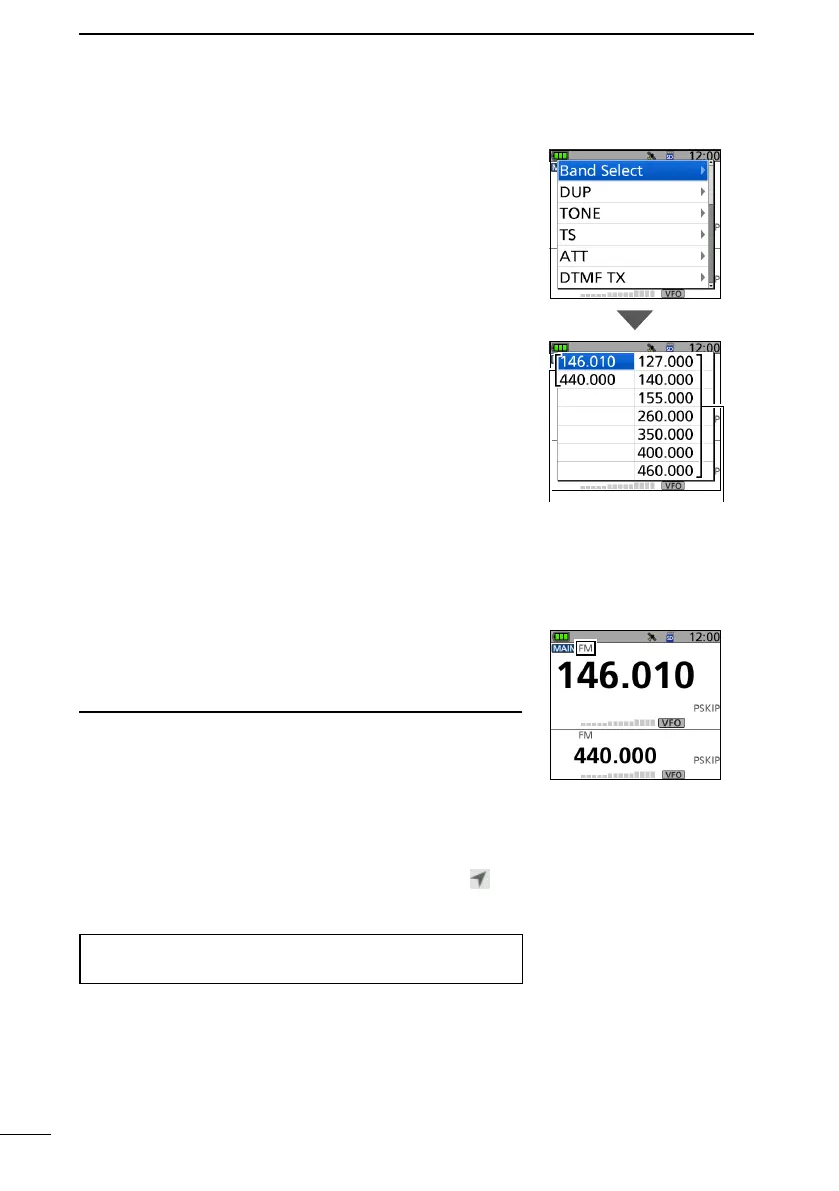
■ Selecting the operating band
1. Push [VFO/MHz] to select the VFO mode.
2. Push [QUICK].
3. Select “Band Select.”
4. Select the desired frequency band.
• Sets the operating band, then returns to the standby
screen.
L Selectable frequency bands dier, depending on the
transceiver version. See the specications for details.
(p. 34)
■ Selecting the operating mode
The transceiver has 5 operating modes, FM, FM-N, AM,
AM-N, and DV.
z Push [MODE] to select the operating mode.
L Information
• In the FM-N mode, the TX modulation is automatically set to
narrow (approximately ±2.5 kHz).
• The AM-N mode can be used for only 108.000 MHz ~
143.995 MHz.
• On 108.000 MHz ~ 136.991 MHz, you can use only AM or
AM-N.
• On the Ham band, you can use only FM, FM-N, or DV.
• When the GPS TX mode is selected in the DV mode,
is
displayed.
([MENU] > GPS > GPS TX Mode)
TIP: You can make a simplex call not only in the FM
mode but also in the DV mode.
FM mode
Transmit and receive Receive only



 To Next Page