D-STAR OPERATION
58
D-STAR GUIDE
1
7
4
10
15
18
2
8
13
5
11
16
3
9
14
6
12
17
■ Calling an individual station
You can make a call to an individual station when the station call sign is selected in “TO”
(Destination).
When you call an individual station through a gateway, your call is automatically sent to
the last repeater that the station accessed. So, even if you don’t know where the station
is, you can make a call using Call Sign Routing.
Step 1: Set “FROM” (Access repeater).
Same as described in page 56.
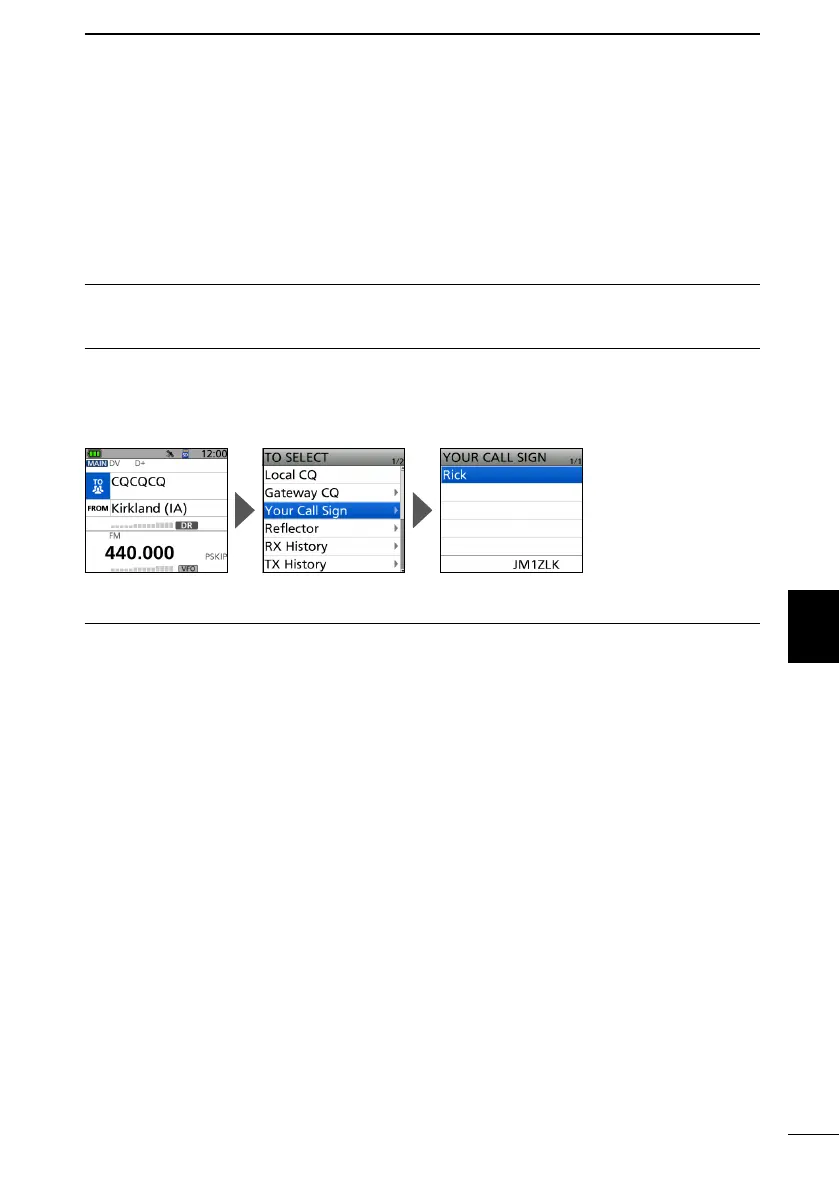
Step 2: Set “TO” (Destination).
1. Push D-pad() to select “TO,” and then push [ENT].
2. Select “Your Call Sign.”
3. Select your destination station.
• Returns to the DR screen, and the selected station name is displayed in “TO.”
Step 3: Hold down [PTT] to transmit.
1. Hold down [PTT] to transmit.
• The TX/RX indicator lights red while transmitting.
2. Release [PTT] to receive.



 To Next Page