BASIC OPERATION
3
12
1
7
4
10
15
18
2
8
13
5
11
16
3
9
14
6
12
17
BASIC MANUAL
■ Monitor function
The Monitor function is used to listen to weak signals
without changing the squelch setting.
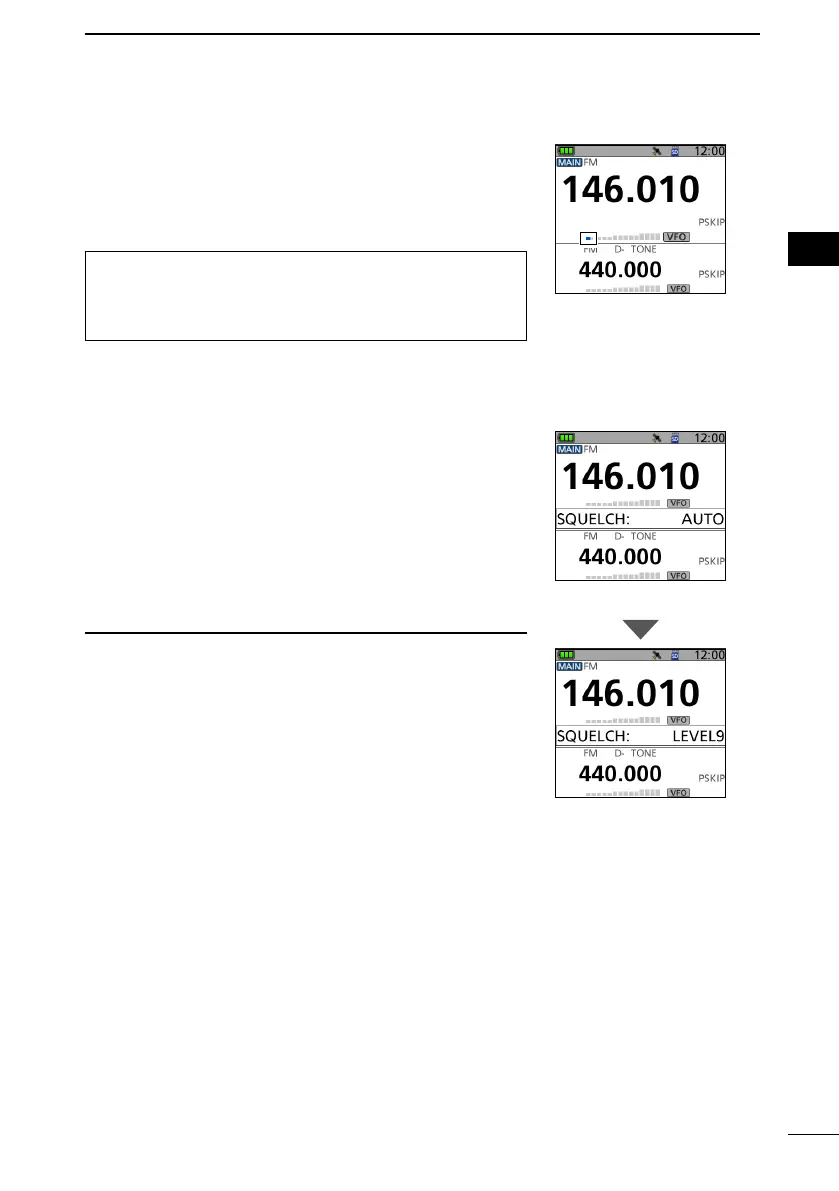
z While holding down [SQL], you can hear weak signals
on the frequency.
TIP: You can set the Monitor Hold function on the MENU
screen. The transceiver opens or closes the squelch
each time you push [SQL].
([MENU] > SET > Function > Monitor)
■ Setting a squelch level
Noise squelch enables the audio to be heard only while
receiving a signal that is stronger than the set level. A
higher level blocks weak signals, which enables you to
receive only stronger signals. A lower level enables you to
hear weak signals.
L Throughout this document, “Noise squelch” is simply called
“Squelch.”
z While holding down [SQL], rotate [DIAL] to select the
squelch level.
L Information
• Options: “OPEN,” “AUTO” (default), and “LEVEL 1” ~
“LEVEL 9”
• “LEVEL 1” is loose squelch (for weak signals) and
“LEVEL 9” is tight squelch (for strong signals).
• “AUTO” is an automatic level adjustment using a noise pulse
counting system.
• “OPEN” is the continuously open setting.
• In the DV mode, you cannot set the squelch to “OPEN.”
Automatic squelch
Maximum squelch level
The rst segment
blinks.



 To Next Page