8
Bluetooth
®
OPERATION
33
BASIC MANUAL
■ Deleting a Bluetooth
®
device from the pairing list
Before deleting a connected Bluetooth device, disconnect it.
[MENU] > SET > Bluetooth Set > Pairing/Connect
1. Push [MENU].
2. Select “Bluetooth Set” in the “SET” menu.
3. Select “Pairing/Connect.”
• Paired devices are displayed.
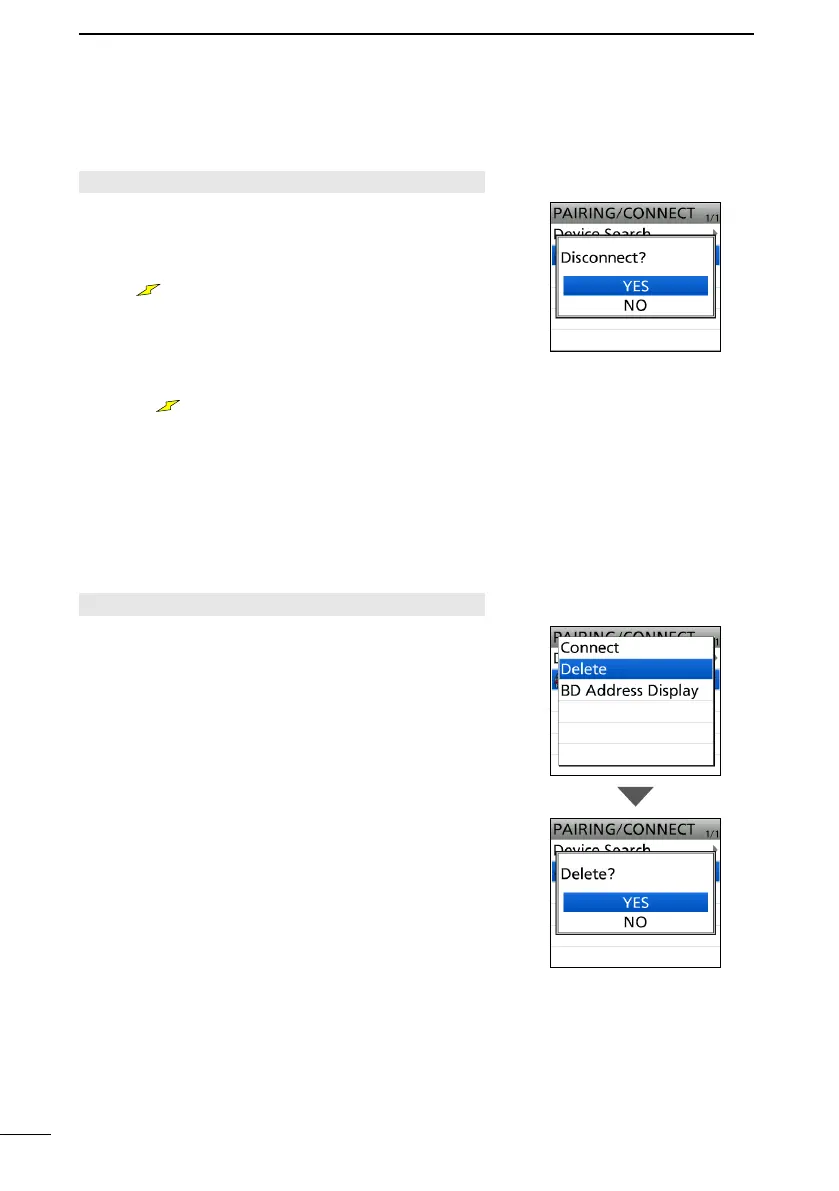
4. Select a device to unpair, and then push [QUICK].
5. Select “Delete.”
• The conrmation dialog is displayed.
6. Select “YES.”
L To exit the MENU screen, push [MENU].
L To connect to a deleted device, you must rst pair with
it again. (p. 32)
■ Disconnecting a Bluetooth
®
device
You can disconnect a paired Bluetooth device if it is not being used.
[MENU] > SET > Bluetooth Set > Pairing/Connect
1. Push [MENU].
2. Select “Bluetooth Set” in the “SET” menu.
3. Select “Pairing/Connect.”
• Paired devices are displayed.
L
is displayed on the device icon, if the device is
connected.
4. Select a device to disconnect.
• The conrmation dialog is displayed.
5. Select “YES.”
• The transceiver disconnects from the Bluetooth device,
and
disappears from the device icon. However, the
transceiver is still paired with the device.
L To exit the MENU screen, push [MENU].
L To reconnect a device, select the device on the pairing
list again.



 To Next Page