D-STAR OPERATION
62
D-STAR GUIDE
1
7
4
10
15
18
2
8
13
5
11
16
3
9
14
6
12
17
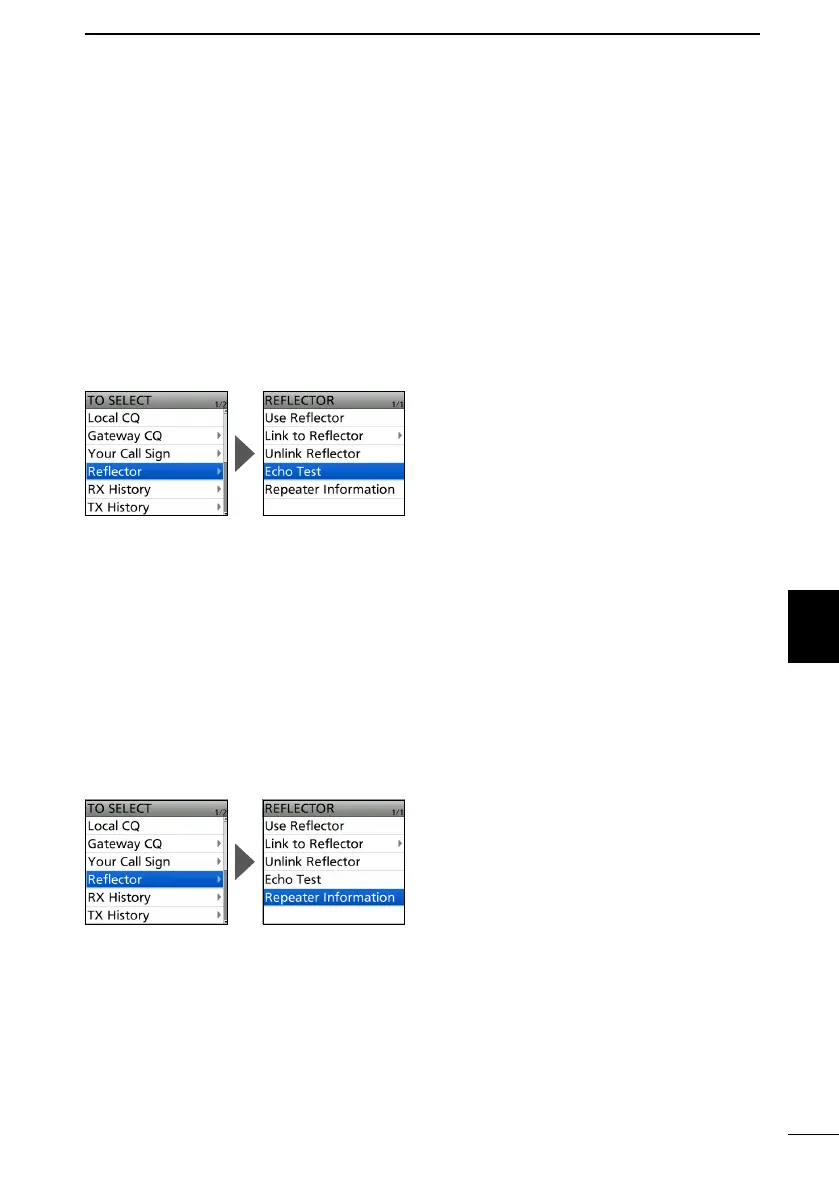
D Reector Echo Testing
To conrm that your signal is correctly getting into the repeater, you can transmit a short
message as a trial. After releasing [PTT], your message will be played back.
1. Push D-pad() to select “TO,” and then push [ENT].
2. Select “Reflector.”
3. Select “Echo Test.”
• Returns to the DR screen, and “Echo Test” and “E” are displayed in “TO.”
4. Hold down [PTT] and speak into the microphone.
• The TX/RX indicator lights red.
5. Release [PTT] to hear your message.
D Requesting repeater information
When you send the repeater information command, an ID message is sent back.
1. Push D-pad() to select “TO,” and then push [ENT].
2. Select “Reflector.”
3. Select “Repeater Information.”
• Returns to the DR screen, and “Repeater Information” and “I” are displayed in “TO.”
4. Hold down [PTT] to transmit the repeater information command.
• The TX/RX indicator lights red.
5. Release [PTT] to hear the repeater ID message.



 To Next Page