2
9
BASIC MANUAL
■ Saving the setting data onto a microSD card
D Saving the setting data
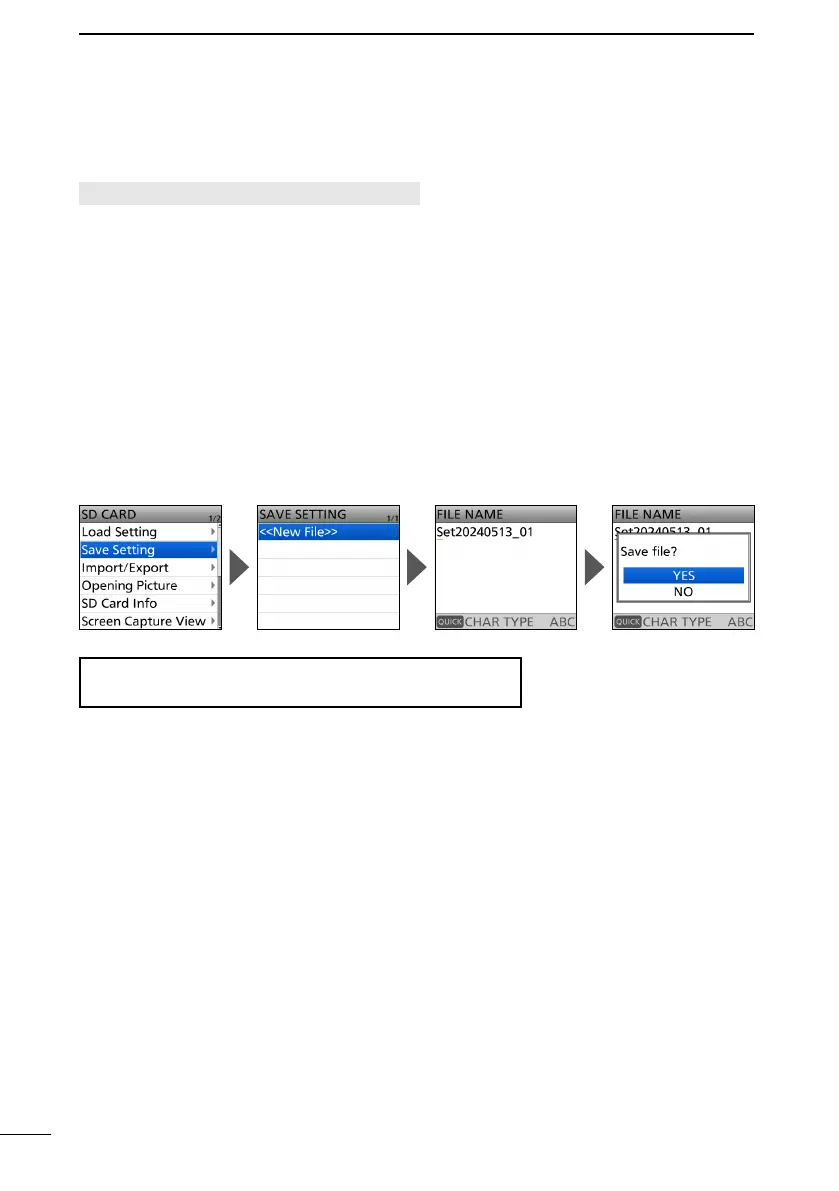
[MENU] > SET > SD Card > Save Setting
2. Select “SD Card” in the “SET” menu.
Select “Save Setting.”
4. Select “<<New File>>.”
• The FILE NAME screen is displayed.
L
SetYYYYMMDD_xx (YYYY: Year, MM: month, DD: day, xx: serial number).
5.
•
6. Select “YES.”
• Saves the setting data.
• While saving, a progress bar is displayed, then returns to the SD CARD screen after the
saving is completed.
L To exit the MENU screen, push [MENU].
TIP:
.



 To Next Page