2
6
1
7
4
10
15
18
2
8
13
5
11
16
3
9
14
6
12
17
BASIC MANUAL
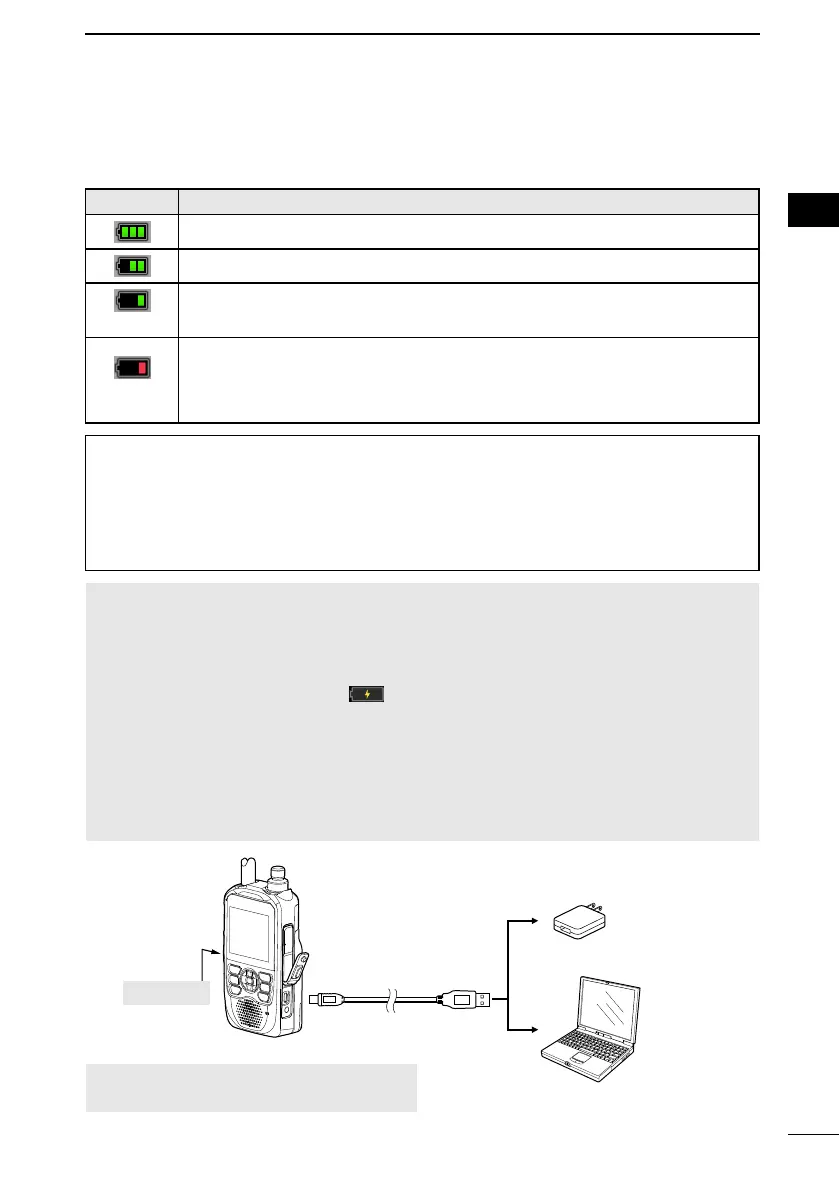
■ Charging the battery pack
D Capacity of the battery pack
ICON BATTERY STATUS
The battery is exhausted a little.
(green)
The battery is nearing exhaustion.
(red)
The battery is almost fully exhausted.
L Immediately charge the battery pack. Otherwise, the icon will soon start
blinking, “LOW BATTERY” will be displayed, and the transceiver will
automatically turn OFF.
To display the correct battery status
([MENU] > SET > Function > Battery Pack Select)
following item to “ON.”
([MENU] > SET > Function > Battery Pack Conrmation)
NOTE:
•
optimum life and operation.
• BE SURE to turn OFF the transceiver while charging. Otherwise, the attached battery pack
cannot be charged.
• While charging, the charging icon “
” and “Charging....” are displayed.
• The icon and “Charging....” disappear when the battery pack is fully charged.
• You may not be able to charge:
- Depending on your USB cable or power adapter.
- When using a USB hub or connecting to a low output USB port.
•
•
(default).
([MENU] > SET > Function > USB Power Input (Phone, Tablet, PC))
Turn OFF
Supplied USB cable
To a USB port
or external battery
(User supplied)
L See the Advanced manual about the optional battery packs and chargers.
To the [USB]
CAUTION: BE SURE to attach the battery
pack before connecting the USB cable.



 To Next Page