INTRODUCTION
46
D-STAR GUIDE
1
7
4
10
15
18
2
8
13
5
11
16
3
9
14
6
12
17
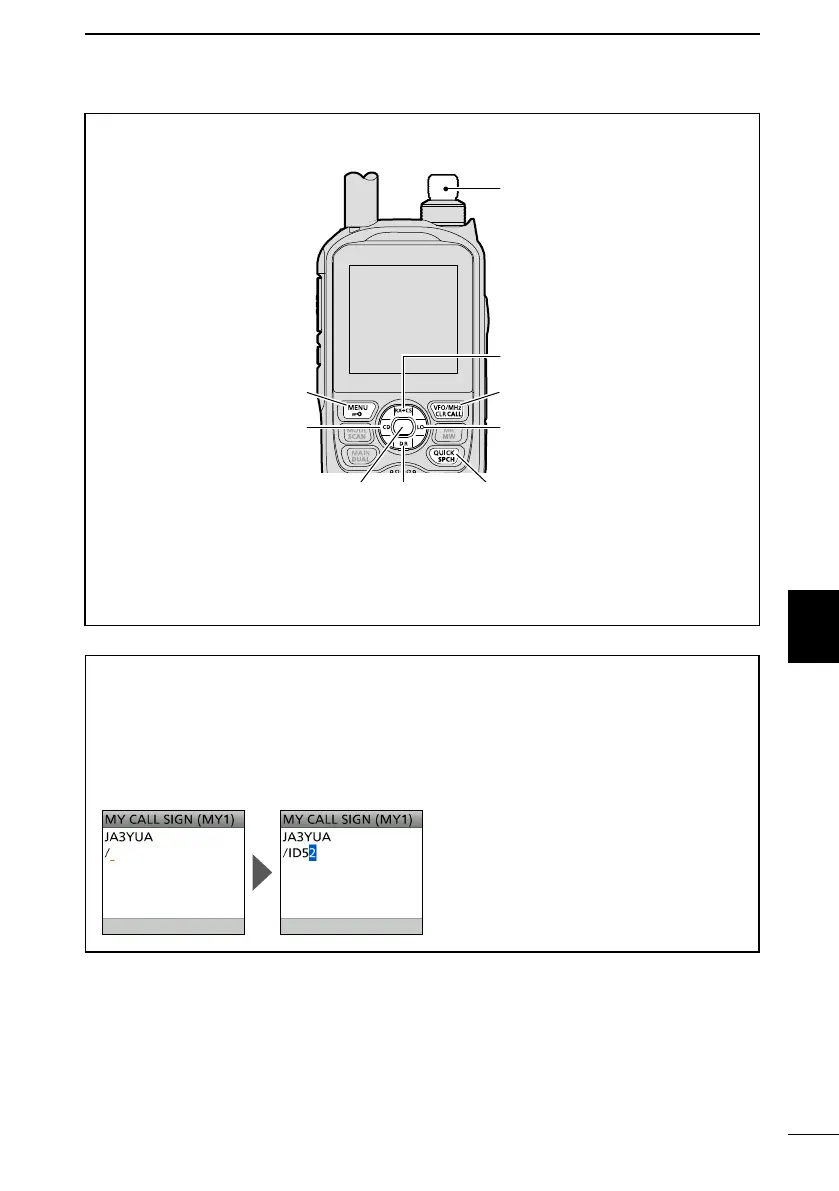
How to enter characters:
• Continuously holding down [CLR] clears characters.
• Push [QUICK] to display the Entry Mode Select window.*
In the Entry Mode Select window, rotate [DIAL] to select an entry mode, then push [ENT].
* You cannot change the entry mode in the MY CALL SIGN edit screen.
TIP: You can enter a note of up to 4 characters, such as the model of the transceiver,
name, area name, after your call sign.
1. After entering a call sign, push D-pad() several times until the cursor moves to
the right of the “/.”
2. Enter a 4 character note. (Example: ID52)
[DIAL] (Rotate)
Selects a character
[ENT]
Sets
Moves the cursor to the left Moves the cursor to the right
Cancels
Clears
Selects a character
Selects a
character
Opens the Entry Select window*



 To Next Page