iCR 3600
TM
– Service Manual
8.
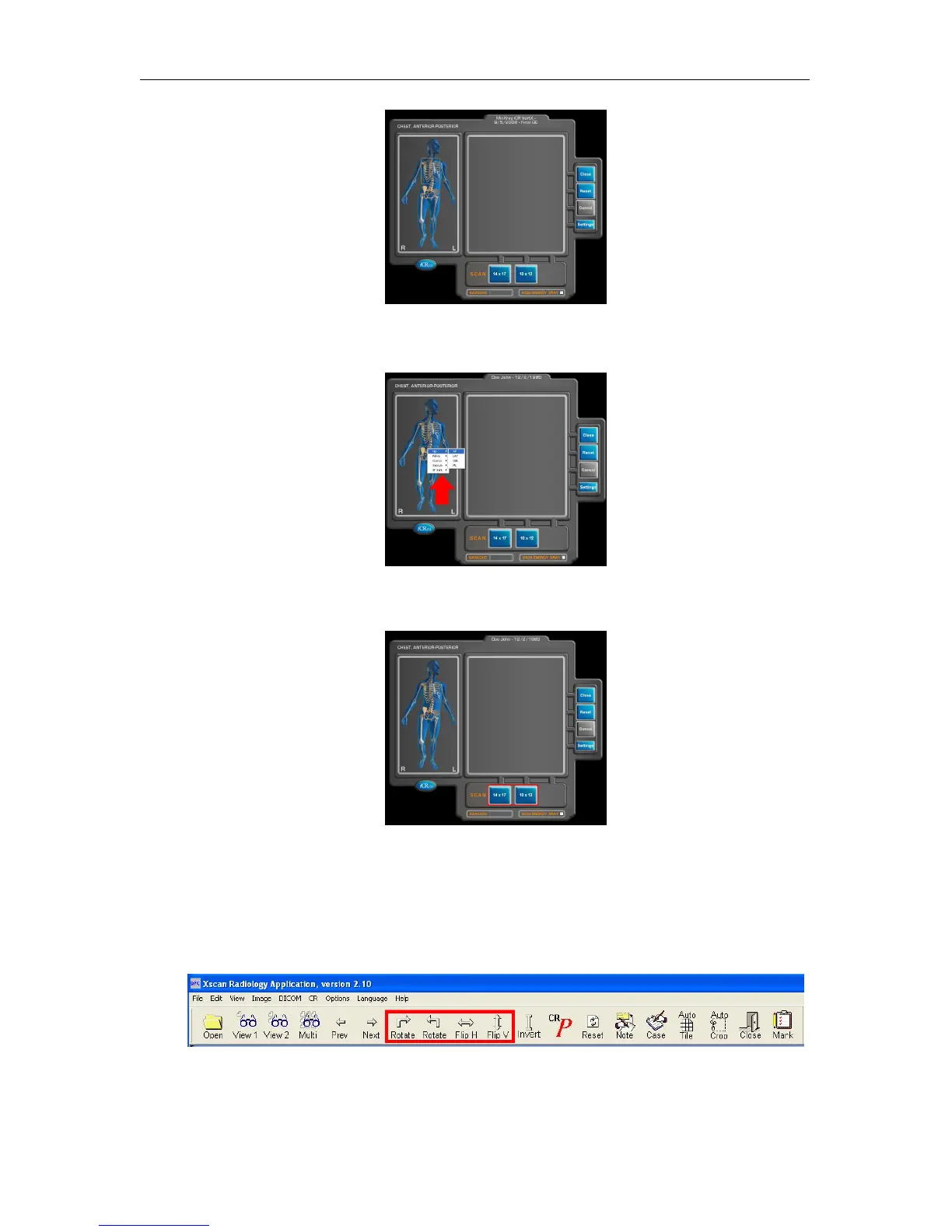
Select the anatomy by mousing over the skeleton on the left hand side of the Quality
Processing Center dialog.
9.
Select the cassette size by clicking the correct button (i.e. 14x17 in, 10x12 in).
This
will start the scan.
10.
The preview window will display the image as it is scanning. Once it has finished
scanning it will automatically import the image into QPC XSCAN32.
11. Open the scanned image by double clicking on the thumbnail.
12.
Rotate/Flip to correct orientation using the Rotate and Flip buttons in the main tool
bar.
c
2007-2009
Confidential and Proprietary
Property of iCRco, Inc.
17 of 61 Document # 3600-02A Rev C
March 22, 2010



 To Next Page