14
2. Printer installation
2.1. Connecting a power and a USB cable
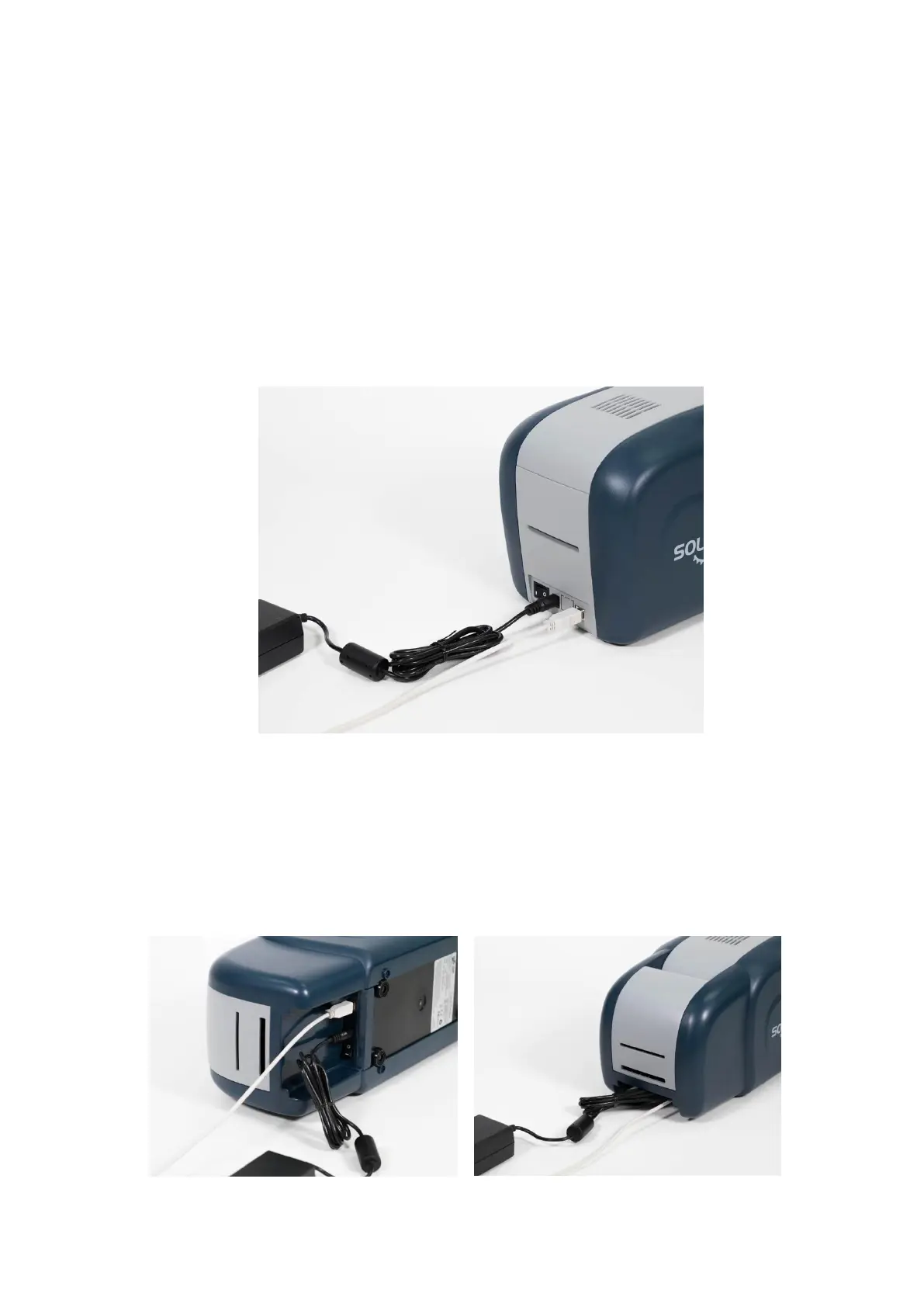
(1) SOLID-310S / 310R
Connect the power and USB cable as the below picture. Please refer to the ‘Network
Configuration’ if you use the LAN connection.
Figure 8 SOLID-310S Connection of power and USB cable
(2) SOLID-310D
Connect the power and USB cable after turning the printer on its side as the below
picture. Please refer to the ‘Network Configuration’ if you use the LAN connection.
Figure 9 SOLID-310D Connection of power and USB cable



 To Next Page