22
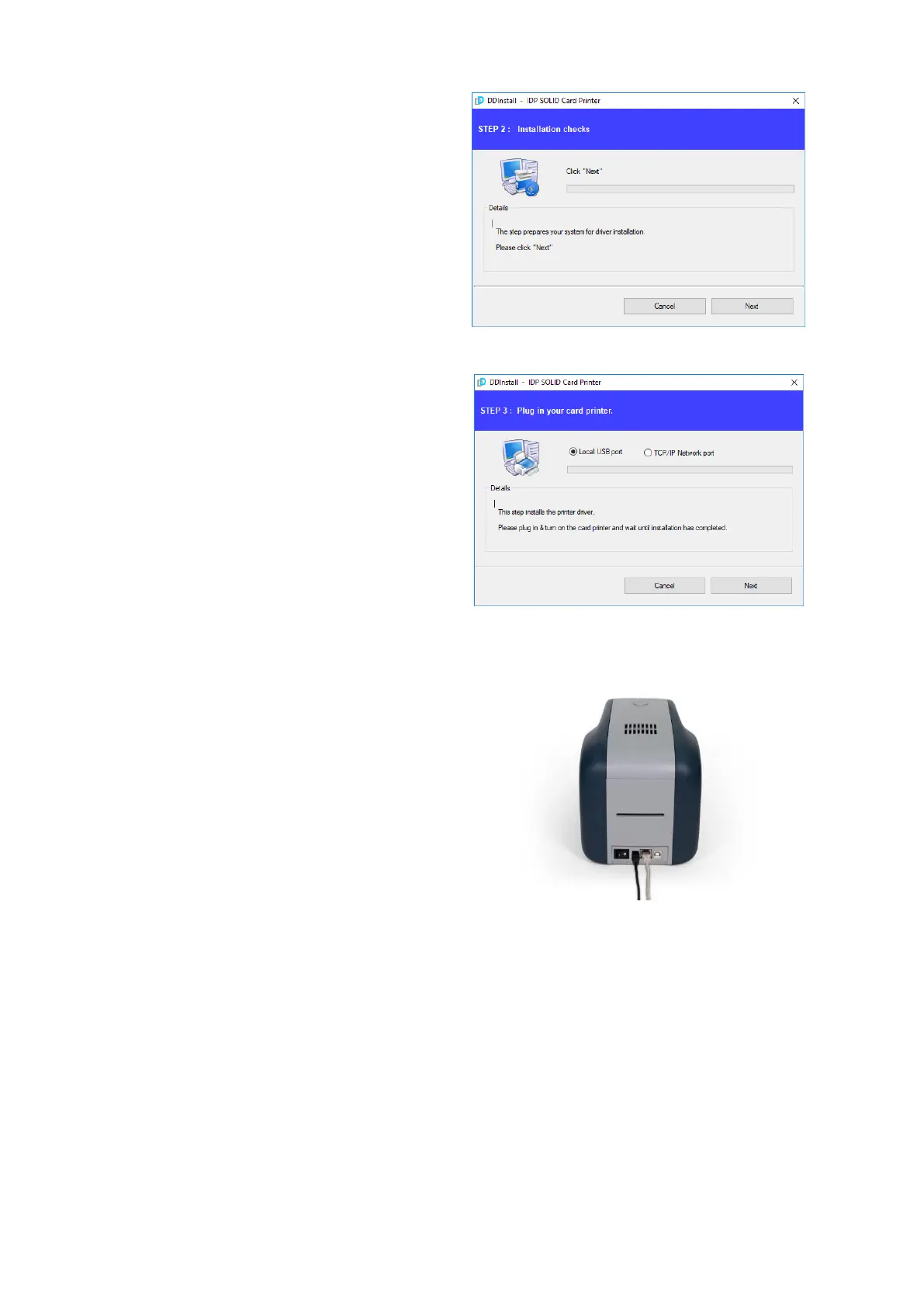
(4) STEP 2:
When you click “Next”, the driver
installation will be ready.
Figure 30 Install Win7 driver 4
(5) STEP 3: USB
Please click “Next” if printer is
connected to USB only.
If you want to install the driver for a
printer connected to network, please
select the “TCP/IP Network port” and
select the proper printer as step (7).
Figure 31 Install Win7 driver 5
(6) Please turn on the printer
(Network cable is not supplied. Please
ask network administrator for more
questions.)
Figure 32 Install Win7 driver 6



 To Next Page