74
6.3 TPH (Thermal Print Head) replacement
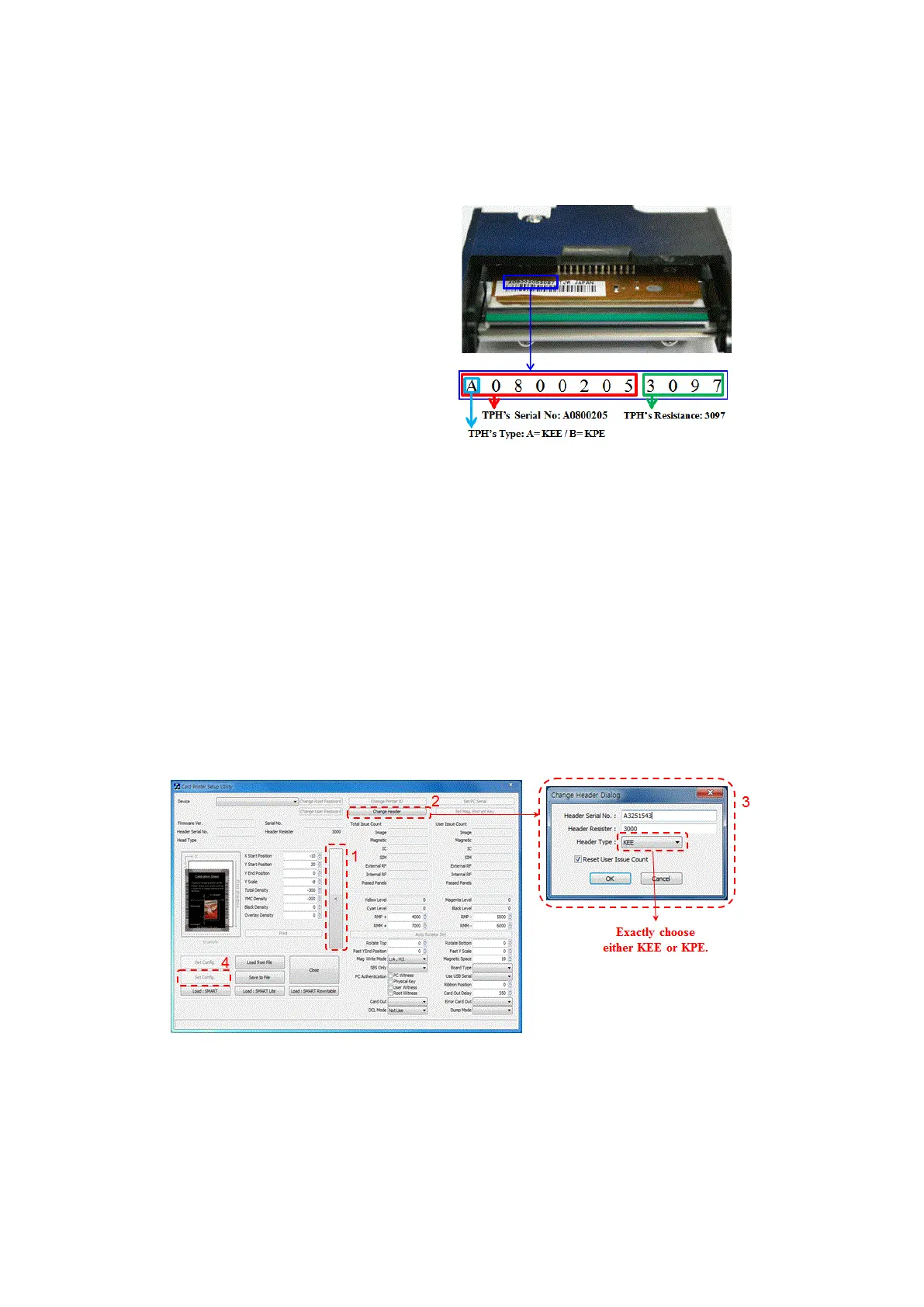
1. Check the serial number and the
resistance of new Thermal Print Head as
the Picture.
TPH type: A = KEE, B = KPE
Serial No.: see the red box.
TPH resistance: see the green box.
Figure 100 Thermal Print Head
2. Set up the new Print Head’s configuration using CardPrinterConfig program.
Step1: Run ‘CardPrinterConfig’ in Utilities of the installation CD and click expansion button.
Step2: Click “Change Head” in the extended setup.
Step3: Input the Print Head’s Serial No., Resistance and Type (choose KEE or KPE) on the
Print Head’s label, and click “OK”.
Step4: Click “Set Config” to set the new Print Head’s configuration.
Figure 101 Print head setup



 To Next Page