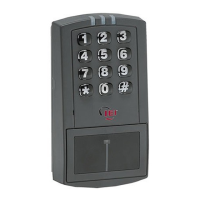
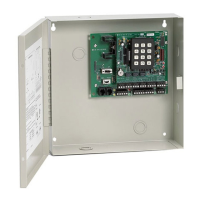
prox.pad Installation/Programming Manual
2.7.1 General Programming Features..........................................................................................35
2.7.1.a Changing the Master Code...........................................................................................35
2.7.1.b prox.pad Default Settings.............................................................................................36
2.7.1.c prox.pad LED Indicators/Sounder Operations – Standalone Mode.............................37
2.7.2 Programming Users.............................................................................................................38
2.7.2.a User Types....................................................................................................................38
2.7.2.b Programming a “Code Only” User................................................................................38
2.7.2.c Programming “Card Only” Users by Presentation.......................................................39
2.7.2.d Programming 26-Bit “Card Only” Users without Presentation....................................39
2.7.2.e Programming “Code AND Card” Users........................................................................39
2.7.2.f Programming “Code OR Card” Users...........................................................................40
2.7.2.g Programming 26-Bit “Card Only” Users via Batch Entry without Presentation............40
2.7.2.h Programming Consecutive “Card Only” Users via Batch Entry by Presentation.........41
2.7.2.i Command 50 Quick Program Feature - “Code Only” or “Card Only”............................41
2.7.3 Deleting Users......................................................................................................................42
2.7.3.a Deleting a Single User..................................................................................................42
2.7.3.b Deleting a Block of Users.............................................................................................42
2.7.4 Programming Output Relays and Audio Alerts....................................................................43
2.7.4.a Changing the Main Relay Time....................................................................................43
2.7.4.b Programming the Aux Relay Output Function..............................................................43
2.7.4.c Programming the Propped Door Audio Alert................................................................44
2.7.4.d Programming the Forced Door Audio Alert..................................................................44
2.7.4.e Programming the Propped Door Time.........................................................................45
2.7.4.f Programming the Forced Door Time.............................................................................45
2.7.5 Programming Keypad Options and Parameters..................................................................46
2.7.5.a Enabling/Disabling Audio Keypress Feedback.............................................................46
2.7.5.b Enabling/Disabling Visual Keypress Feedback............................................................46
2.7.5.c Enabling/Disabling Auto-Entry......................................................................................47
2.7.5.d Enabling/Disabling the Internal Request to Exit (REX) Switch....................................47
2.7.5.e Enabling/Disabling Daylight Savings Time...................................................................48
2.7.5.f Selecting Daylight Savings Time Format......................................................................48
2.7.5.g Programming Timed Anti-Passback.............................................................................49
2.7.5.h Programming the Facility Code for Card Programming without Presentation.............50
2.7.5.i Programming Invalid PIN Lockout.................................................................................50
2.7.6 Reseting System Defaults and Erasing Memory.................................................................52
2.7.6.a Erasing Entire Memory/Resetting System Defaults.....................................................52
2.8 Using the Printing Features.........................................................................................................53
2.8.1 Selecting Transaction Log Information................................................................................53
2.8.2 Dumping a Transaction Event Log......................................................................................54
2.8.2.a Programming a Log Dump Code or Card.....................................................................54
2.8.2.b Dumping a Transaction Log Manually..........................................................................54
2.8.2.c Erasing the Transaction Log Memory...........................................................................55
2.8.2.d Dumping a Programmed User List...............................................................................55
2.9 Standalone Program Commands................................................................................................56
Chapter 3: Wiegand Front End Mode...........................................................................60
3.1 Wiegand Front End Mode Description........................................................................................60
3.2 Wiring the Wiegand Front End....................................................................................................60
Document # 6055676, Rev 2.2, D4b Page 3 of 86


 To Next Page