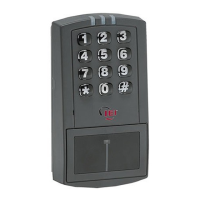
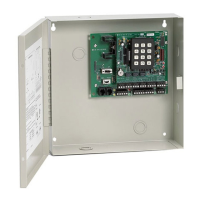
prox.pad Installation/Programming Manual
3.3 Wiegand Front End Programming...............................................................................................61
3.3.1 Entering Program Mode.......................................................................................................61
3.3.2 Changing the Master Code..................................................................................................61
3.3.3 Enabling Wiegand Front End Mode.....................................................................................62
3.3.4 Wiegand Keypad Data.........................................................................................................62
3.3.5 Programming the Facility Code for Wiegand Keypad Data.................................................62
3.3.6 Card Data.............................................................................................................................62
3.3.7 Enabling/Disabling Audio Keypress Feedback....................................................................63
3.3.8 Enabling/Disabling Visual Keypress Feedback...................................................................63
3.3.9 Enabling/Disabling Auto-Entry.............................................................................................64
3.3.10 Enabling/Disabling the Red LED.......................................................................................64
3.3.11 Enabling/Disabling the Green LED....................................................................................65
3.3.12 Programming the Red LED Active State...........................................................................65
3.3.13 Programming the Green LED Active State........................................................................66
3.3.14 Programming the Wiegand Pulse Width............................................................................66
3.3.15 Programming the Wiegand Inter-Pulse Spacing...............................................................67
3.3.16 Reseting System Defaults and Erasing Memory...............................................................67
3.3.17 Wiegand Mode LED Indicators/Sounder Operations.........................................................68
3.3.18 Wiegand Front End Mode Default Settings.......................................................................68
3.4 Wiegand Programming Commands............................................................................................69
Chapter 4: Secured Series Front End Mode.................................................................70
4.1 Secured Series Front End Mode Description..............................................................................70
4.2 Wiring the Secured Series Front End..........................................................................................70
4.3 Secured Series Front End LED Indicators/Sounder Operations................................................71
4.4 Secured Series Front End Mode Default Settings......................................................................71
4.5 Secured Series Front End Programming....................................................................................72
4.5.1 Entering Program Mode.......................................................................................................72
4.5.2 Changing the Master Code..................................................................................................72
4.5.3 Enabling Secured Series Front End Mode..........................................................................73
4.5.4 Selecting the Card Type......................................................................................................73
4.5.5 In/Out Select........................................................................................................................74
4.5.6 Enabling/Disabling Facility Code Matching..........................................................................74
4.5.7 Programming Facility Code..................................................................................................75
4.5.8 Corporate 1000 Company ID...............................................................................................75
4.5.9 Programming Timed Anti-Passback....................................................................................76
4.5.10 Enabling/Disabling Audio Keypress Feedback..................................................................77
4.5.11 Enabling/Disabling Visual Keypress Feedback.................................................................77
4.5.12 Enabling/Disabling Auto-Entry...........................................................................................78
4.5.13 Reseting System Defaults and Erasing Memory...............................................................78
4.6 Secured Series Front End Program Commands........................................................................79
Chapter 5: Troubleshooting..........................................................................................80
5.1 Before Calling IEI........................................................................................................................80
5.2 Performing a Keypad Self-Test...................................................................................................80
5.3 Troubleshooting Flow Charts......................................................................................................82
5.4 Performing Power Supply Integrity Test ....................................................................................85
5.5 Correcting Possible Water Problems..........................................................................................85
5.5.1 Silicone.................................................................................................................................85
Page 4 of 86 Document # 6055676, Rev 2.2, D4b


 To Next Page