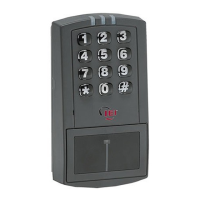
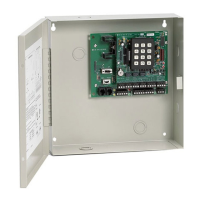
prox.pad Installation/Programming Manual
3.3.11 Enabling/Disabling the Green LED
The prox.pad is equipped with a Bi-Color red/green LED. You have the option of enabling or disabling the green LED operation. By
default, the green LED is enabled and turns on/off depending on which state you have the programmed LED active state (high or low).
1. Enter Program Mode.
Press: 99 # Master Code *
The yellow LED flashes slowly.
2. To enable the green LED, press: 30 # 11 # 1 # **
The yellow LED continues to blink slowly.
To disable the green LED, press: 30 # 11 # 0 # **
The yellow LED continues to blink slowly.
3. Exit Program Mode.
Press: *
The yellow LED stops flashing.
3.3.12 Programming the Red LED Active State
In Wiegand Front End Mode you can control how the red LED operates using the LED wire, which is the brown wire on connector
P3. When you program this option for an active high state, the red LED turns on when the wire is connected to positive voltage. When
you program this option for an active low state, the red LED turns on when the wire is connected to ground. The default is an active
low state.
1. Enter Program Mode.
Press: 99 # Master Code *
The yellow LED flashes slowly.
2. To set the red LED for an active high state, press: 30 # 10 # 1 # **
The yellow LED continues to blink slowly.
To set the red LED for an active low state, press: 30 # 10 # 0 # **
The yellow LED continues to blink slowly.
3. Exit Program Mode.
Press: *
The yellow LED stops flashing.
Document # 6055676, Rev 2.2, D4b Page 65 of 86


 To Next Page