40
ifm Operating Instructions IO-Link Master with EtherNet/IP interface StandardLine 8 Ports IP 65 / IP 67 (AL1122) 2017-05-31
Configuration
>
8.3 LR DEVICE: Configure IO-Link devices
22403
In order to configure the IO-Link devices connected to the AL1122 using the parameter setting
software LR DEVICE:
Requirements:
> AL1122 is correctly installed and connected to the LR DEVICE software via the EtherNet/IP interface (X21/X22).
> The IO-Link device is connected correctly with the AL1122.
> The operating mode of the IO-Link interface is "IO-Link" (parameter [Port x mode] = IO-Link)
> Parameter [Access rights] is configured with one of the following values:
– EtherNet/IP + LineRecorder
– LineRecorder only
1 Select IO-Link master
► Start LR DEVICE.
► Update IODD file library
OR:
Import IODD file of the IO-Link device manually.
► Scan network for devices.
> LR DEVICE recognises all IO-Link masters of the EtherNet/IP network.
2 Add IO-Link device
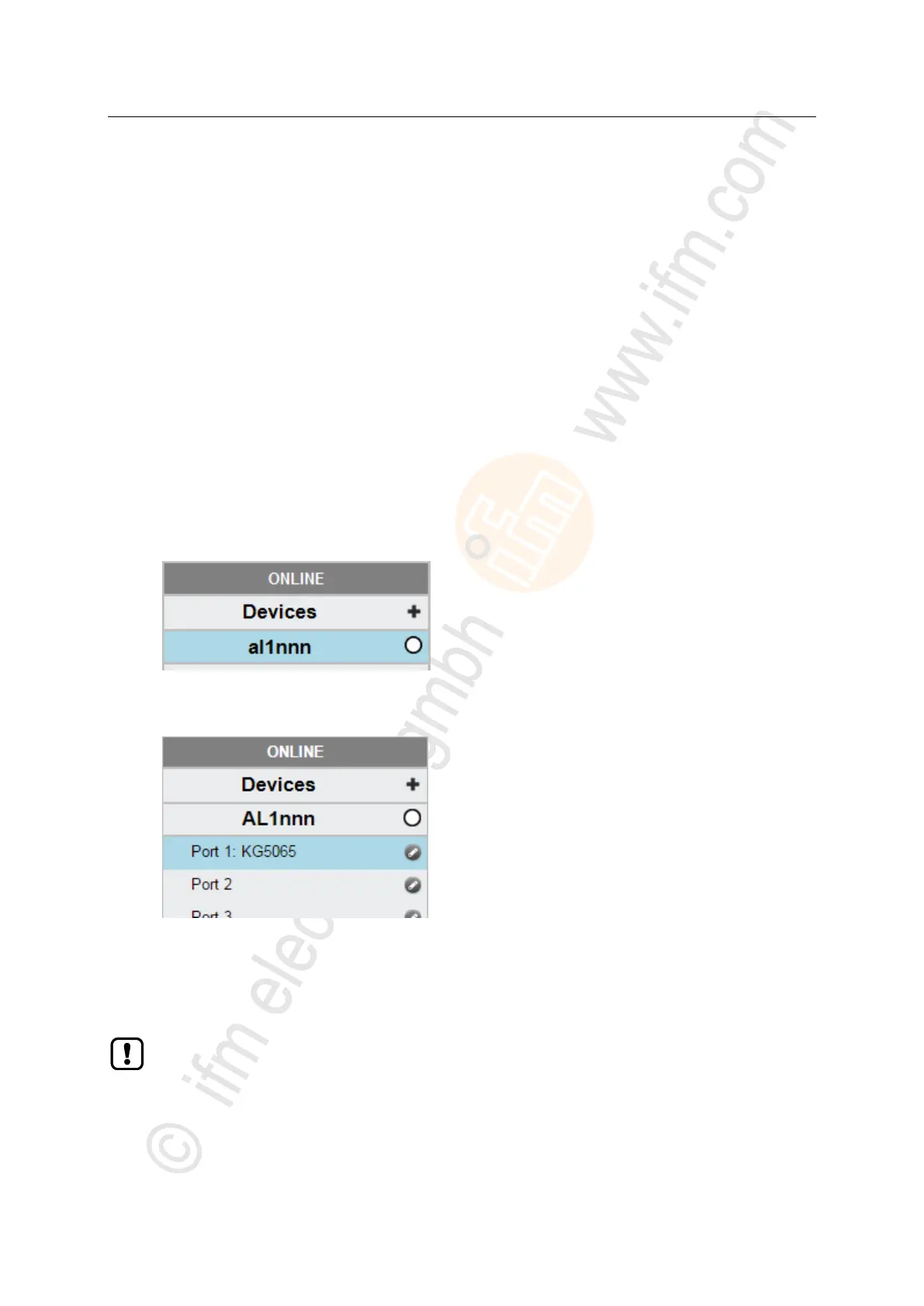
► Under [ONLINE]: Click on the required AL1122.
> LR DEVICE automatically detects the IO-Link devices connected to the AL1122 (e.g. ifm Sensor KG5065).
3 Configure IO-Link device
► Mouse click on the port to which the IO-Link device is connected.
> LR DEVICE reads and shows the current parameter values of the IO-Link device.
► Configure IO-Link device.
Information about the available parameters of the IO-Link device: → Operating instructions of
the IO-Link device
► Store changed configuration on the IO-Link device.


 To Next Page