32
[C�Loc] or [S�Loc] as operation indication see (→ 12.7)
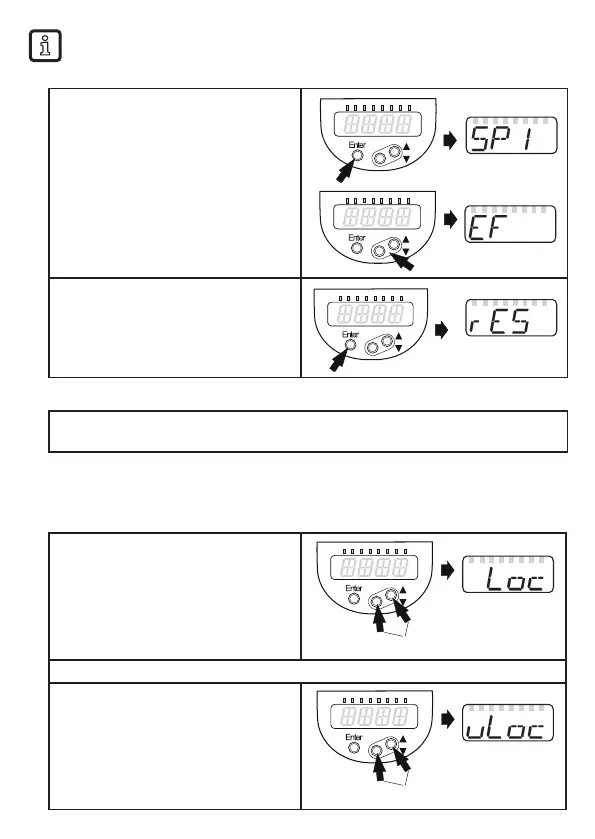
• Change from menu level 1 to menu level 2:
► Press [Enter] to get to the menu�
► Press [▲] or [▼] until [EF] is
displayed�
► Press [Enter]�
> The first parameter of the submenu is
displayed (here: [rES])�
• Timeout:
If no button is pressed for 30 s during parameter setting, the unit returns to the process
value display with unchanged values�
• Locking / unlocking
The unit can be locked electronically to prevent unintentional settings� Factory
setting: not locked
► Make sure that the device is in the
normal operating mode�
► Press [▲] + [▼] simultaneously for
10 s�
> [Loc] is displayed�
During operation: [Loc] is briefly displayed if you try to change parameter values�
For unlocking:
► Press [▲] + [▼] simultaneously for
10 s�
> [uLoc] is displayed�






 To Next Page