6
GETTING STARTED
DMS3-CTC-25-115 v1.0
1
1.1.4 Voice connection
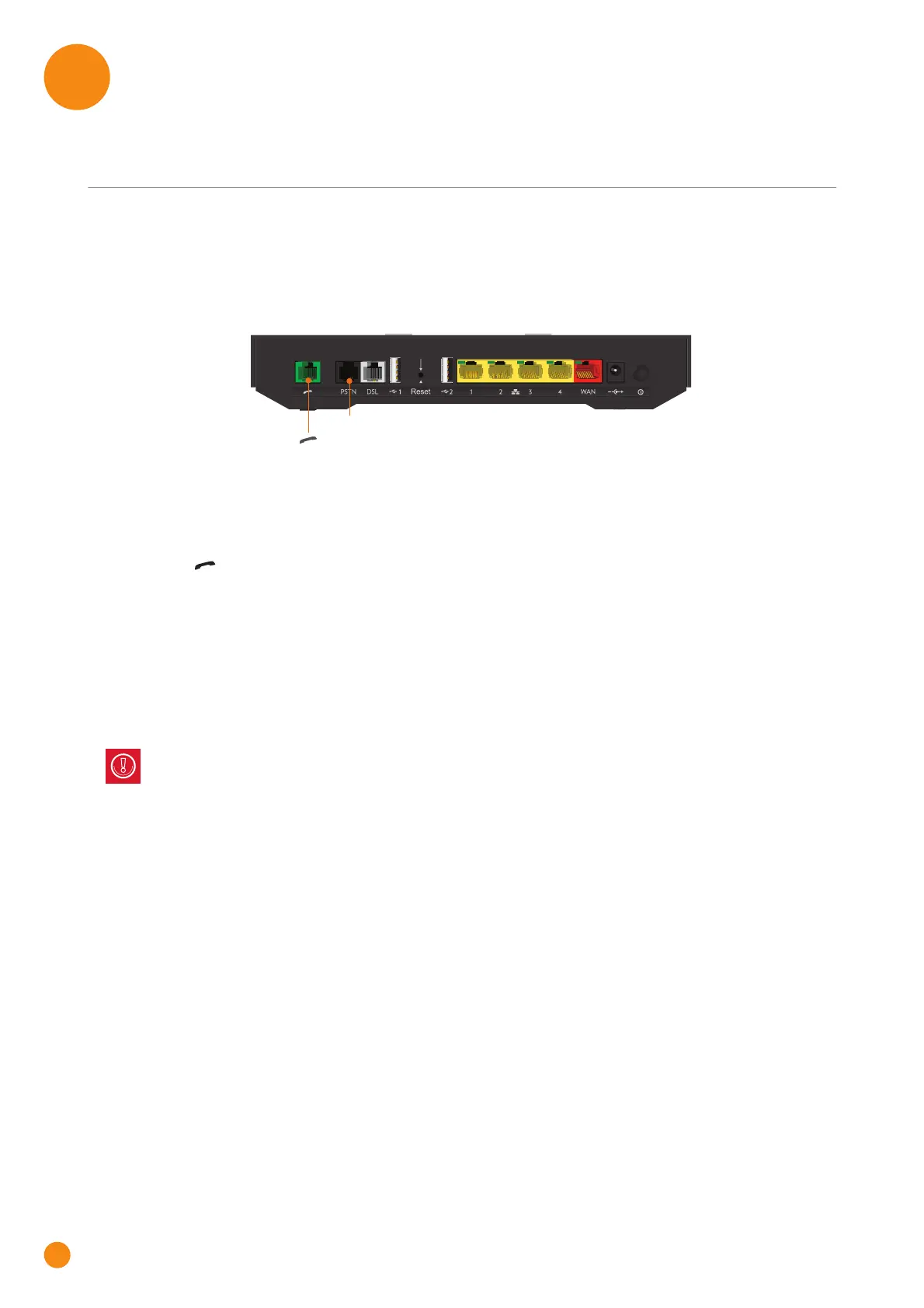
Overview
Phone Port
The Phone ( ) port allows you to connect a corded phone to your TG-1 Gateway. This way you will be
able to make phone calls over the Internet and save on communication costs, especially for long-distance
calls.
For more information, see “2.4 Setting up your telephone network” on page 16.
PSTN Port
The PSTN port allows you to connect the TG-1 Gateway to the traditional telephone network, i.e. the Public
Switched Telephone Network (PSTN). When the VoIP connection is not available, the TG-1 Gateway will
automatically switch from VoIP to the traditional telephone network.
For more information, see “2.4 Setting up your telephone network” on page 16.
PSTN
Phone
Be aware that, if you are not connected to the traditional telephone network, emergency calls will not
be possible when your Internet connection is down or your TG-1 Gateway is powered off.



 To Next Page