SHARING CONTENT
DMS3-CTC-25-115 v1.0
49
5
5.1 Accessing the Samba server
Introduction
The Samba server allows you to share the content on your USB storage device(s) with other devices that
are connected to your local network (mostly computers).
These devices have read and write access to e shared content.
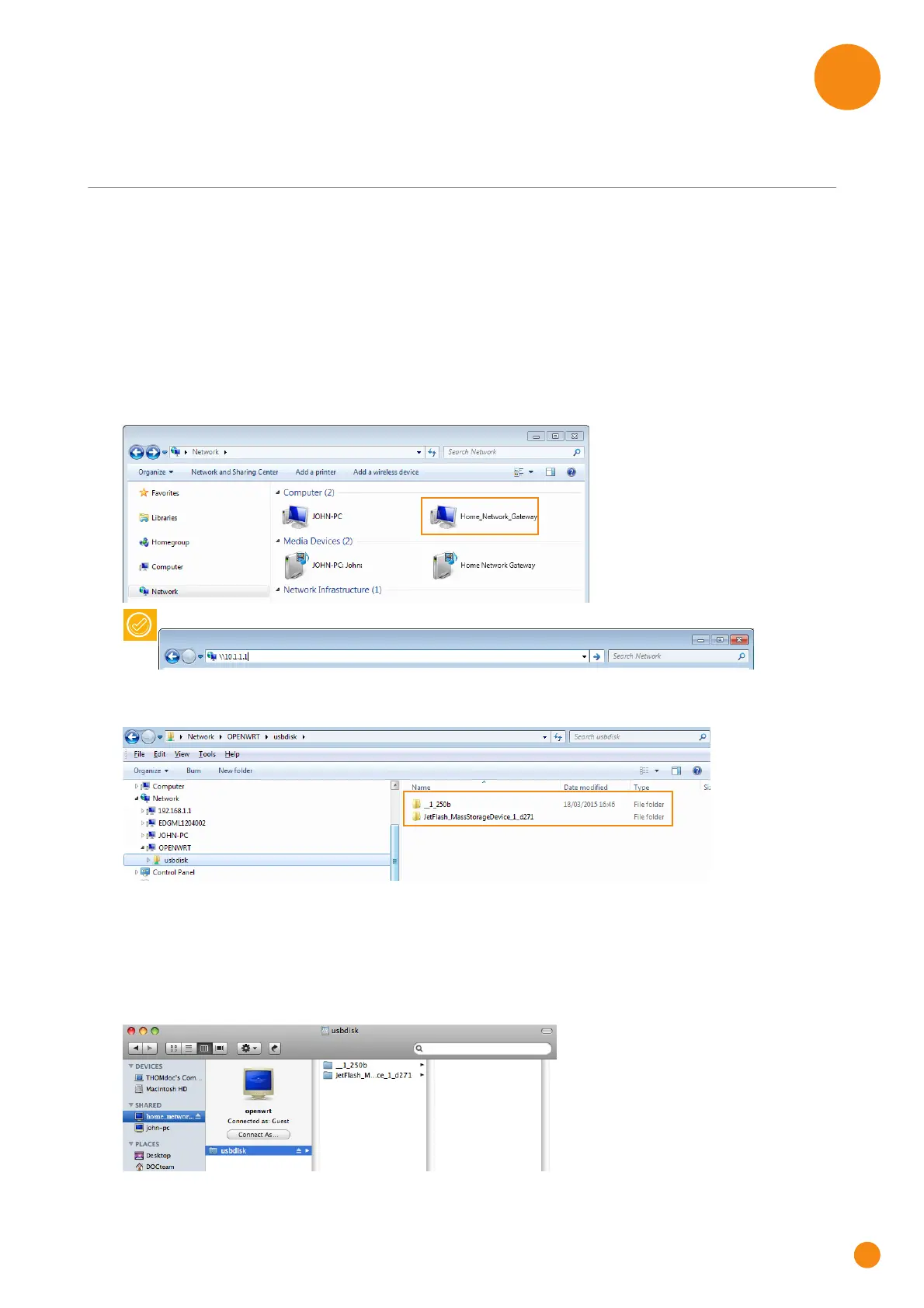
Accessing the Samba server on Windows
Proceed as follows:
1 Open Windows Explorer and then click Network.
2 The Network window appears. Double-click Home_Network_Gateway.
3 Open the usbdisk folder.
4 The storage devices that are attached to your TG-1 Gateway are listed as folders.
5 If you plan to frequently use this folder, it might be useful to map this folder as a network drive. For more
information, see the help of your operating system.
Accessing the Samba server on Mac
Proceed as follows:
1 Open a Finder window. Under SHARED click home_network_gat and then click usbdisk.
2 The storage devices that are attached to your TG-1 Gateway are listed as folders.
You can also access the device by entering \\10.1.1.1 in the address bar.



 To Next Page