GETTING STARTED
DMS3-CTC-25-115 v1.0
7
1
1.1.5 Buttons
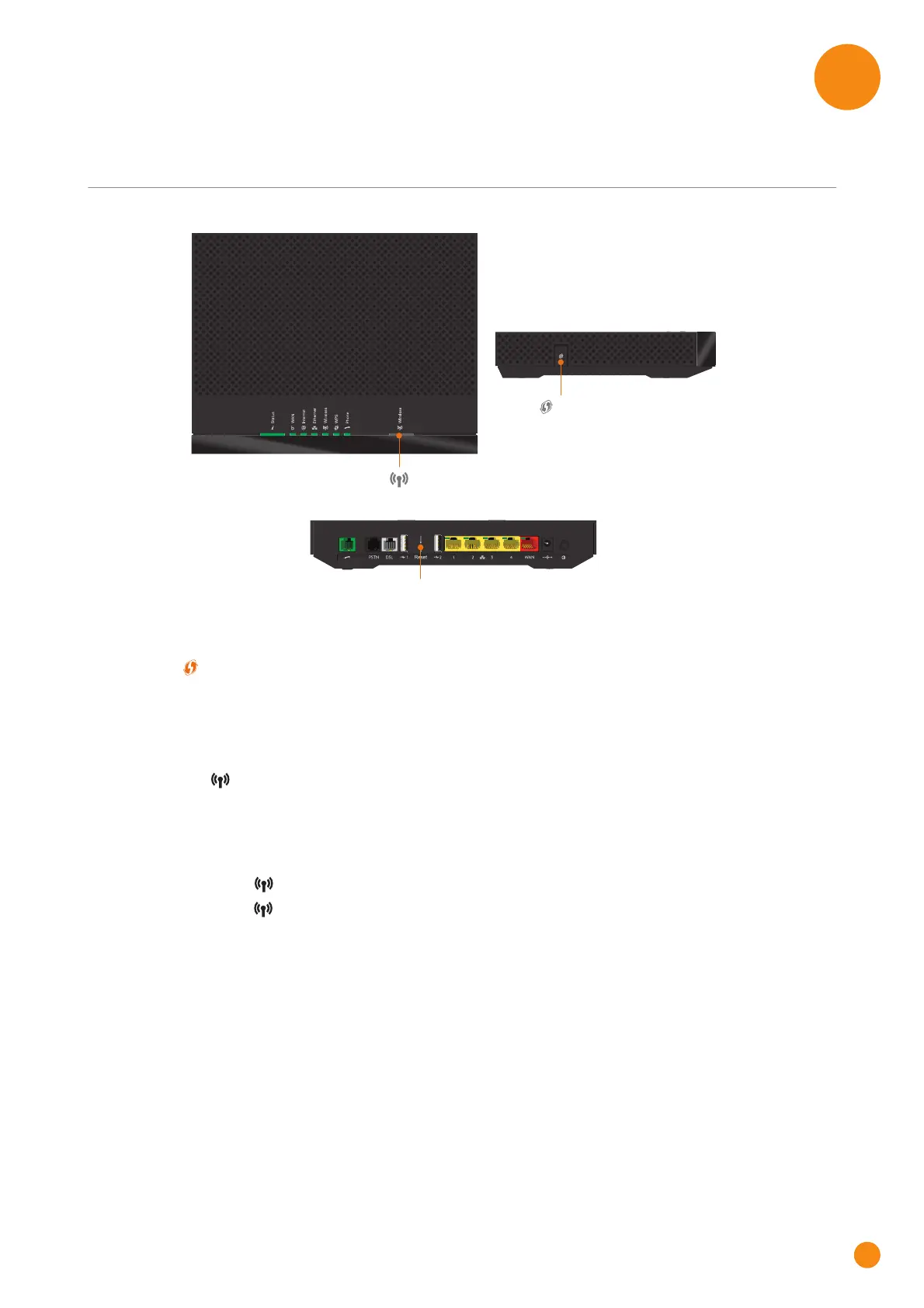
Overview
WPS button
The WPS ( ) button allows you to add new wireless clients to your network in a swift and easy, yet secure
way, without the need to enter any of your wireless settings manually.
For more information, see “3.1 Connecting your wireless client via WPS” on page 19.
Wireless button
The Wireless ( ) button allows you to disable your wireless access point. You can do this when you are
not using the wireless access point. This allows you to save the energy that the TG-1 Gateway would be
using for the wireless access point.
To turn the wireless interface on or off briefly press the Wireless button. When the wireless interface is
turned:
Off, the Wireless ( ) LED is off.
On, the Wireless ( ) LED is on.
Reset button
The Reset button allows you to reset your TG-1 Gateway to factory defaults.
For more information, see “7.4 Reset to factory defaults” on page 60.
WPS
Wireless
Reset



 To Next Page