60
TROUBLESHOOTING
DMS3-CTC-25-115 v1.0
7
7.4 Reset to factory defaults
Resetting your TG-1 Gateway
If at some point you can no longer connect to the TG-1 Gateway or you want to make a fresh install, it may
be useful to perform a reset to factory defaults.
Methods
You can choose between:
Resetting the TG-1 Gateway via the TG-1 Gateway GUI
Reset the TG-1 Gateway via the Reset button
Resetting the TG-1 Gateway via the TG-1 Gateway GUI
Proceed as follows:
1 Browse to the The TG-1 Gateway GUI.
For more information, see “4.1 Access from your local network” on page 29.
2 Click Gateway. The Gateway page appears.
3 Click Reset.
4 The TG-1 Gateway restores the factory default configuration and restarts.
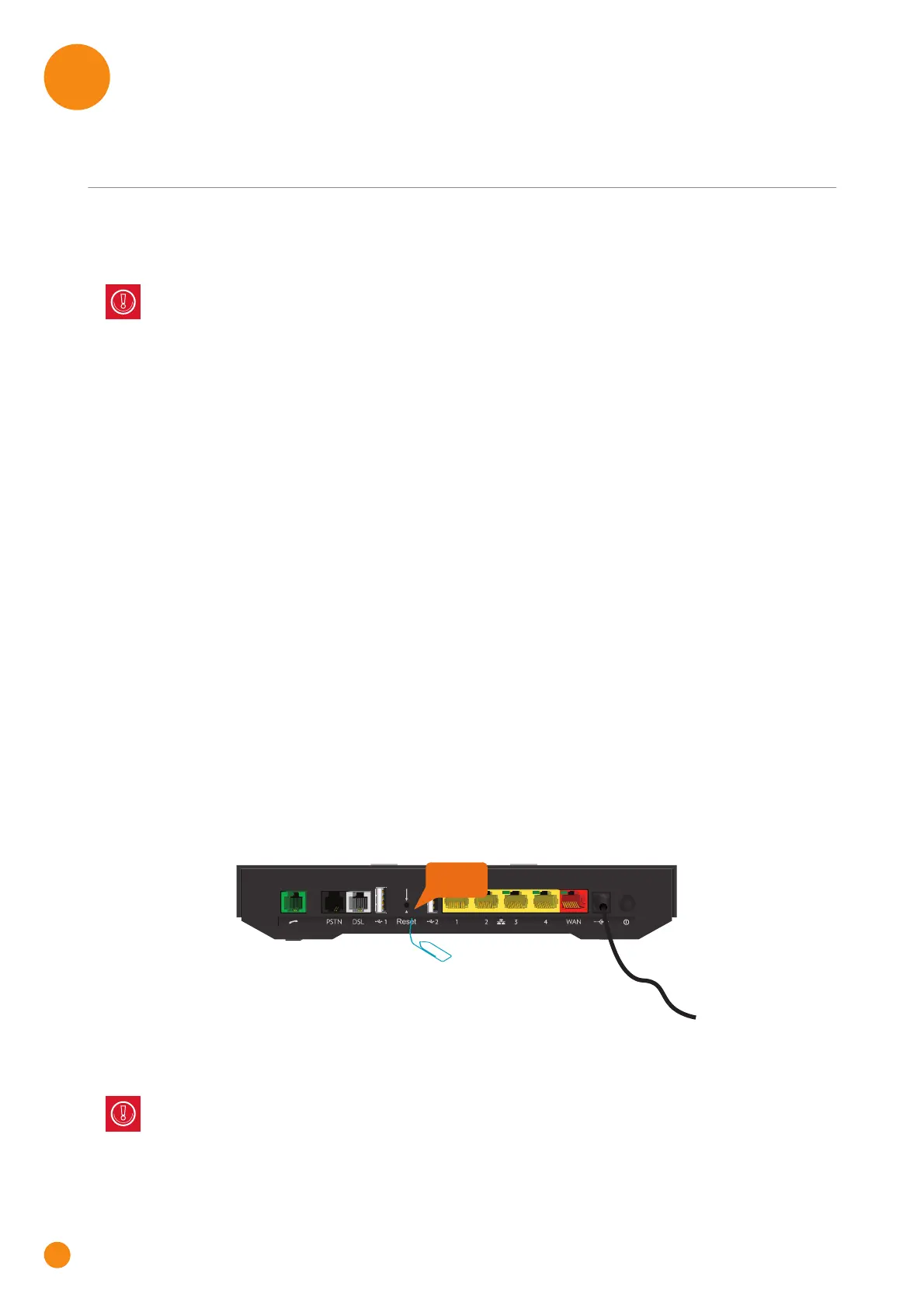
Reset the TG-1 Gateway via the Reset button
Proceed as follows:
1 Make sure the TG-1 Gateway is turned on.
2 Push the Reset button for at least 7 seconds and then release it.
3 The TG-1 Gateway restarts.
A reset to factory default settings deletes all configuration changes you made. Therefore, after the
reset a reconfiguration of your TG-1 Gateway will be needed.
Also your wireless clients will have to be re-associated, as described in “3 Wireless networking” on
page 18.
Your system administrator may have disabled the physical reset button of the TG-1 Gateway. In this
case, a hardware reset to defaults is not possible.
Reset



 To Next Page