12
SETUP
DMS3-CTC-25-115 v1.0
2
2.1 Connecting the TG-1 Gateway to your service
provider’s network
Introduction
This section helps you to connect the TG-1 Gateway to your service provider’s network.
Choose your setup
To connect the TG-1 Gateway to the Internet you can either:
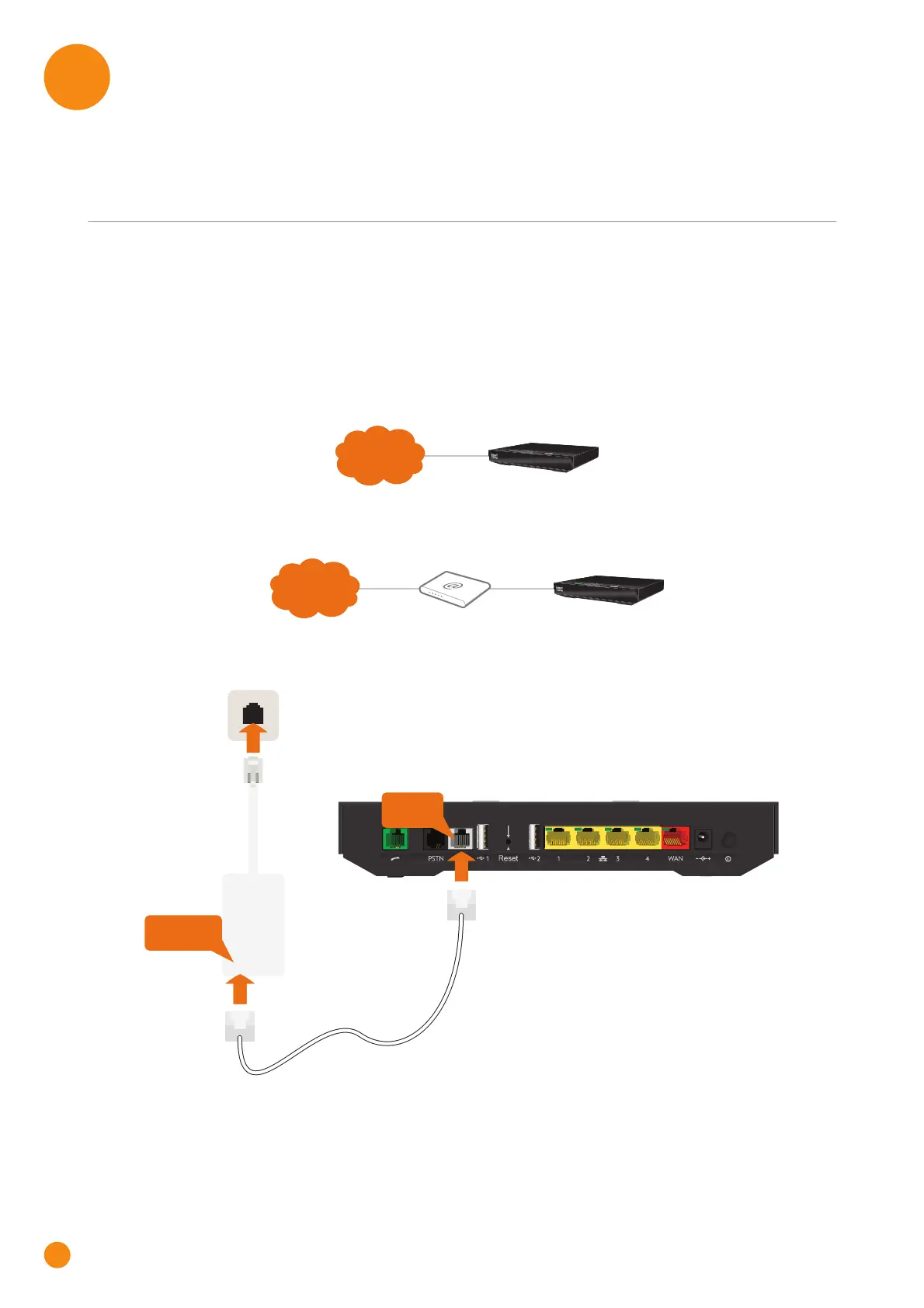
Directly connect the TG-1 Gateway to your operator’s DSL network. In this setup the TG-1 Gateway is
used as DSL gateway. Follow the instructions from “Option A: Setup the TG-1 Gateway as DSL
Gateway” on page 12.
Place the TG-1 Gateway behind another Internet access device (for example, an optical network
terminal for NBN or Fibre). In this setup the TG-1 Gateway is used as local router. Follow the
instructions from “Option B: Setup the TG-1 Gateway as local router” on page 13.
Option A: Setup the TG-1 Gateway as DSL Gateway
Proceed as follows:
1 Take the DSL cable. This is the grey cable that is included in your box.
2 Plug one end of the cable in the grey DSL port on the back of your TG-1 Gateway.
Internet
TG-1 Gateway
Internet
Internet access device TG-1 Gateway
DSL
WAL L
SOCKET
MODEM PHONE
MODEM
Wall outlet
Splitter
DSL cable



 To Next Page