SETUP
DMS3-CTC-25-115 v1.0
13
2
3 If your subscribed:
Does not include telephony:
Plug the other end of the DSL cable directly into your telephone wall socket.
Includes telephony:
Plug the other end of the DSL cable into the MODEM port of your filter/splitter and then plug the cable
end of the splitter into your telephone wall socket.
4 Continue with “2.2 Powering on the TG-1 Gateway” on page 14.
Option B: Setup the TG-1 Gateway as local router
Proceed as follows:
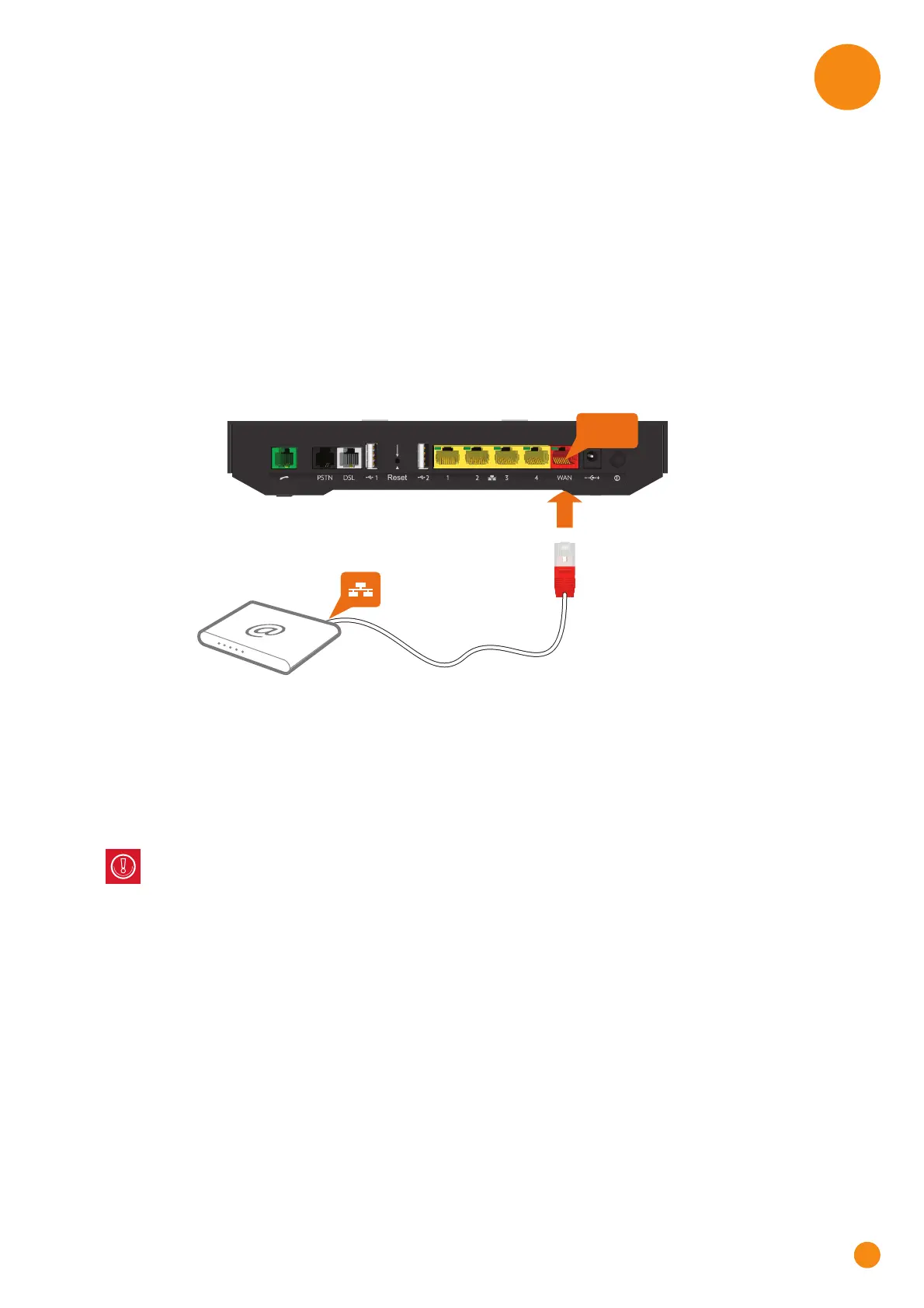
1 Take an Ethernet cable. If your box contains an Ethernet cable with red connectors, you can use that
cable.
2 Plug one end of the cable in the red WAN port on the back of your TG-1 Gateway.
3 Plug the other end of the cable into the Ethernet port of your Internet access device (for example, an
optical network terminal for NBN or Fibre).
WAN
Internet access device
Ethernet cable
The WAN port can only be used to connect your TG-1 Gateway to an Internet access device. You
can not use it to connect other devices (for example, a computer) to the TG-1 Gateway.



 To Next Page