SHARING CONTENT
DMS3-CTC-25-115 v1.0
51
5
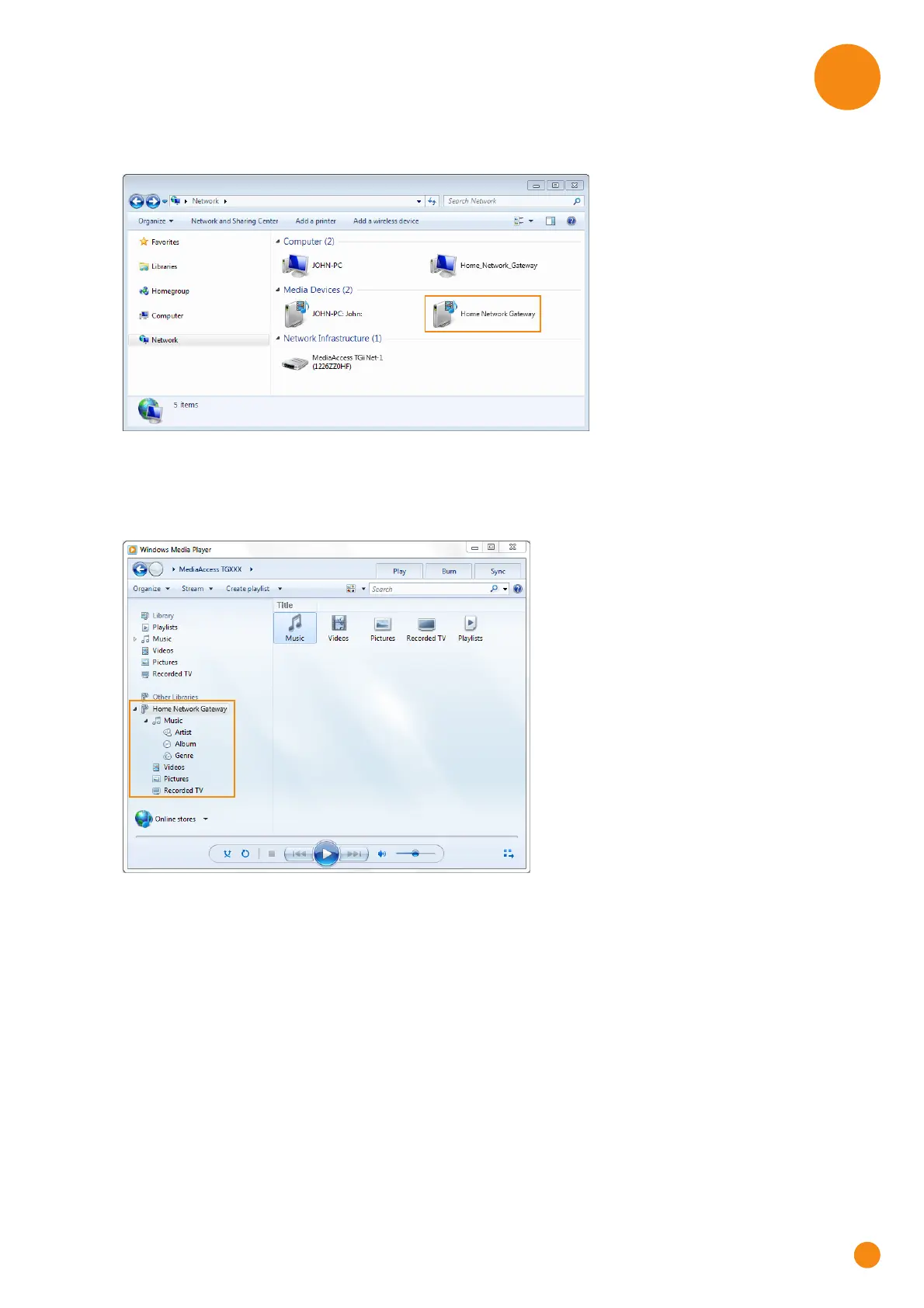
2 The Network window appears:
Under Media Devices you will find the TG-1 Gateway’s DLNA media server (displayed as TG-1
Gateway).
3 Double-click Home Network Gateway to access your media files.
4 Windows Media Player starts up.
Your TG-1 Gateway’s DLNA media server is listed in the tree structure on the left on the left. This entry
allows you to browse your media files.



 To Next Page