The StellarMate Plus Manual
222 / 341
· Remote: When selecting either Remotely or Both modes above, you must
specify the remote directory where remote images are saved to.
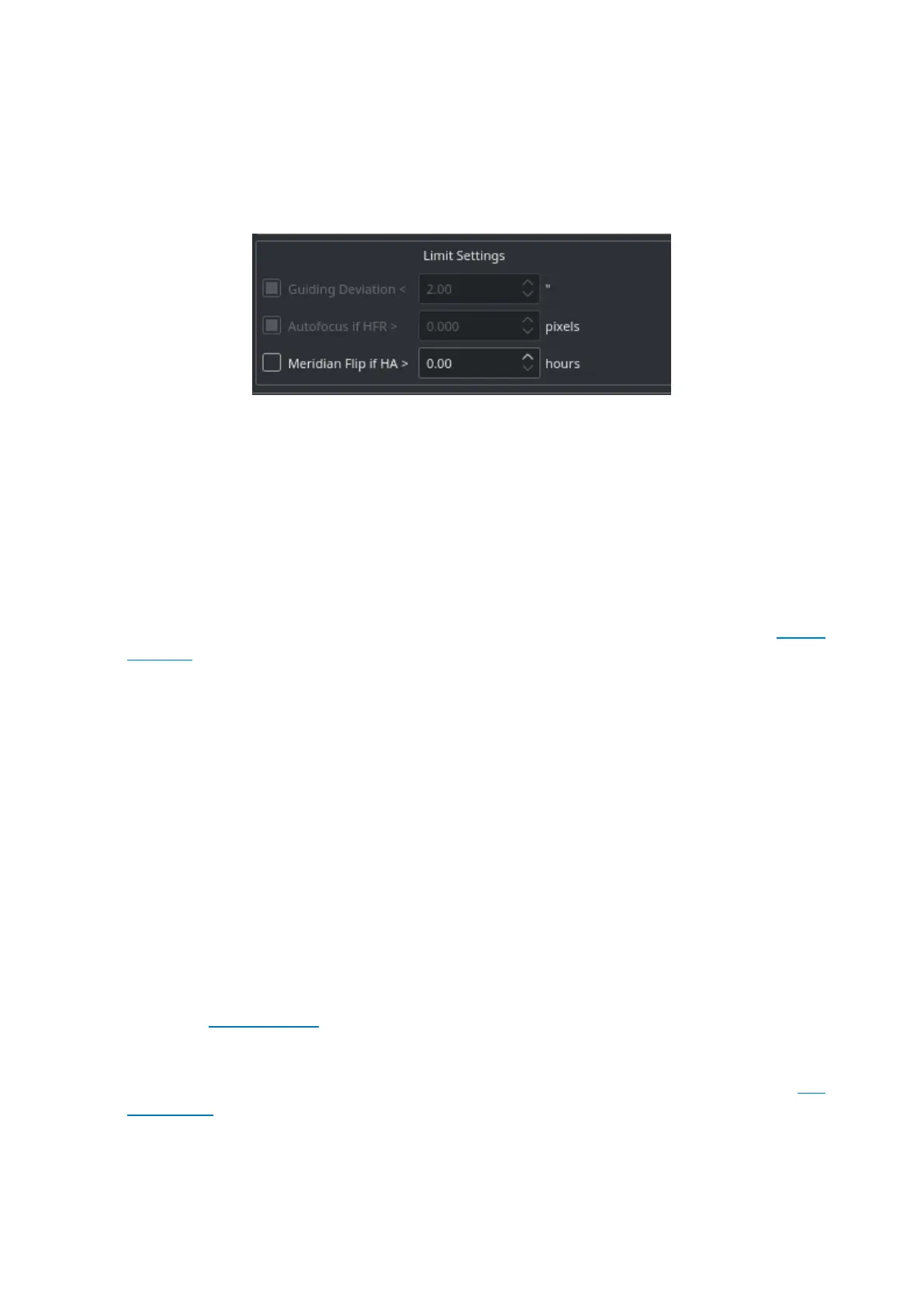
Limit Settings
Limit settings are applicable to all the images in the sequence queue. When a limit
is exceeded, Ekos shall command the appropriate action to remedy the situation
as explained below.
· Guiding Deviation: If checked, it enforces a limit of maximum allowable
guiding deviation for the exposure, if autoguiding is used. If the guiding
deviation exceeds this limit in arcseconds, it aborts the exposure sequence. It
will automatically resume the exposure sequence again once the guiding
deviation goes below this limit.
· Autofocus if HFR exceeds a value: If autofocus is enabled in the focus
module and at least one autofocus operation was completed successfully, you
can set the maximum acceptable HFR value. If this option is enabled then
between consecutive exposures, the HFR value is recalculated, and if found to
exceed the maximum acceptable HFR value, then an autofocus operation is
automatically triggered. If the autofocus operation is completed successfully,
the sequence queue resumes, otherwise, the job is aborted.
· Autofocus if change in temperature exceeds a value: If autofocus is enabled in
the focus module and at least one autofocus operation was completed
successfully, you can set the maximum acceptable change in temperature
value. If this option is enabled then between consecutive exposures, the
change in temperature value is recalculated, and if found to exceed the
maximum acceptable change in temperature value, then an autofocus
operation is automatically triggered. If the autofocus operation is completed
successfully, the sequence queue resumes, otherwise the job is aborted.
· Meridian Flip: If supported by the mount, set the hour angle limit (in hours)
before a meridian flip is commanded. For example, if you set the meridian flip
duration to 0.1 hours, Ekos shall wait until the mount passes the meridian by
0.1 hours (6 minutes), then it commands the mount to perform a meridian flip.
After the meridian flip is complete, Ekos re-aligns using astrometry.net (if the
alignment was used) and resumes guiding (if it was started before) and then
resumes the capture process automatically.



 To Next Page