The StellarMate Plus Manual
325 / 341
password. The same port should be used for SFTP (e.g. in FileZilla). You
can perform the remote update using the following command:
sudo apt-get update && sudo apt-get -y dist-upgrade
17.16. How can I save my images on StellarMate?
StellarMate ships with 16GB MicroSD card and over 9.5GB of free space to
store images on.
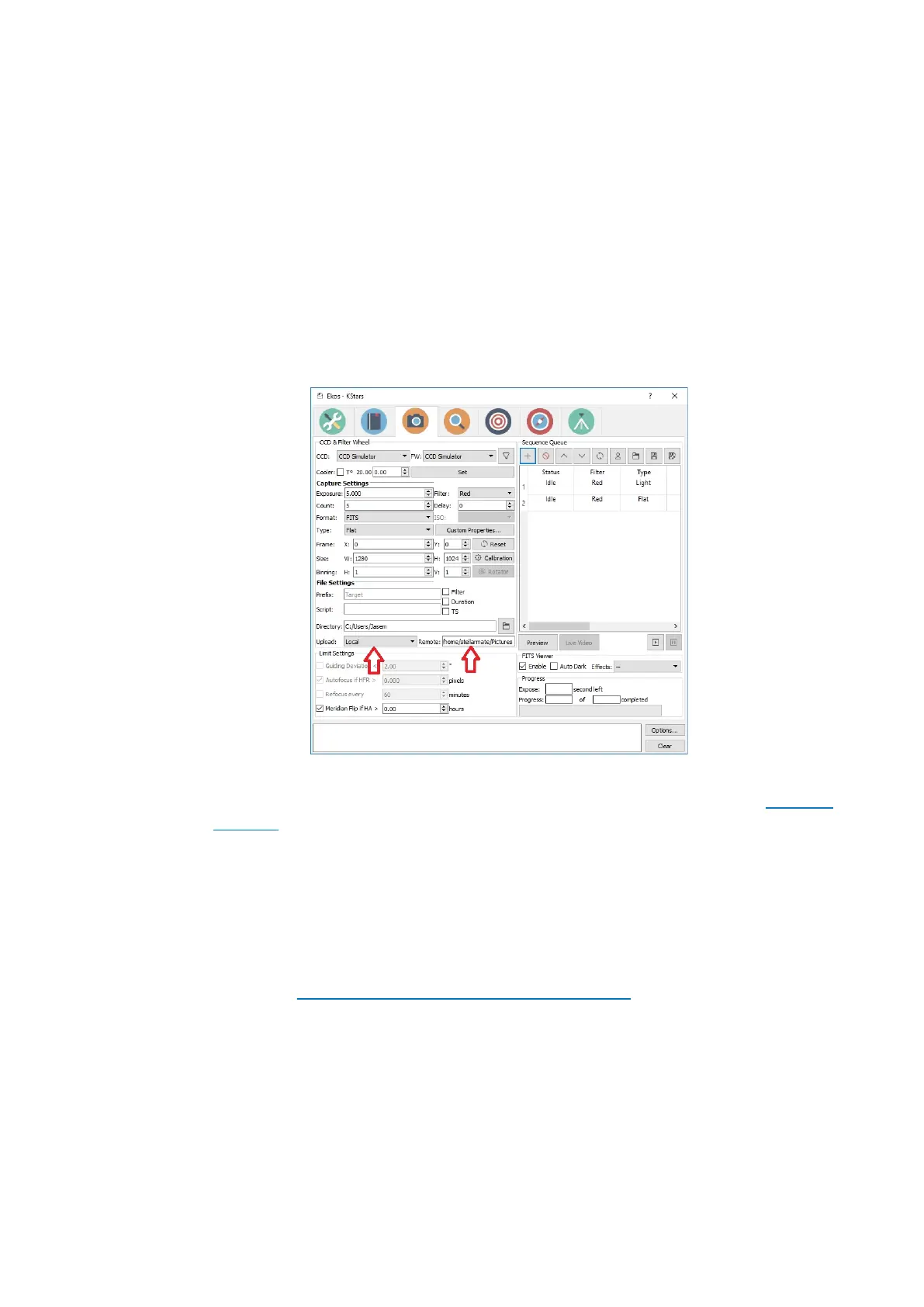
1. If you are using Ekos on PC/Mac, then you need to set Upload mode
to Local and then set the Remote
Directory to /home/stellarmate/Pictures as illustrated below:
2. If you are using Ekos directly on StellarMate, simply set
the Directory field in the capture
module to /home/stellarmate/Pictures. The Upload mode should
remain as Client.
17.17. Problems with ZWO ASI cameras?
If you are using USB2 cameras from ZWO, they must be flashed with the -
compatible firmware in order to be used with StellarMate.
Download the ASI Cameras Firmware Upgrade Tool for your OS and flash
the camera with the -compatible firmware. For example, if your camera is
ASI120MM, then flash the camera with this file: ASI120MM-compatible.iic
This is not required for USB3 cameras.
17.18. Can I use my ASCOM drivers and software with StellarMate?
No.



 To Next Page