The StellarMate Plus Manual
326 / 341
StellarMate is based on Open Astronomy Instrumentation Protocol (INDI)
and does not use ASCOM. INDI enables native remote control of your
equipment and numerous devices are supported by manufacturers
today. Ekos is the officially supported client, but you can also use
over 15+ clients on across many operating systems.
17.19. What is EkosLive?
EkosLive is a real-time web application that can be run from any browser.
It allows you to control many aspects of Ekos right from the browser. It is
built around material-ui from Google, so it is very friendly for mobiles &
tablets on any platform.
It supports capture, focus, guiding, alignment, and polar assistant tools.
Furthermore, it can save your images directly to the cloud where they are
stored along with a rich metadata system that enables easy search for
images in the future. You can define your own tags to uniquely identifies
images of interest.
Turn on sound notifications on to get audible alerts on tasks such as when
an image is captured and so on. It supports multiple themes (Normal, Dark,
and Night) to suit your seeing preferences.
More on this
17.20. How can I connect to StellarMate directly via Ethernet cable?
It is possible to connect to StellarMate directly without going via a router.
Simply connect an Ethernet cable from your PC/Mac to StellarMate. There
is no need to use a crossover cable, any regular Ethernet cable would do.
You can access StellarMate as you would normally do via the
address http://stellarmate.local:8624
Under some circumstances, the PC/Mac cannot recognize the direct
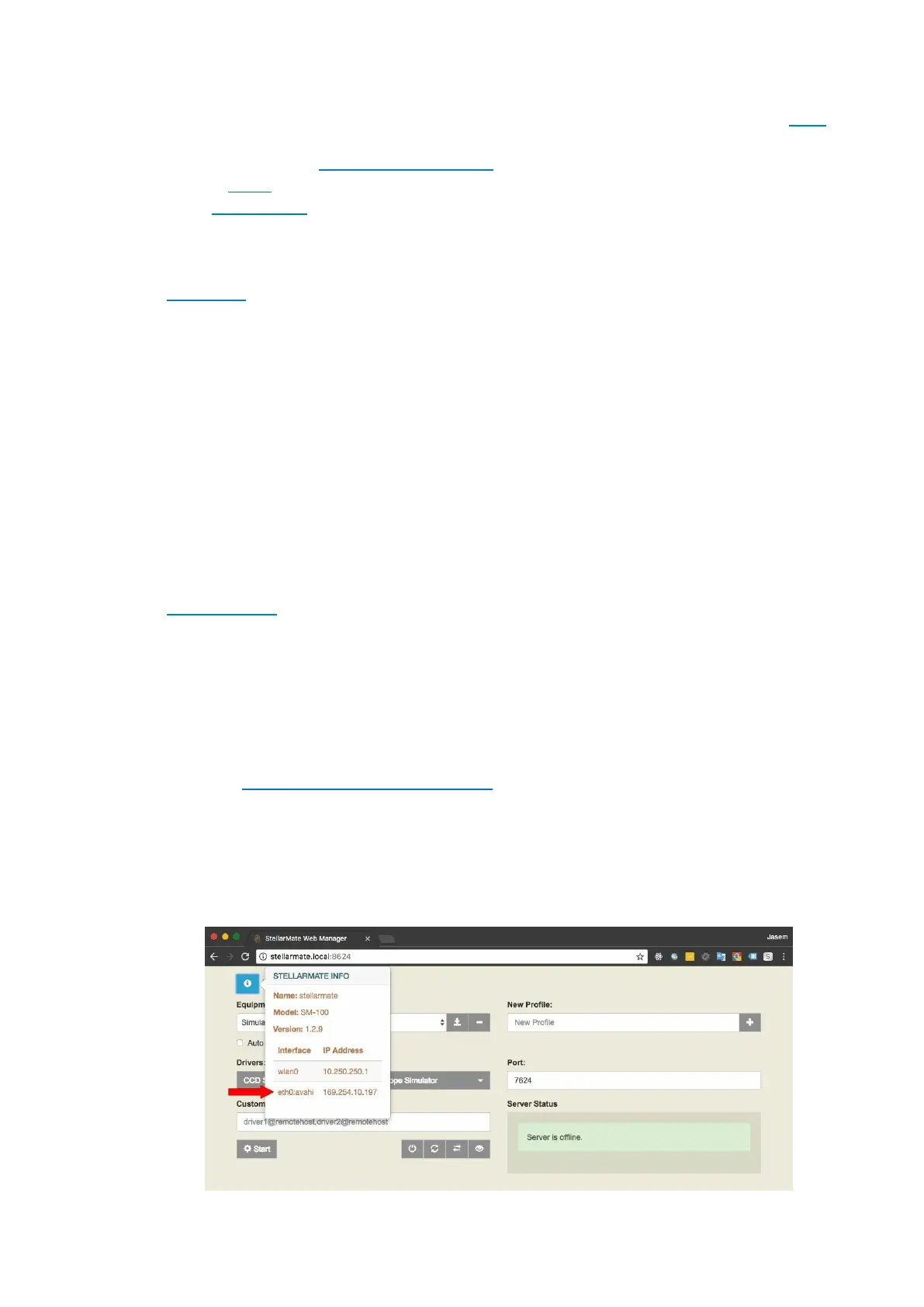
connection immediately. To force it to connect with StellarMate, find out
what auto-IP address was created by StellarMate. This information can be
found in StellarMate Web Manager. Use WiFi to connect to the StellarMate
hotspot, and click on the information icon to display StellarMate info.



 To Next Page