The StellarMate Plus Manual
334 / 341
· Hibernation: For mounts that support hibernation (e.g. AVX), it is
possible to hibernate and later on wake up the mount without losing
alignment data.
Time & Location
This is the most common cause for inaccurate and erratics GOTOs.
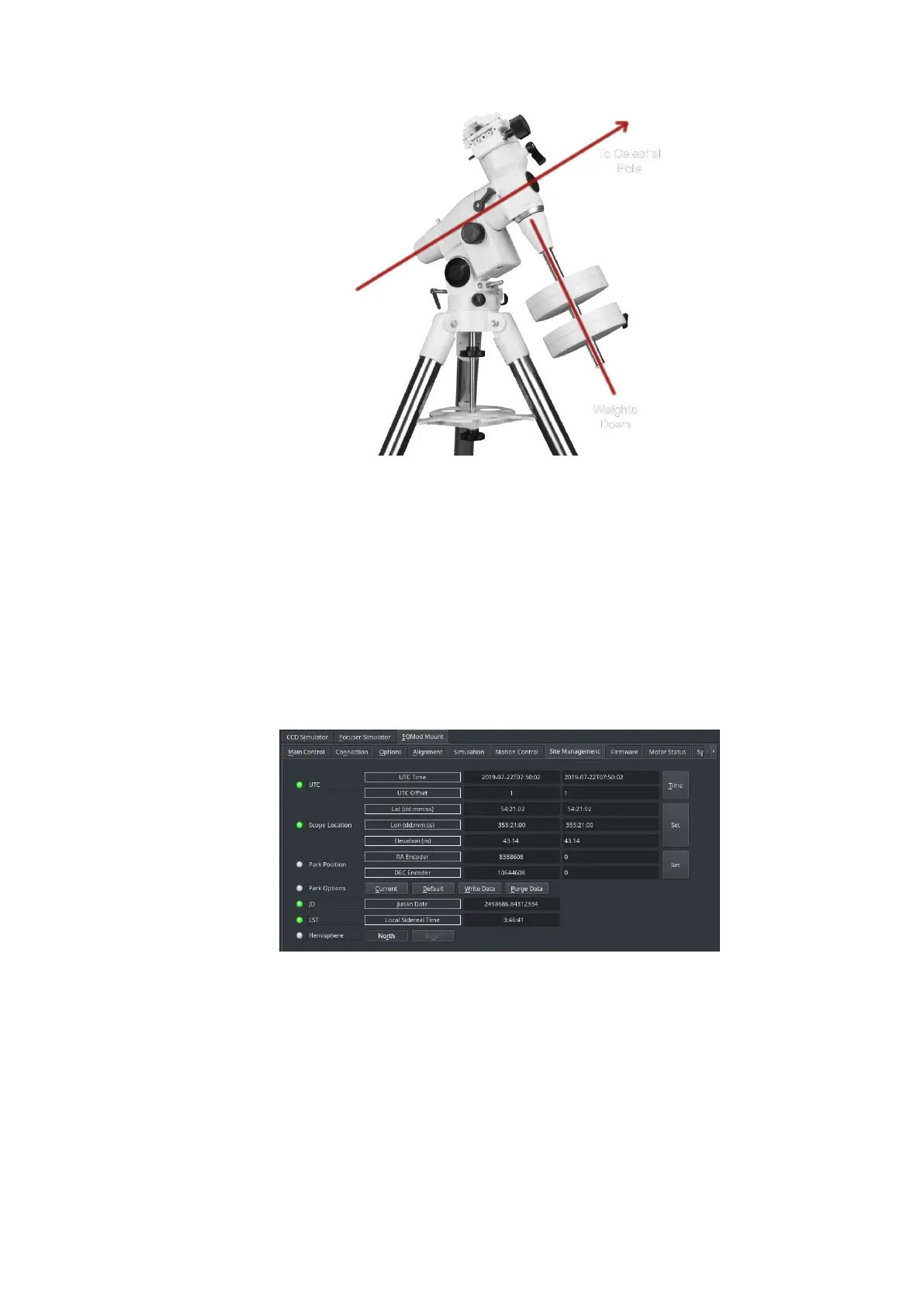
StellarMate requires an accurate Time and Location data in order to drive
the mount correctly. If you are using Ekos on a PC/Mac, KStars would
automatically set the mounts time and location. You can double check the
mount time and location settings by going to INDI Control Panel --> Mount
Driver Tab (e.g. EQMod Mount) --> Site Management Tab.
However, this only sets the mount time (in the handset) and not the
StellarMate System Time. The system time is still important for other
calculations, so it is prudent that StellarMate system time is accurate.
StellarMate gadget is shipped with a Real Time Clock (RTC) module that
keeps the system time even when the unit is turned off. If you are using
StellarMate OS on a plain Rasbperry Pi board, then there is no way to keep
the time ticking and accurate. StellarMate would sync the system time
once it has an active connection to the internet.
In case you are using StellarMate in HotSpot mode, the unit has no access
to the internet and the time must be either it Manually via VNC or via



 To Next Page