The StellarMate Plus Manual
335 / 341
the StellarMate App. When using the StellarMate App, it would
automatically syncs StellarMate system time and location when it
establishes communication with the unit. The time and location information
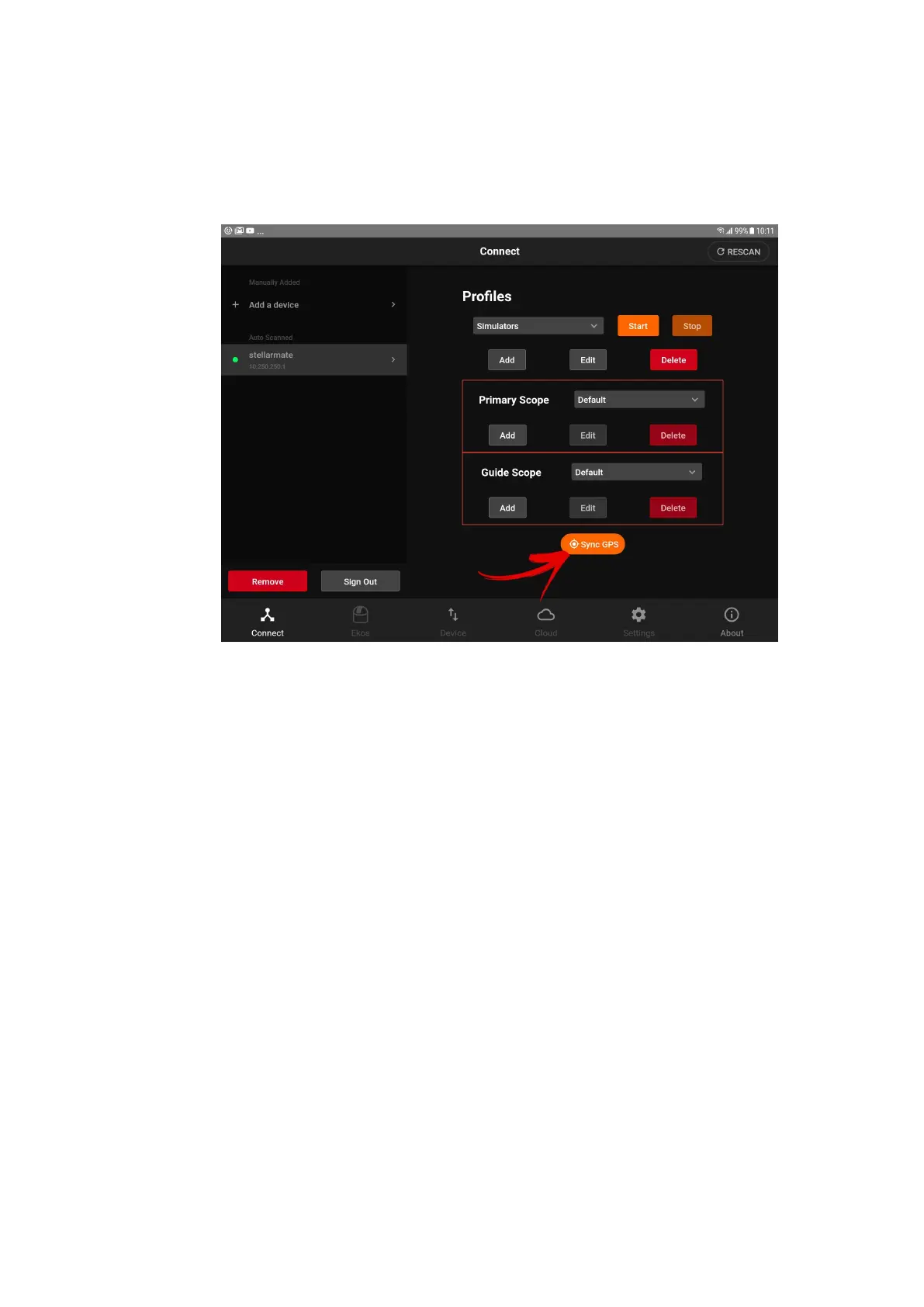
are extracted from your phone/tablet. To explicity sync the GPS
information, click on the Sync GPS button in the app.
If you are using a GPS dongle in StellarMate, then it would be sufficient to
sync the StellarMate system time and location once powered up. Without
the GPS dongle, using the StellarMate App is the next best option as it
always keeps StellarMate system time and location synchronized with your
phone/tablet.
Mount Model
When using EQMod mount or any mount that uses INDI Alignment
Subsystem, it improves its GOTO accuracy by building a model of the night
sky in the driver itself. This is in contrast to traditional mounts when the
model is built in the handset (e.g. Meade). Sometimes the model
inadvernetly lead to wrong GOTOs and you keep adding more sync points
to correct this issue, it might end up getting worse. The best thing to do in
this situation is to follow these steps:
1. If the mount is not already unparked, unpark it (click the green flag in
the toolbar).
2. Go to Ekos Mount tab, and click on Purge all configuration. This will
clear all settings related to the mount.



 To Next Page