59
BS-98 1409 VER1 (U) (E)
5.1 Settings from the BS Menu
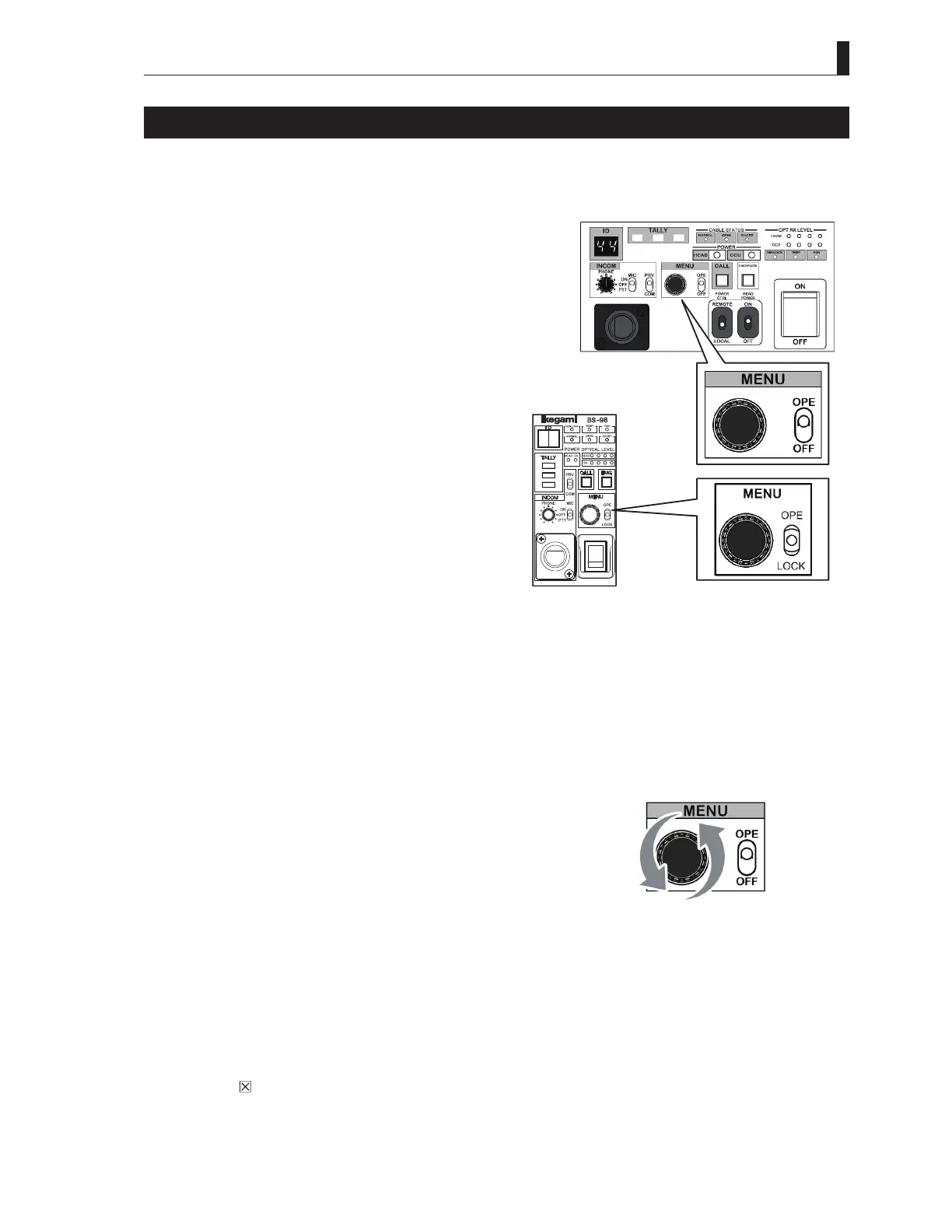
Basic operation of the menu screen (when operated from the CCU/BS main body)
■
Display of the main menu screen
It explains the method to display the main menu on the PM screen.
1 [In case of CCU]
Set the MENU switch "OPE - OFF" to "OPE" side.
[In case of BS]
Set the MENU switch "OPE - LOCK" to "OPE" side.
2 When the MENU operation dial is kept pressed for approximately three seconds, the Main menu screen is
displayed on the PM screen.
■
Display of the sub-menu screen
Select the item from the main menu screen that is displayed on the PM screen to display the sub menu screen for various settings.
1 Check that the main menu screen is displayed on the PM screen.
2 Turn the MENU operation dial to set the blinking cursor to the
setting item and press the dial. The sub menu is displayed,
and various settings become enabled. It provides the operation
method that is to select an item by turning and pressing the
dial.
Caution:
Depending on the function of the setting item, there are items that the setting is changed when the dial is turned or when the dial is
pressed.
■
Exit the menu screen
End the Main menu screen and Sub menu screen displayed on the PM screen.
1 Exit the menu screen in the any of the following methods :
a) Select "
" on the BS/CCU main menu and press the Enter button.
b) Set the MENU switch "OPE - OFF" to the "OFF" side (CCU).
c) Set the MENU switch "OPE - LOCK" to the "LOCK" side (BS).
CCUoperationpanel
BSoperationpanel



 To Next Page