57
BS-98 1409 VER1 (U) (E)
5.1 Settings from the BS Menu
Basic Operation of the Menu (Operation from the OCP-200)
■
Displaying the Main Menu
This section explains how to display the main menu on the PM
screen.
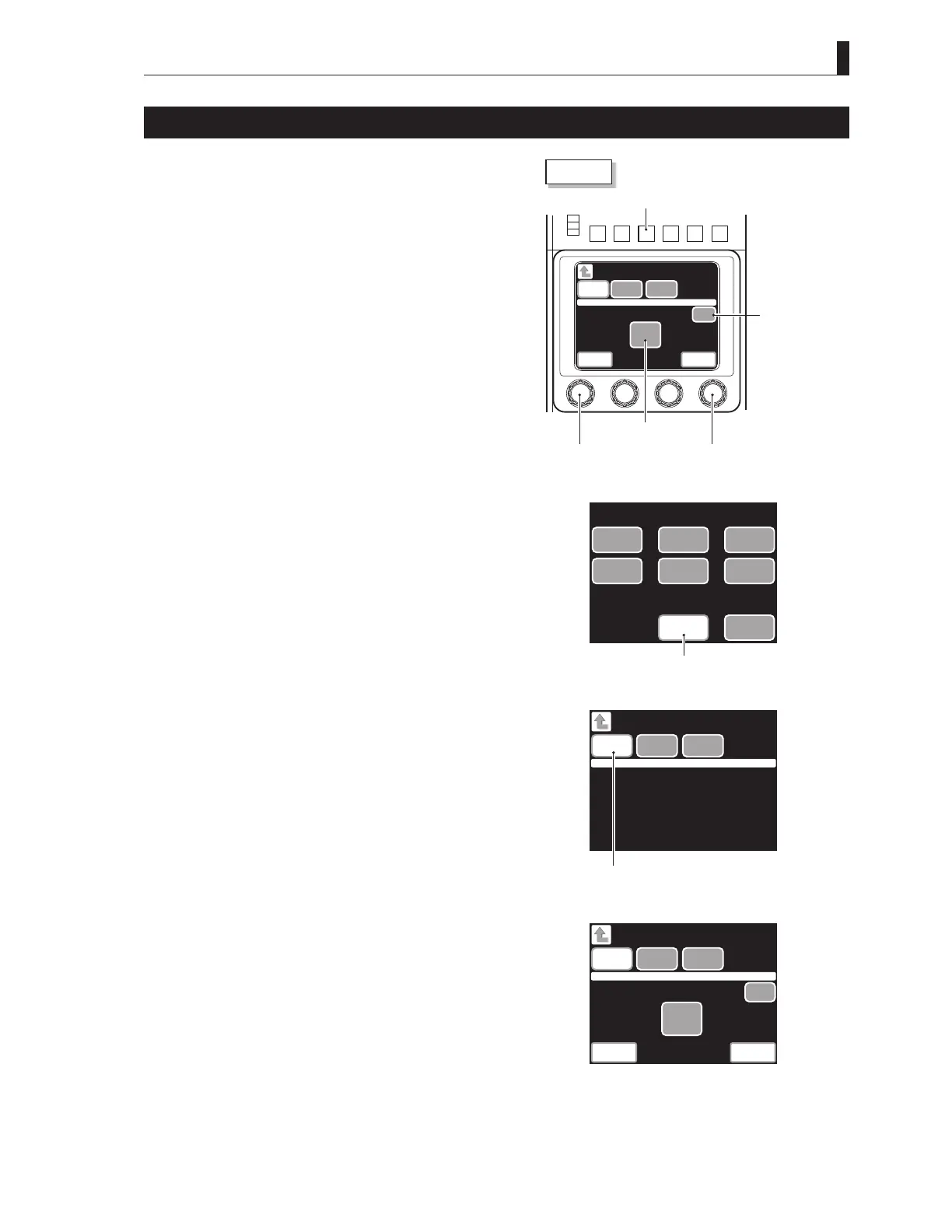
1 Press the SETUP button among the FUNCTION buttons
on the OCP-200.
The screen shown in Fig.1 is displayed on the liquid crystal
display (LCD) of the OCP.
2 Press the CHARACTER button on the LCD.
The screen shown in Fig.2 is displayed.
3 Press the Menu button on the LCD for a while.
The menu screen (Fig.3) appears on the LCD, and the main
menu screen appears on the PM.
Menu
Menu
CameraID
CHARACTER
Enter
Quit
Select Next
SceneFile
Name
OCP-200
Quitbutton
Selectknob Nextknob
Enterbutton
SETUPbutton
WUMSO WUMSOI
GRAY
SCALE
DETAIL
CHARACTER
COLOR
AUTO
SETUP
DOWN CONV.
DETAIL
DOWN CONV.
COLOR
MODE
SWITCH
CAMERA SETUP
CHARACTERbutton
Figure1
Menu Camera ID
CHARACTER
Scene File
Name
Menubutton
Figure2
Menu
Menu
Camera ID
CHARACTER
Enter
Quit
Select Next
Scene File
Name
Figure3(menudisplay)



 To Next Page