41
BS-98 1409 VER1 (U) (E)
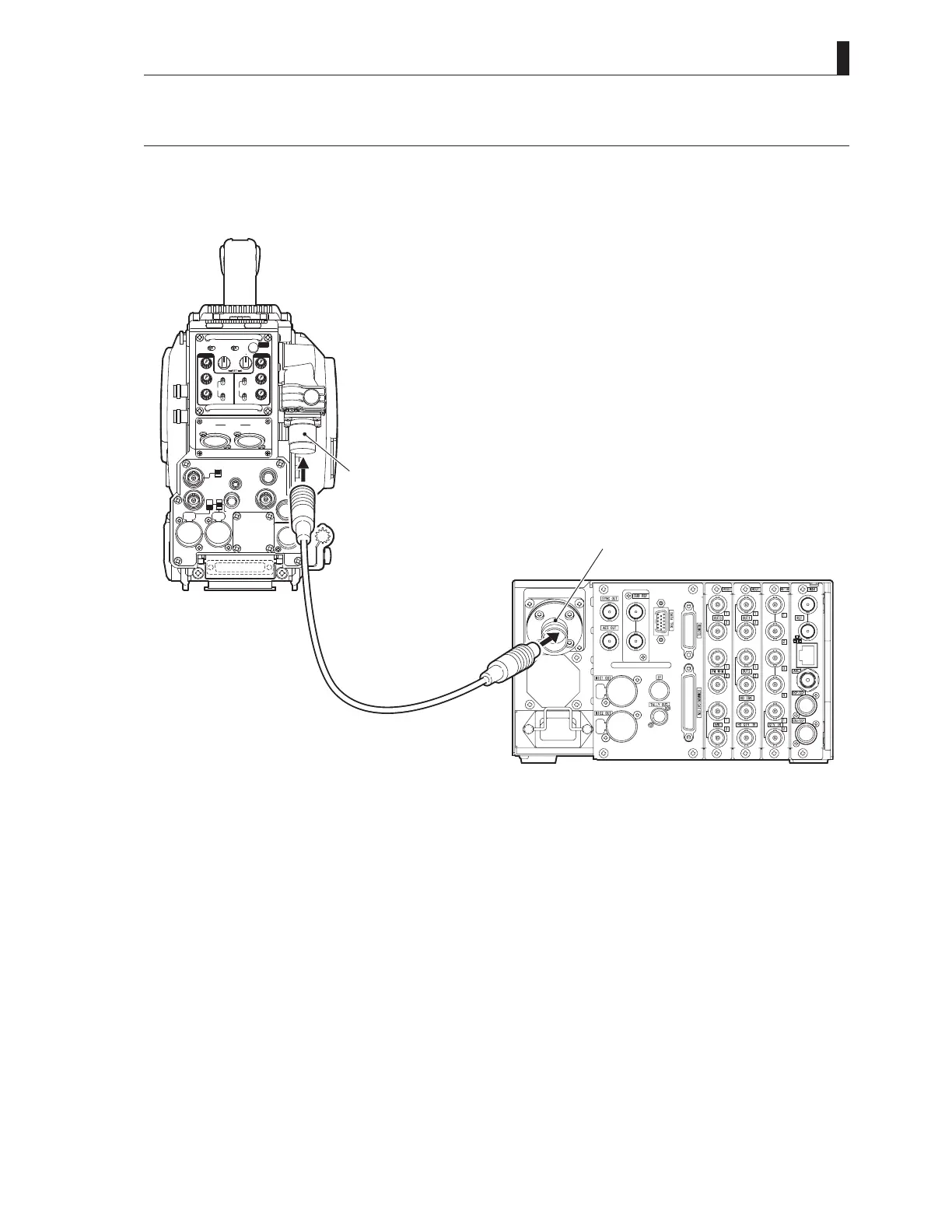
4.3 BS and Camera Head Connection
4.3 BS and Camera Head Connection
This section explains how to connect the BS to the camera.
Connect the CAMERA connector on the rear of the BS to the CAMERA connector on the camera head via a camera
cable.
INCOMENG
PROD
INCOMENG
PROD
MIC-1
MIC-2
DC IN
PGM2
PGM1
MIC
ON
OFF
PTT
PROD
BOTH
ENG
MIC
ON
OFF
PTT
PROD
BOTH
ENG
INCOM
PGM2
PGM1
INCOM
REAR TALLY INCOM SEL
CALL
INCOM1 INCOM2
OFF ACT
FRONT
REAR
FRONT
INC1 INC2
1
2
4
3
1
2
4
3
Q-TV/GL
EARPHONE
+12V
OFF
+48V
MON
MON SDI
SDI OUT
I/O
DC OUT
Camerahead
*HDK-97A(+FA-97)isusedasanexampleofthecameraforexplanation.
Refertotheinstructionsaccompanyingthecameraheadtobeused
forthelocationoftheCAMERAconnector.
CAMERAconnector
BS-98rearview
CAMERAconnector
Opticalfibercomplex
Cameracable
CAUTION:
- The camera cable has a plug on one end and a jack on the other end. Make sure the difference before connection.
- Do not forcibly bend the camera cable nor apply excessive force to the camera cable.
- Refer to the instructions accompanying the cable or camera head to be used for how to handle the camera cable.



 To Next Page