38
BS-98 1409 VER1 (U) (E)
4.2 Power Supply
4.2 Power Supply
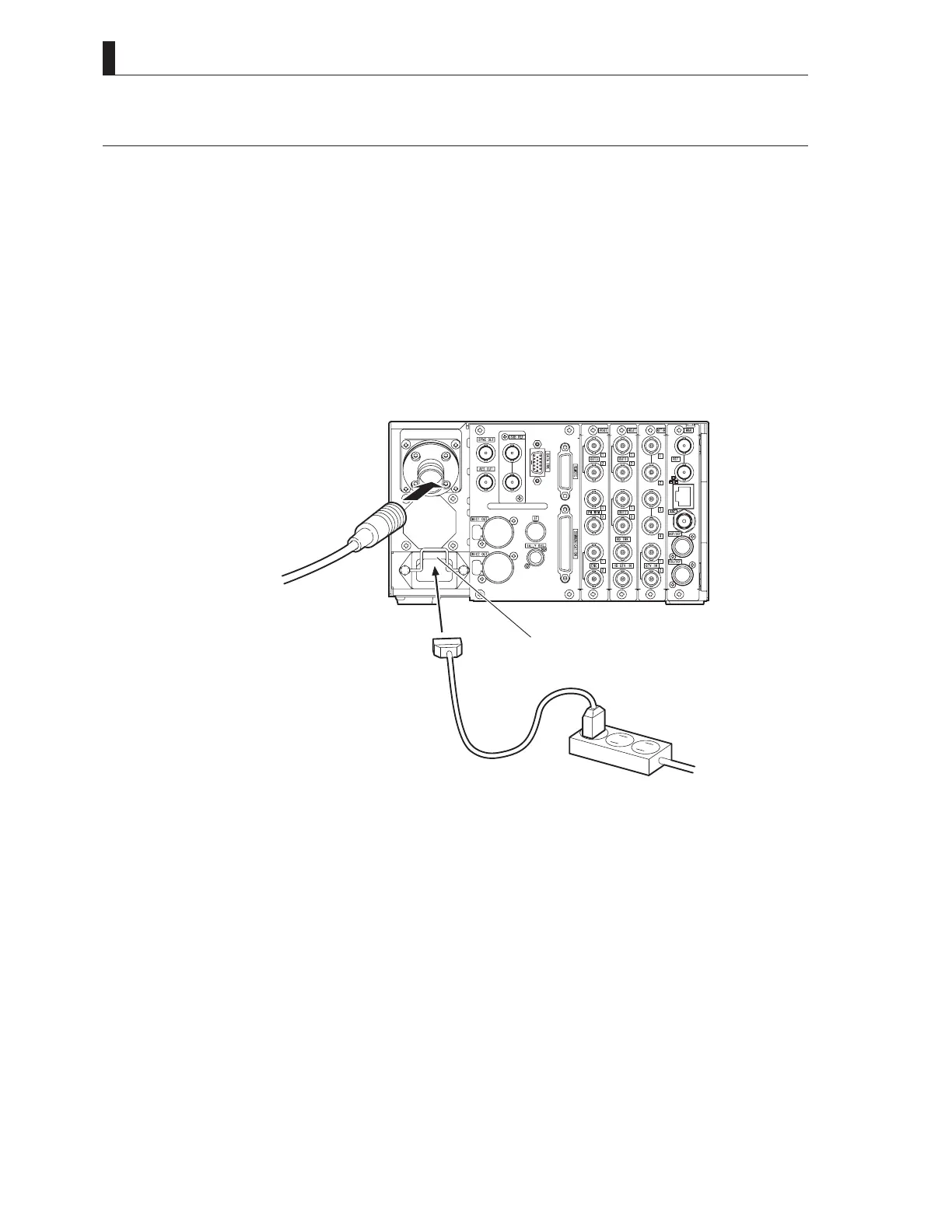
This section explains how to power supply to the BS and supply power from the BS to the camera head.
1 Make sure the BS MAIN POWER switch of the BS is "OFF".
2 Connect the AC cable to the AC INPUT connector on the rear of the BS.
3 Insert the AC plug into the power outlet.
4 Connect a camera cable to the CAMERA connector on the rear of the BS, and connect the other end of the
camera cable to the camera head.
Refer to "4.3 BS and Camera Head Connection" for how to connect the camera cable to the camera head.
BSrearview
ACINPUTconnector
Tothecamera
Opticalfibercomplex
Cameracable
ACcable
Poweroutlet
Two methods of power supply to the camera head are available with this configuration.
a) To control the power ON/OFF from the BS (turned ON / OFF at the main power of the BS)
b) To control the power ON/OFF from the OCP (remote control)
Note:
Function will change by the control panel (OCP) to be used.



 To Next Page