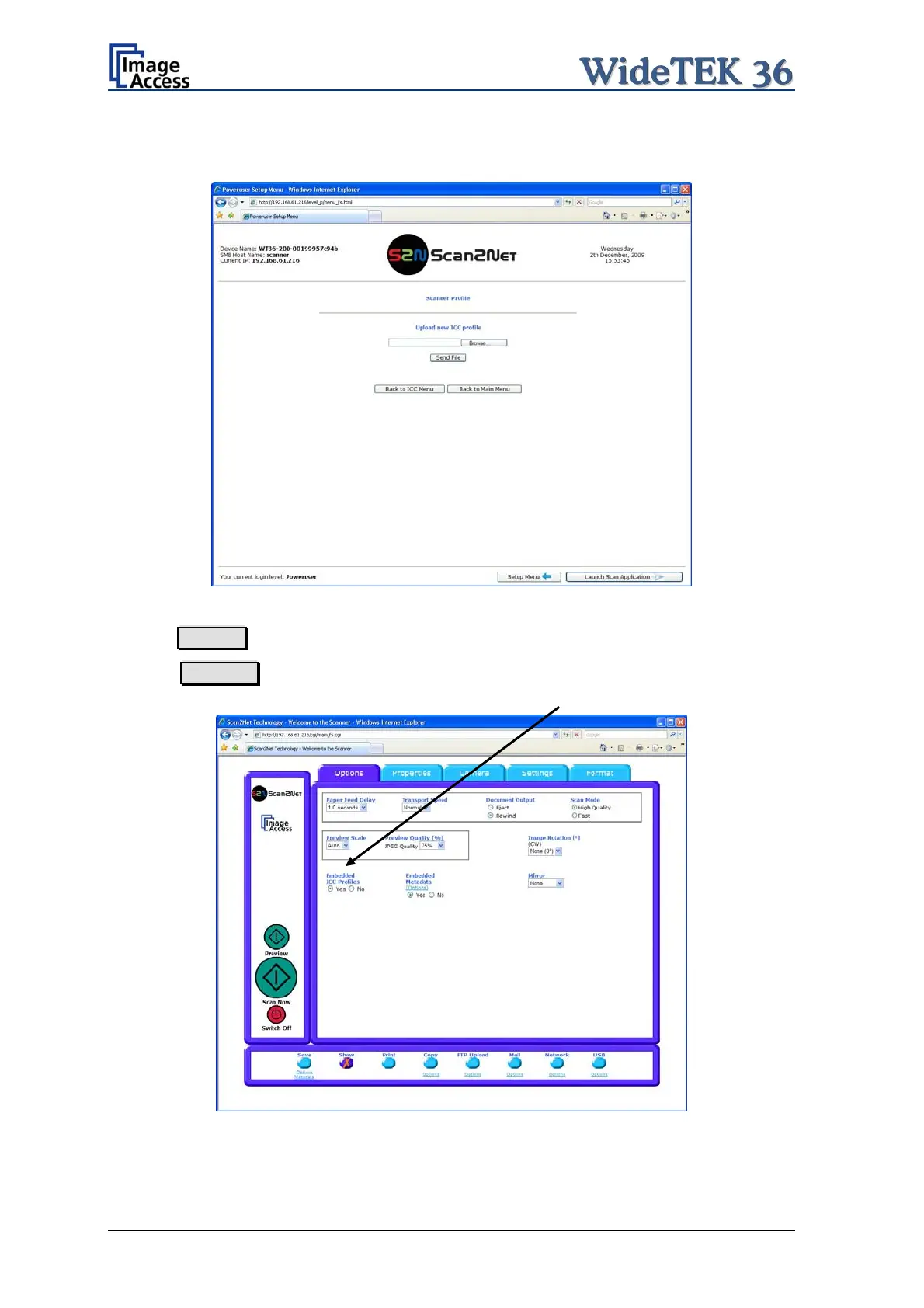
Browse for a new ICC profile and select it. If another ICC profile is already installed, it will
be displayed. Selecting another profile will replace the previous file.
Picture 44: Upload ICC Profile screen
Click on Browse to select the desired ICC profile.
Click on Send file to upload the selected profile. To activate the ICC profile click in the
Scan2Net user interface in the section Options on Embedded ICC Profiles.
Picture 45: Embed ICC profile
Page 46 Setup and Assembly Manual



 To Next Page
 Loading...






