TechDoku_CC1000_VCC1000_CC3000_VCC3000_GenPM_GB_860
25010_86025110.doc
Suggestion for a granulating process:
Switch on cooling water, compressed air and protective gas supply.
Fill the granulating tank with water until overflow.
Switch on (V)CC at the mains switch.
Please press ‘Generator-Start’ in left area of front panel.
Protective gas will be applied automatically at temperatures over 500 °C.
If the set temperature is achieved, twist the sealing rod thoroughly in the crucible
bottom hole (rotating movement) and fill in the material.
Swivel grain tank completely under crucible chamber.
Now you see new buttons under the front panel like for instance ‘sealing rod’ and
‘Grain pressure’.
When the alloy is liquid, please regulate the water flow through the nozzles in the
grain tank in such a way the water is moving, but not squirting.
Depending of the alloy, the metal should maintain the temperature for a few
minutes or mixed with a stirring rod.
Open the sealing rod with pressing the button ‘sealing rod’.
When the crucible is not completely empty, remove residues by pressing button
‘Turbo pressure’ = ‘graining pressure’.
If you want to continue with the same alloy, start with step 4 again.
Press the button ‘Generator Stop’, for stopping heating.
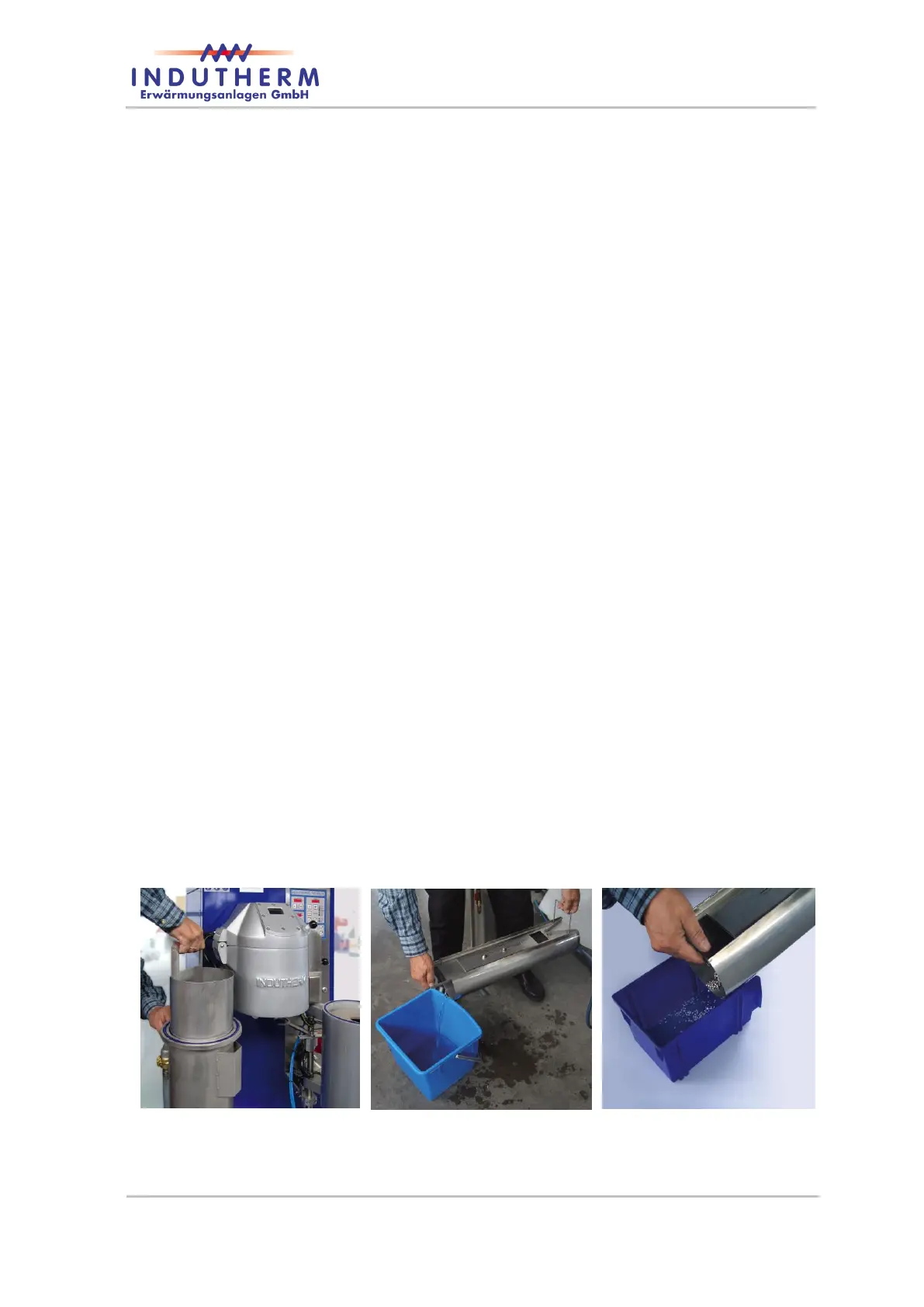
Swivel grain tank on the left side and take out insert.
Figure 45: granulating insert


 To Next Page