www.infocus.com
Installation
25
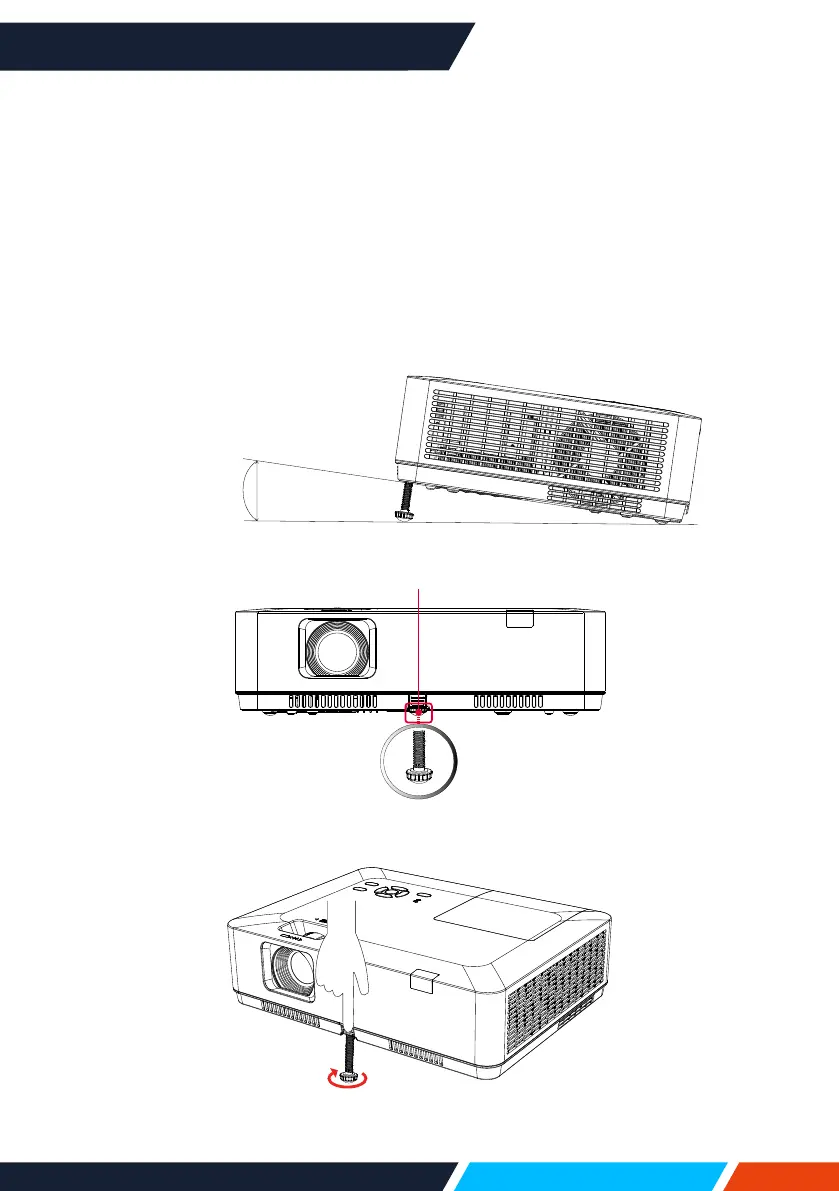
Adjust the projected image
Adjustthepositionoftheprojectedimage:
1. Placetheprojectorsothatitisperpendiculartothescreen,Image(1).
2. Raisethefrontoftheprojectorandpressthefootlockontheprojector.
Loosenthefootlockcanlocktheadjustablefoot.Rotatetheadjustablefootto
adjusttheheight.
RotatingtheadjustablefootinthedirectionshownintheImage(2)toextendit,and
rotatingintheoppositedirectionretractsit,thusadjustingtheverticalprojection
angle.
Image(2)
MaxAngle
(10°)
Maxlength
41mm
Image(1)
Adjustablefeetlock









 To Next Page