www.infocus.com
Installation
32
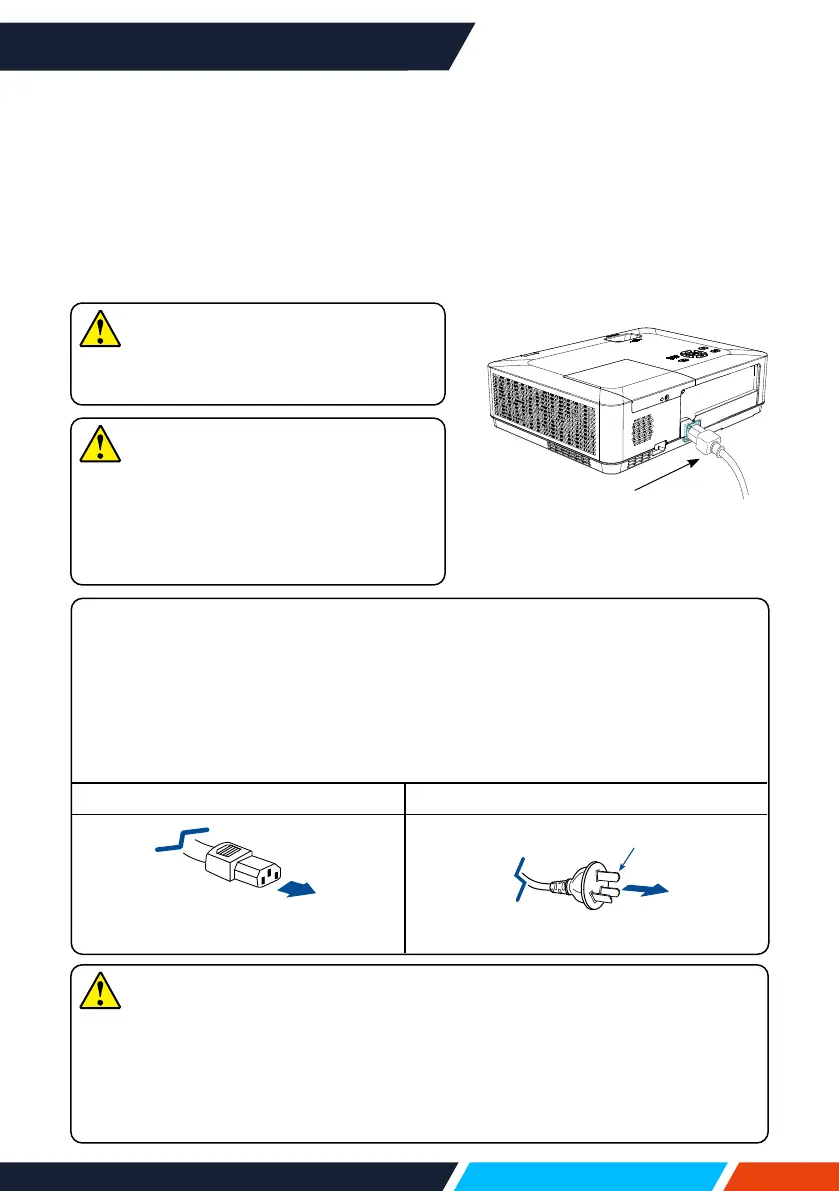
Precautions on power cord
YourACpowercordshouldmeetregulationsofthecountry,districtwhereyour
projectorisused.
Pleasemakesurethetypeofthepowerplugiscompliantwiththosegiveningure
below.MakesureyouareusingavalidACpowercord.
IncasetheincludedACpowercorddoesnotcomplywiththeACpowersocketin
yourlocation,callyourdealerforareplacement.
Theprojectorside ConnecttotheACpowersocket
Connecttopowercordconnectorof
yourprojector
ConnecttoACpowersocket
Groundingend
Connect the AC power cord
TherequiredstandardvoltageofyourprojectorisAC100-240V.Itadaptstodierent
inputvoltageautomatically.Yourprojectorusesasingle-phasepowercordwithneutral
groundcabling.
Donotuseanyothertypeofpowercordsoryoumayfacetherisksofelectricshock.
Incaseyouhaveanydoubtonthetypeofpowercordyouareusing,pleasecallyour
dealerorservicecentreforhelp.Beforepoweringonyourprojector,getallexternal
equipmentconnectedinadvance.
Note
Forsafetyreasons,unplugtheACpower
cordwhenyourprojectorisnotinuse.Your
projectorwillconsumeasmallamountof
powerwhenitisconnectedtoACpower
gridandinstandbymode.
Note
KeepyourACpowersocketclosetoyour
projectorforeasypluggingandunplugging.
Note
• Useofinvalidpowercordmayhamperproductperformanceorevenleadto
electricshock,re,andotherincidents.Alwaysuseacompliantpowercord
ensureproductperformanceandoperationsafety.
• Thefrequentlyusedcablesare:ACpowercord,VGAcable,audiocable,video
cable,andserialcontrolcable.
ConnectincludedACpower
cordtoyourprojector.









 To Next Page