www.infocus.com
Basic operation
33
Basic operation
Power on your projector
1. Connectallexternalequipmenttoyour
projector(e.g.computerorcamera)before
poweringiton.
2. ConnectACpowercordofyourprojectorto
anACpowersocket.ThePowerindicator
turnsoninred.
3. PressthePowerbuttononthetopcontrol
panelortheremotecontrol.
ThePowerindicatorlightsingreenandthe
coolingfanstartsrunning.
4. Ifyourprojectorissetupaspasswordpro-
tected,thepassworddialogueboxdisplays.
Enteryourpasswordasinstructedbelow.
What is a password (PIN)?
APersonalIdenticationNumber(PIN)isanIDcodeusedforsecuritypurposes
andtoallowauthorisedusedoftheprojector.Apassword(PIN)settingmayhelp
preventingyourprojectorfromunauthorizeduse.
Youpassword(PIN)codeisa3-digitnumber.Tondoutmoreaboutprotectingyour
projectorwithapassword(PIN),pleaserefertothePINCodeLockfunctioninthe
Settingmenufordetails.
Precautions on password (PIN) operation:
Youcannotoperateapassword(PIN)protectedprojectorwithoutcorrectpassword
(PIN)Pleasesetupanewpassword(PIN)andkeepyouroperationmanualinsafe
place.Incasethepassword(PIN)islostorforgotten,callyourdealerorservicecentre.
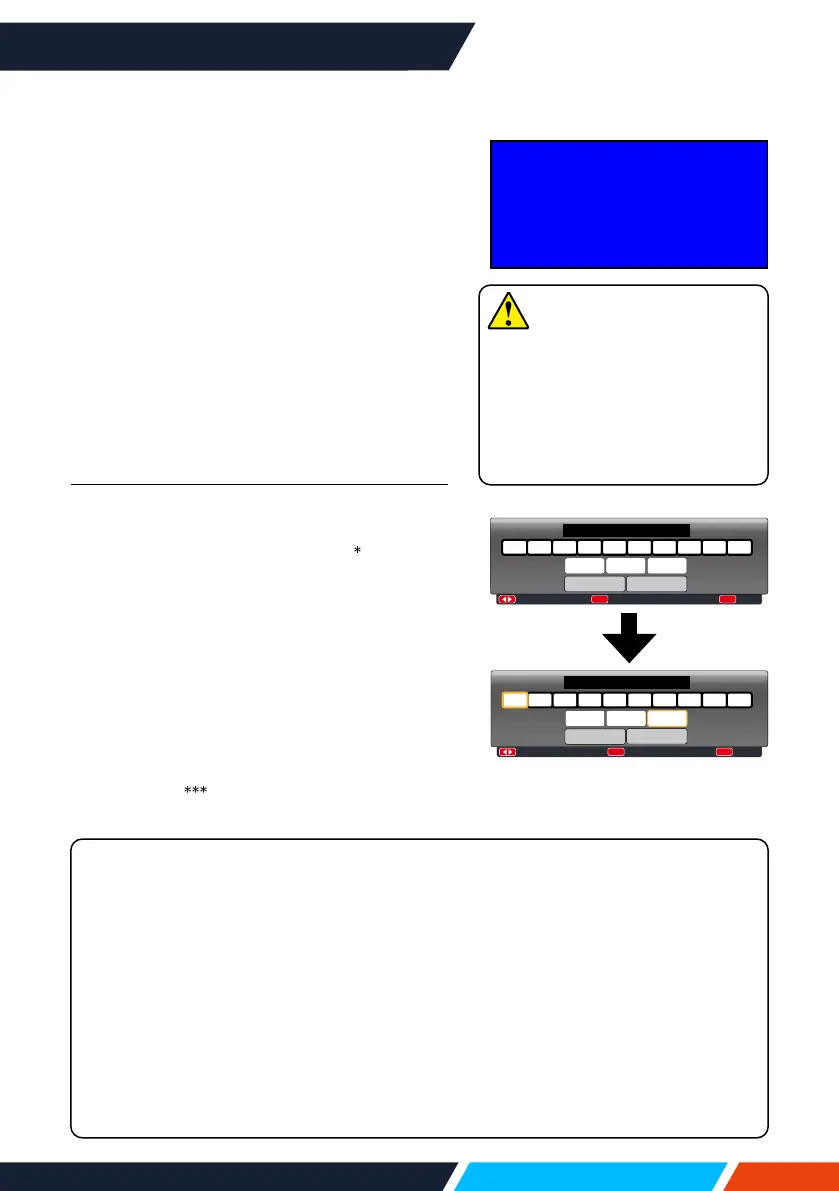
Enter password (PIN)
Press
buttontoselectanumber,press
buttontoenteritandmovethecursor.The
numberyoutypedisdisplayedas“
”.Toedit
numberyouhaveentered,press
buttonto
movethecursortothenumberyouwantto
change,press
buttontoselectthecorrect
one.
Repeatthissteptotypeina3-digitnumber.
Movethecursortosetafteryouhavetyped
the3-digitnumber.Pressthe<OK>buttonand
nowyouarereadytouseyourprojector.
Ifthepasswordisinvalid,thepassword
displayedas“
”willbeinred.Pleasetry
againwithavalidone.
:---- :Input PIN code
OK
:Back
MENU
PIN code
0 1 2 3 4 5 6 7 8 9
Set Cancel
:
:
OK
:
MENU
1 2 3 4 5 6 7 8 90
* *
PIN code
Set
Cancel
MovethecursortoSetbutton,
thenpressthe<OK>button.
15
Note
Incasethe“LogoSelect”option
issettoOFF,thennowelcome
imagewilldisplayonscreen.
Youcandonothingbutpowering
oyourprojectorduringtheperiod
welcomeimageisdisplayed.









 To Next Page