www.infocus.com
Maintenance and cleaning
89
Cleanyourprojectoronlyusingthebelow
guidelines.
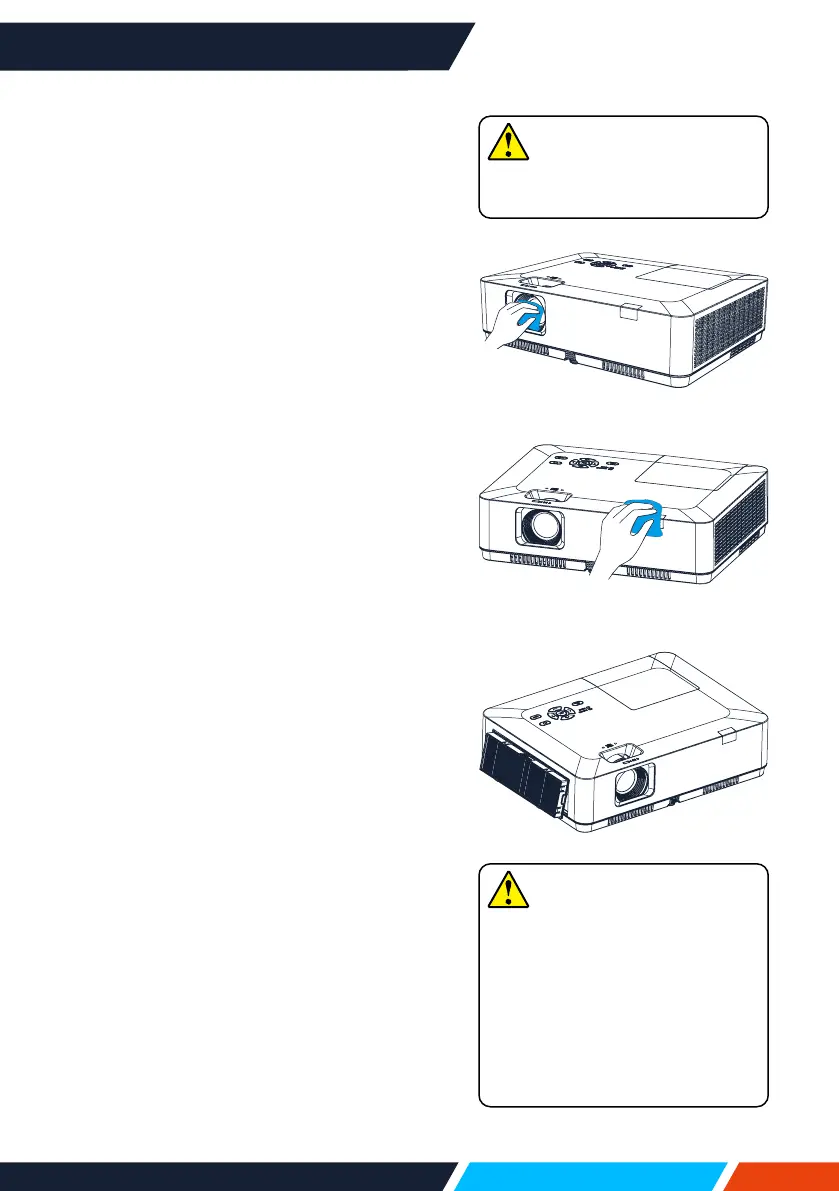
Clean the lens
Wipethelenswithcleanclothdampenedwith
non-abrasivecameralenscleanerorcleanit
withlenscleaningpaperorcompressedair.
Donotoverapplycleanertothelens.Abrasive
cleaner,solution,orotherroughchemicalmay
scratchthelens.
Clean casing of your projector
Wipethecasingsurfacewithcleanandsoft
cloth.Gentlywipethecasingwithcleanand
softclothdampenedtoremoveheavydirt.
Donotoverapplycleaner,abrasivecleaner,
solution,orotherroughchemicalthatmay
scratchthecasingsurface.
Placeyourprojectorinpropercontainerafter
usetoprotectitfromdirtanddustandbeing
scratched.
Clear the lter
Thelterisdesignedtokeepdustfrom
enteringinyourprojector,whichmaylead
todustsaccumulatedonsurfaceofinternal
components.Cloggedltermayreduce
coolingfaneects,which,inturn,willoverheat
yourprojectorandshortenitslifecycle.Clean
thelterimmediatelywhenevertheFilter
Warningicondisplays.
Pleasefollowthesestepstocleanyourlter:
1. Poweroyourprojectorandunplugfrom
ACpowersource.
2. Removethelter.
3. Gentlycleanitwithabrush.
4. Replacethelter.Makesureithasbeen
fullyinserted.
Note
Donotoperateyourprojector
afteritslterisremoved.Dust
mayattachtothelensassembly
anddeteriorateimagequality.
Donotallowobjectstoenterthe
airoutlets.Allowingobjectsto
entertheprojectorwillcausethe
projectortofail.
Note
UnplugtheACpowercordbefore
anycleaningoperation.









 To Next Page