User Manual for the Thermographic System VarioCAM
®
high resolution
8. Operation
User Manual © InfraTec GmbH 2013 29
The position of the ROI is changed by using the joystick, whereas movements and move the ROI
vertically up and down, and and horizontally left and right (see Fig. 37).
If one ROI is active in the spot editor, the next (second) spot can be activated by using the T button. The
respectively active ROI (to be moved in Spotpos) is marked with an identifier coloured red. Inactive ROIs
are labeled yellow. If the measuring table is displayed, the active ROI will be labeled blue and measured
data of all inactive ROIs will be grey (see Fig. 42).
If several ROIs are displayed, briefly pressing the T button changes the selection; a long press on the T
button (TL) creates a new spot. The maximum number of possible ROIs depends on the equipment.
Fig. 41 Message when the maximum number of measuring fields has been reached
The respectively active ROI is deleted by pressing C. Deleting the last ROI exits the spot editor and
returns to the live mode.
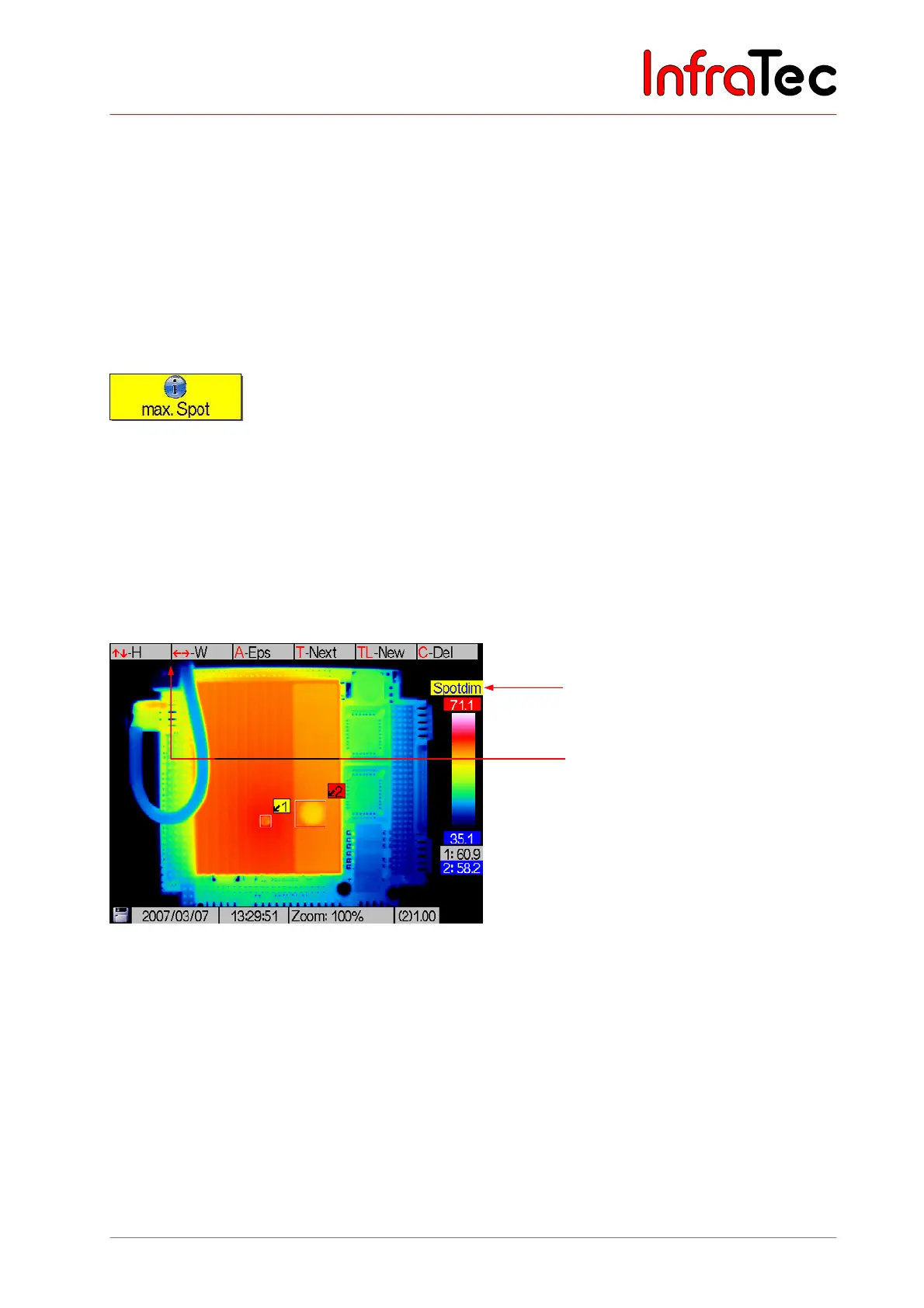
Pressing the A button switches from the "Spotpos" to the "Spotdim" mode.
Status "Spotdim"
In the "Spotdim" status the size of the ROI can be changed.
Fig. 42 View of the spot editor in the "Spotdim" status
Action will increase the height; will decrease the height of the ROI. Button will widen the ROI,
will narrow its width.
The valid image area for ROIs (also for the display of T
Max
/T
Min
) is limited to the central image area that is
not used by system displays. This ensures that displayed system information will not obscure any
measuring spots. With the assistance of the thermographic evaluation software, measuring and editing in
the whole image area in the digitally saved thermograms is possible without any restrictions.
Pressing the A button switches from the "Spotdim" to the "Spoteps" mode.
Spot editor: “Spotdim”
Help for joystick movements for
changes to height (H) or width
(W) of the ROI



 To Next Page