User Manual for the Thermographic System VarioCAM
®
high resolution
8. Operation
38 © InfraTec GmbH 2013 User Manual
Menu item "Isotherms.."/Isotherm editor*
Fig. 64 Menu “Image” – “Isotherms..”
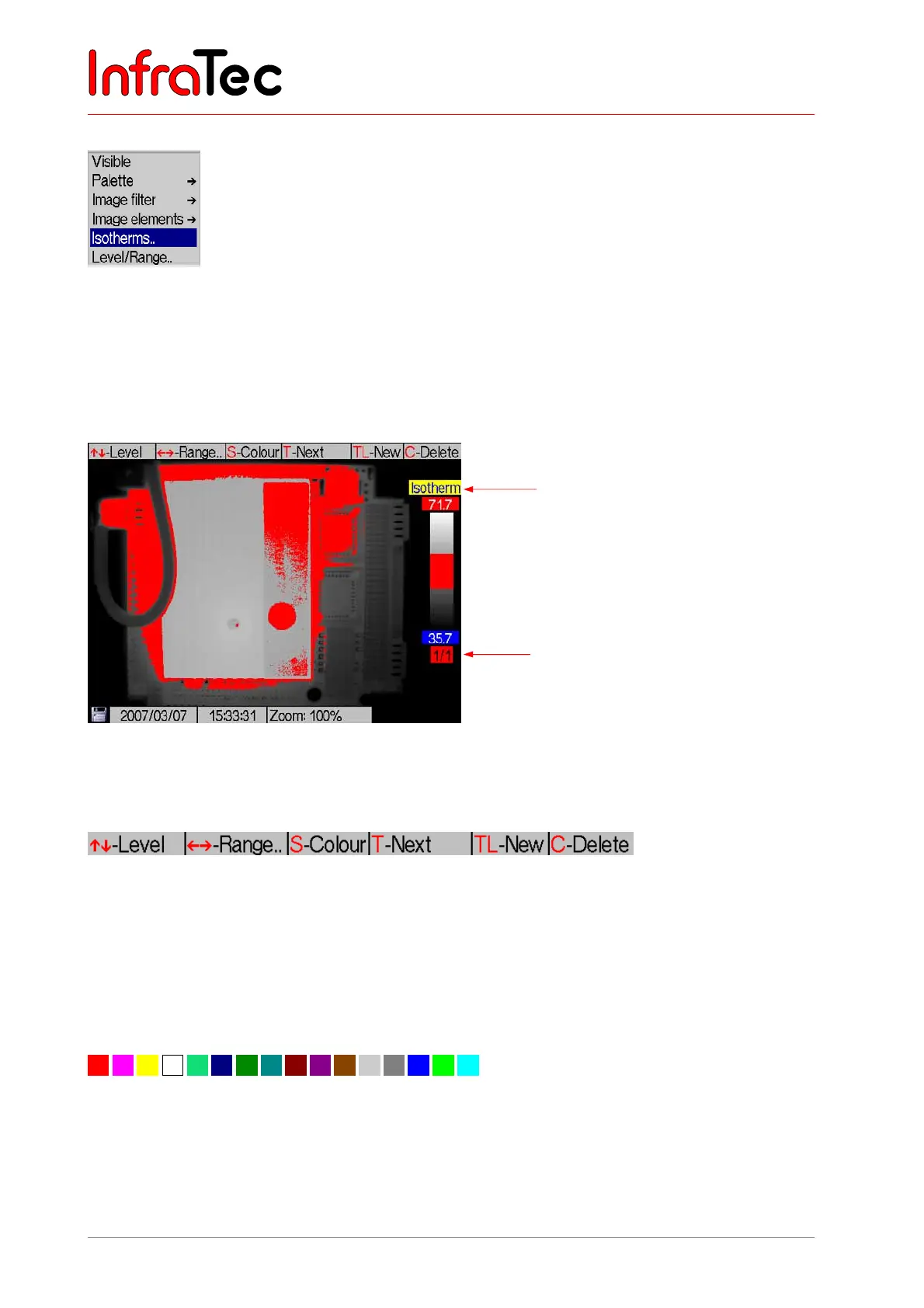
The isotherm editor is started via menu item Image →Isotherms.. (Fig. 64). Isotherms colour-mark
ranges of the same temperature. With the help of the isotherm editor it is possible, to design isotherms of
different (temperature) “width” and “height”. The temperature ranges can be labeled in different colours.
For clearly allocating the isotherms it is recommended to use coloured isotherms in conjunction with the
BlackWhite palette or with black, white or grey isotherms for colour palettes.
Fig. 65 Thermal image in the BlackWhite colour scale and with the isotherm displayed
The help bar shows the most important buttons in this mode (see Fig. 66).
Fig. 66 Help for the isotherm editor
Joystick movements , change the level of the respectively active isotherm and , increases or
decreases the range. The respectively active isotherm is displayed below the colour palette.
The S button progressively changes the colour of the isotherm, whereas using S will change to the
respectively next colour acc. to the sequence shown in Fig. 67.
Fig. 67 Colour palette for isotherms
Isotherm editor
Marking of the
active isotherm



 To Next Page