User Manual for the Thermographic System VarioCAM
®
high resolution
8. Operation
User Manual © InfraTec GmbH 2013 39
If an isotherm already exists, a second one is created by pressing TL. Should more than one isotherm
exist, T will switch to selecting the active isotherm. By using TL, another isotherm can be generated. The
possible number of isotherms depends on the model.
A opens an input dialogue in the isotherm editor, which will facilitate a numerical definition of limits of the
currently displayed isotherm.
Fig. 68 Input window for the numerical definition of isotherms
A defined isotherm always relates to a fixed temperature level and to a fixed temperature range. If, in the live
mode, the temperature scale is changed, the position of the isotherm in the palette will be adjusted
accordingly; however, the temperature limits will remain unchanged.
Menu item "Level/Range.."
Fig. 69 Menu “Image” - "Level/Range.."
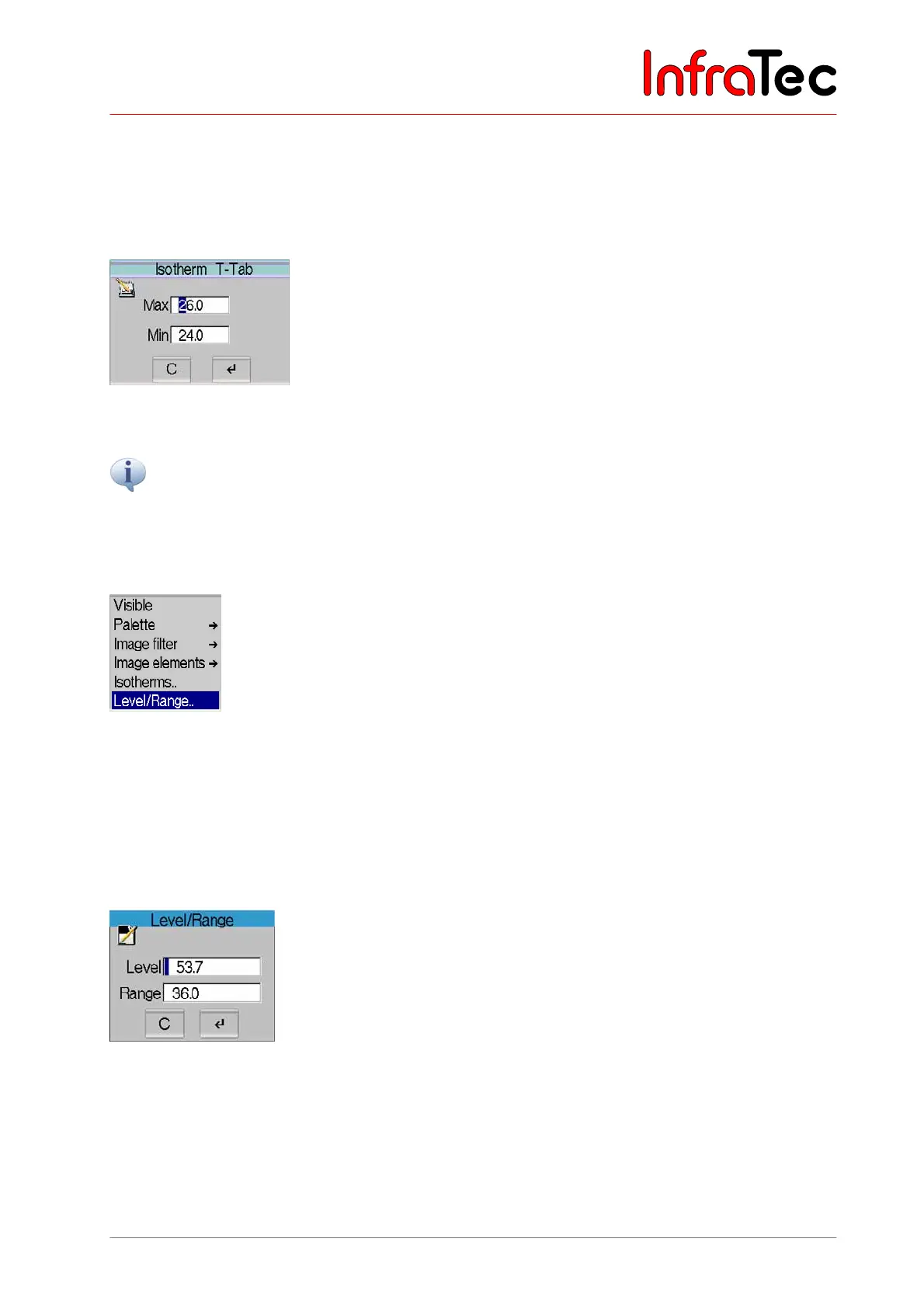
The menu item "Level/Range.." starts a dialogue for numerically defining values for the temperature
level and the temperature range (see Fig. 70). The temperature level thereby defines the centre and the
temperature range defines the width of the set imaging area. However, the thermal image is saved
independently of the limits of the imaged area.
Example: At a desired temperature range of 20°C to 30°C, the level needs to be set at 25°C and 10 K for
the range.
Fig. 70 Dialogue "Level/Range"
Joystick movements , change the numerical value (figure in the input box marked blue), , change
the position. The T button serves to toggle between input boxes.



 To Next Page