User Manual for the Thermographic System VarioCAM
®
high resolution
8. Operation
44 © InfraTec GmbH 2013 User Manual
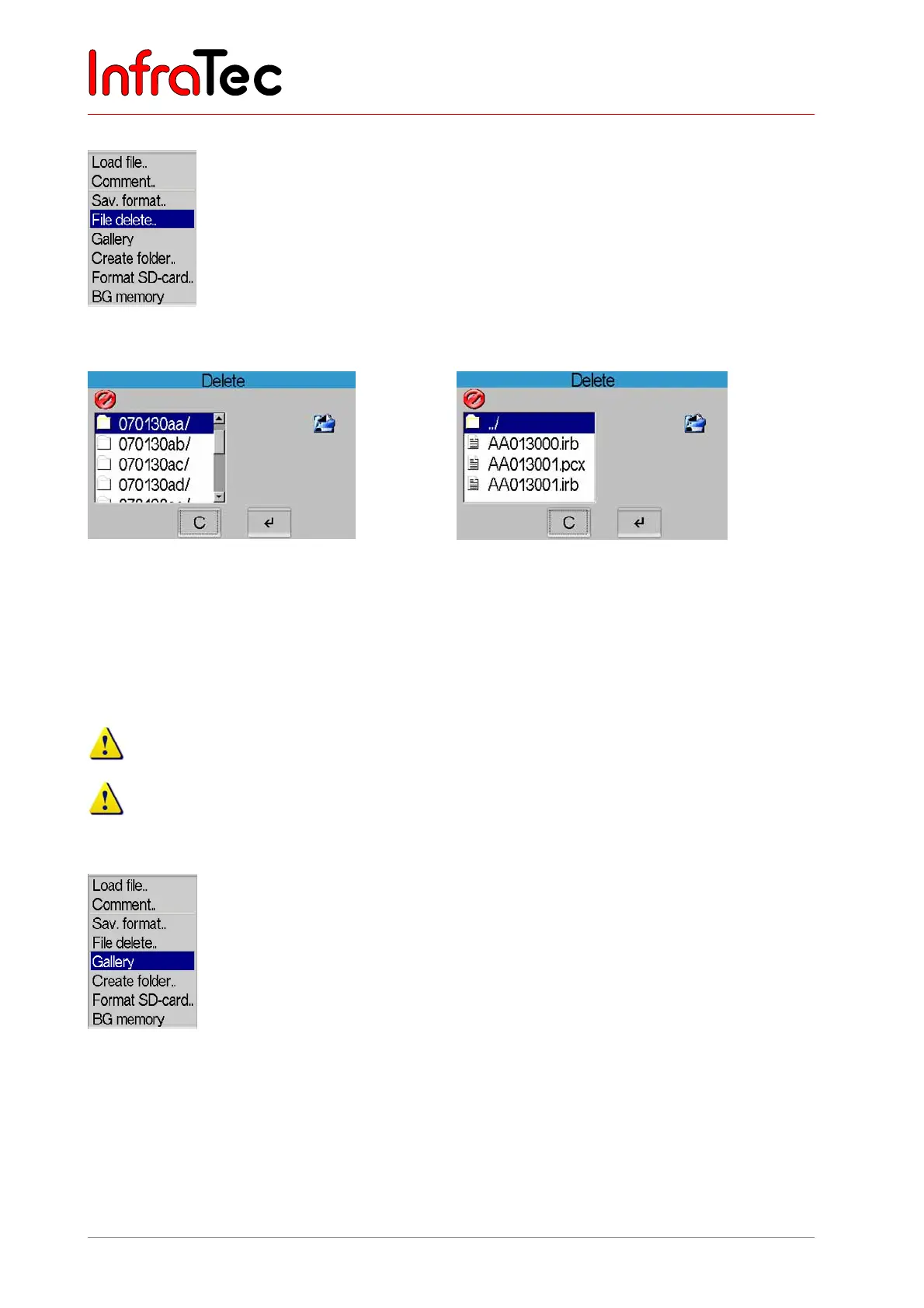
Menu item "File delete.."
Fig. 81 Menu “File” – “File delete..”
Fig. 82 Dialogue “Delete” – directory structure
Fig. 83 Dialogue “Delete” - Files
After selecting the item “File delete..”, the directory structure is shown in a dialogue (see Fig. 82), where
the IRB files have been saved. The respective directory and the file to be deleted are selected by moving
the joystick , ; S takes you to the end, T to the beginning of the displayed list. The selected file is
immediately und irrevocably deleted by pressing Enter.
This process cannot be reversed!
Complete directories cannot be deleted.
Menu item "Gallery"
Fig. 84 Menu “File” – “Gallery”
Via the menu item “Gallery”, the IRB files saved on the SD card are displayed as previews. By using the
joystick , and , , an IRB file can be selected (white-red frame) and subsequently loaded by using
Enter (→Image). By means of the S button, the last file is selected from the directory, the T button takes
you to the beginning of the list. CL changes the palette. Name and number of the currently selected file
as well as the current directory name are displayed in the top margin of the gallery from left to right.



 To Next Page