User Manual for the Thermographic System VarioCAM
®
high resolution
8. Operation
User Manual © InfraTec GmbH 2013 47
In the record mode, the frequency/recording rate can be set by using the joystick , ([0.25 ... 50] Hz for
PAL or [0.3 ... 60] Hz for NTSC, video mode see Fig. 146, Menu „Settings" - "Video mode", page 66).
Enter starts or stops the recording, thereby displaying how many images have already been recorded,
absolutely and in percent. The size of the real-time memory is dependent on the version of equipment. A
maximum of 2,378 images (thermographic system of geometric resolution 384 x 288) or 851 images
(thermographic system of geometric resolution 640 x 480) can be saved. The duration of saving depends
on the respectively set frequency/recording rate.
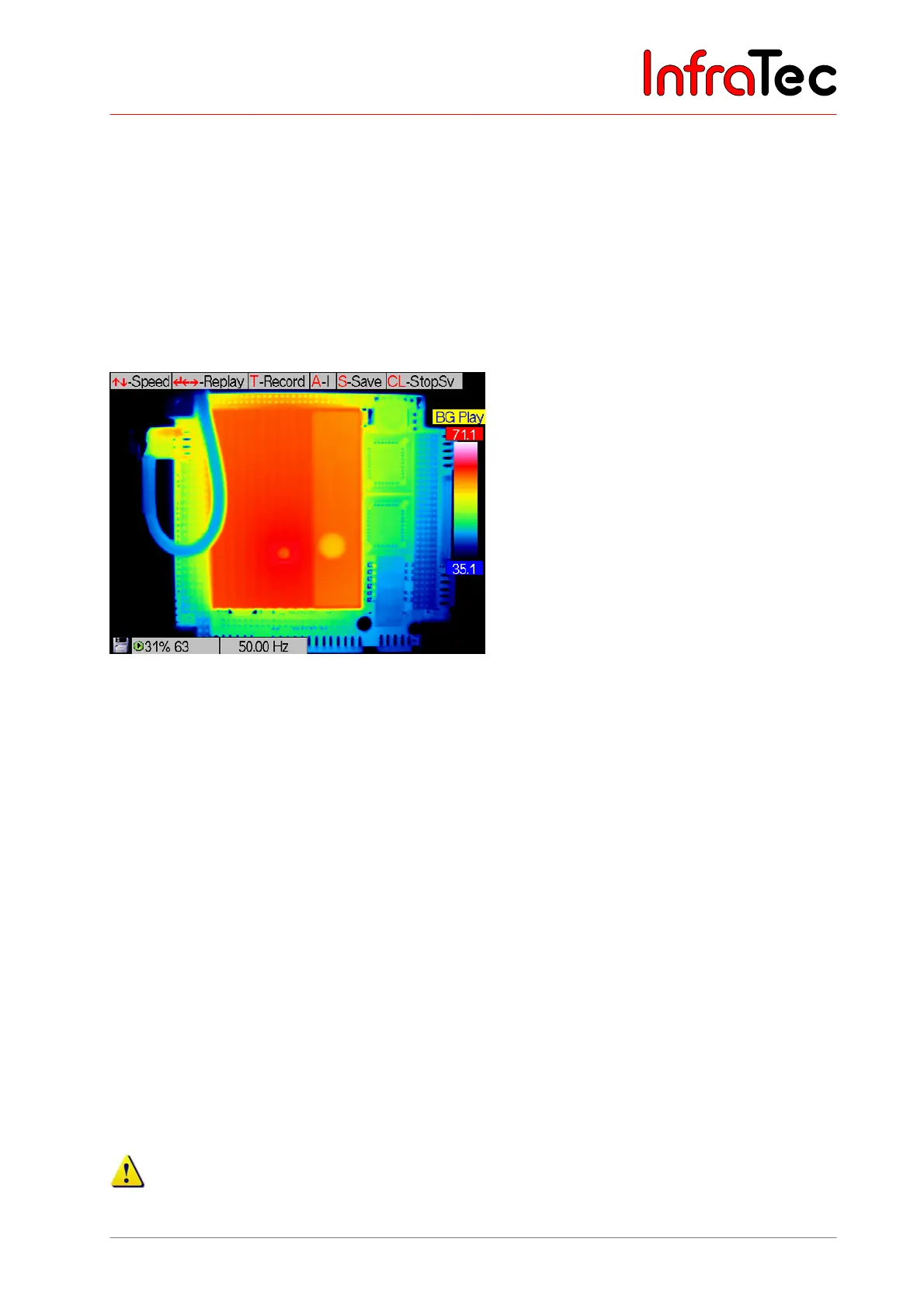
Has a sequence been recorded, T serves to change into the play mode. T serves to toggle between the
two modes “BG REC” and “BG Play”.
Fig. 92 Thermal image in the BG memory mode “PLAY”
For playing a sequency, the play rate can be adjusted in the range of (0.25 ... 2,500) Hz (PAL) or (0.3 ...
3,000) Hz (NTSC) by moving the joystick , . The play function is started by Enter or (forward) or
(back) and stopped by Enter. Moving the joystick , also serves to navigate between single images of
an existing recording. It is possible to restart randomly at any position of the recording and to overwrite
already existing recordings. This requires returning to the record mode with the help of T.
The play rate in the play mode determines the rate of display regardless of the recording rate, i.e. a
sequence recorded at 50 Hz is displayed at a play rate of 50 Hz at the same rate as it has been recorded.
A sequence recorded at 1 Hz is displayed at a play rate of 50 Hz at 50 times its rate.
A performs the “Autoimage” function that serves to automatically adjust the temperature level and
range.
S starts saving the currently displayed thermal images on the SD card
, SL starts saving the image series
beginning from the currently displayed thermal image on the SD card. For saving series, a respectively
new subdirectory is created. Saving series can be interrupted by CL.
Pressing the C button for a longer period (CL) exits the BG memory editor in the live mode. The files in
the real-time background memory will be available again after reactivating the BG memory function.
Please save the data required for the real-time memory on the SD card prior to turning off the
thermographic system. Otherwise the contents of the memory will be lost upon switching the system
off.



 To Next Page