User Manual for the Thermographic System VarioCAM
®
high resolution
8. Operation
46 © InfraTec GmbH 2013 User Manual
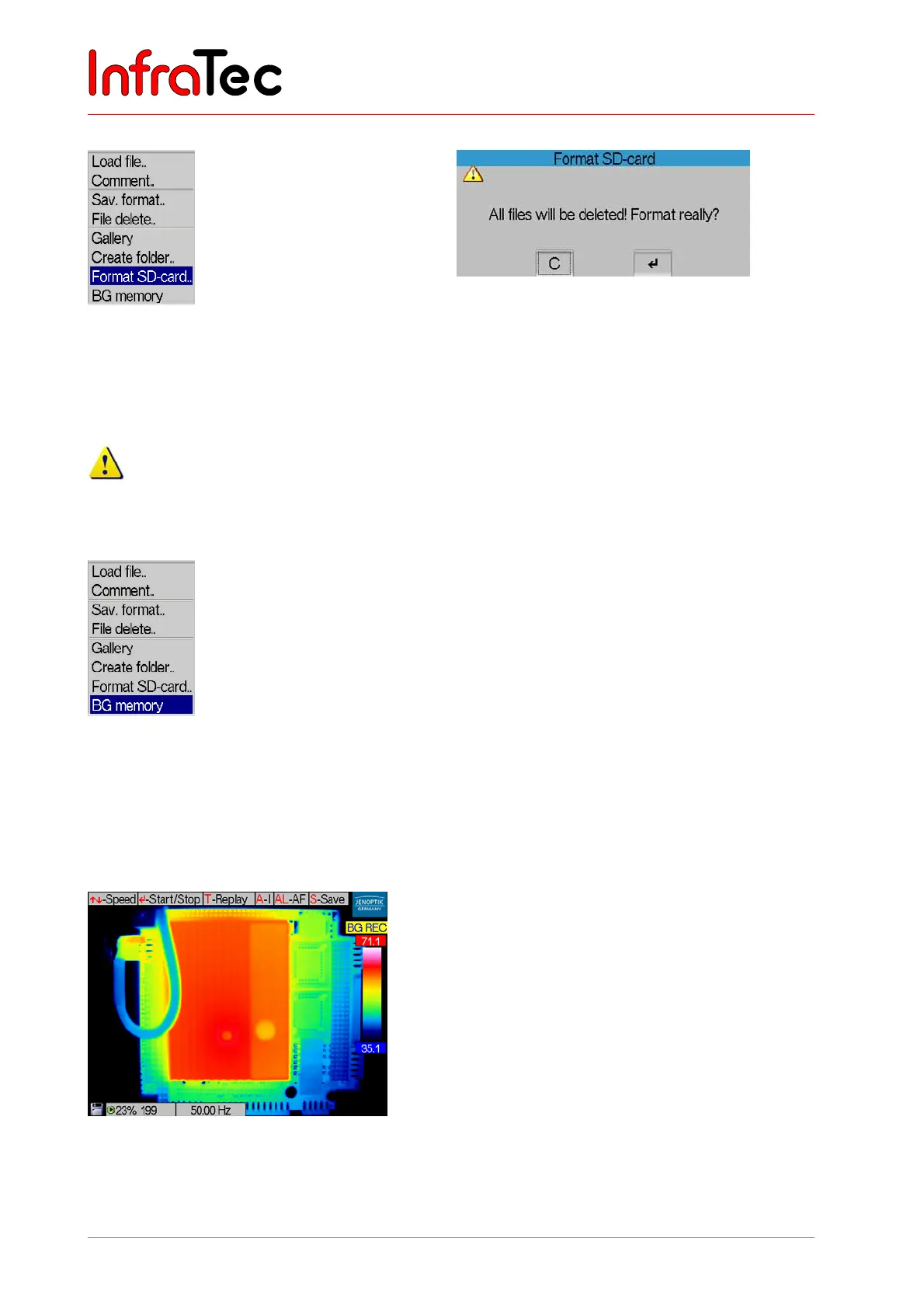
Menu item “Format SD-card”.."
Fig. 88 Menu “File” – “Format SD-card..” Fig. 89 Dialogue “Format SD-card”
After selecting “Format SD-card”, a dialogue will appear that needs to be confirmed by Enter in order to
delete all files on the card and to reformat it. After formatting, all files have irrevocably been deleted.
This process cannot be reversed!
Menu item “BG memory”*
Fig. 90 Menu “File” – “BG memory”
Menu item “BG memory” (see Fig. 90) activates a fast internal real-time memory “BackGround
memory”. In the “BG REC” mode (record mode, see Fig. 91), it enables to quickly save data (Record
mode) and, in the “BG PLAY” mode (play mode, see Fig. 92), to navigate within the saved series and to
save individual images or image series.
Fig. 91 Thermal image in the BG memory mode “REC”



 To Next Page