NV200 Family User Manual
<< Back to Contents
Copyright © Innovative Technology Ltd 2016 Doc: NV200 Family Manual
Version: 1.0
Page 26 of 119
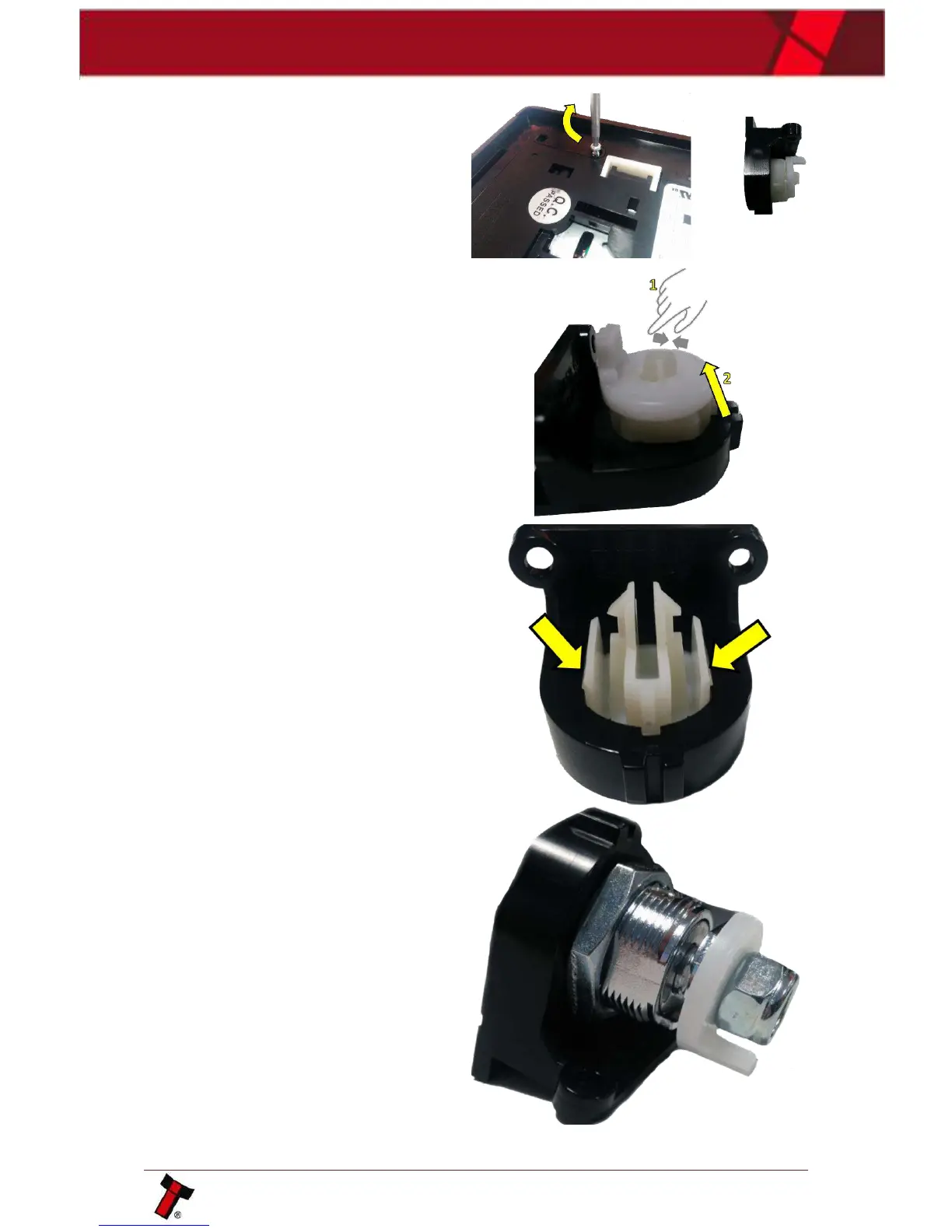
There are 2xT8 screws located on the
underside of the NV200, remove those
and lift away the plastic insert.
Press the plastic clip together and
remove the locking cam.
To remove the plastic insert, from the
lock mount, press the two clips on the
side together and push through. Insert
the cam lock in its place.
Re-attach the locking cam onto the
barrel of the lock and tighten.















 To Next Page